Introduction: Why On-Page SEO Matters in New York City
New York City is home to millions of residents, commuters and visitors, and almost all of them turn to a search engine before they spend money. A single borough can hold thousands of businesses offering the same service, which means your website has to work much harder than a site in a smaller market. On-page SEO is the part of that work you control completely.
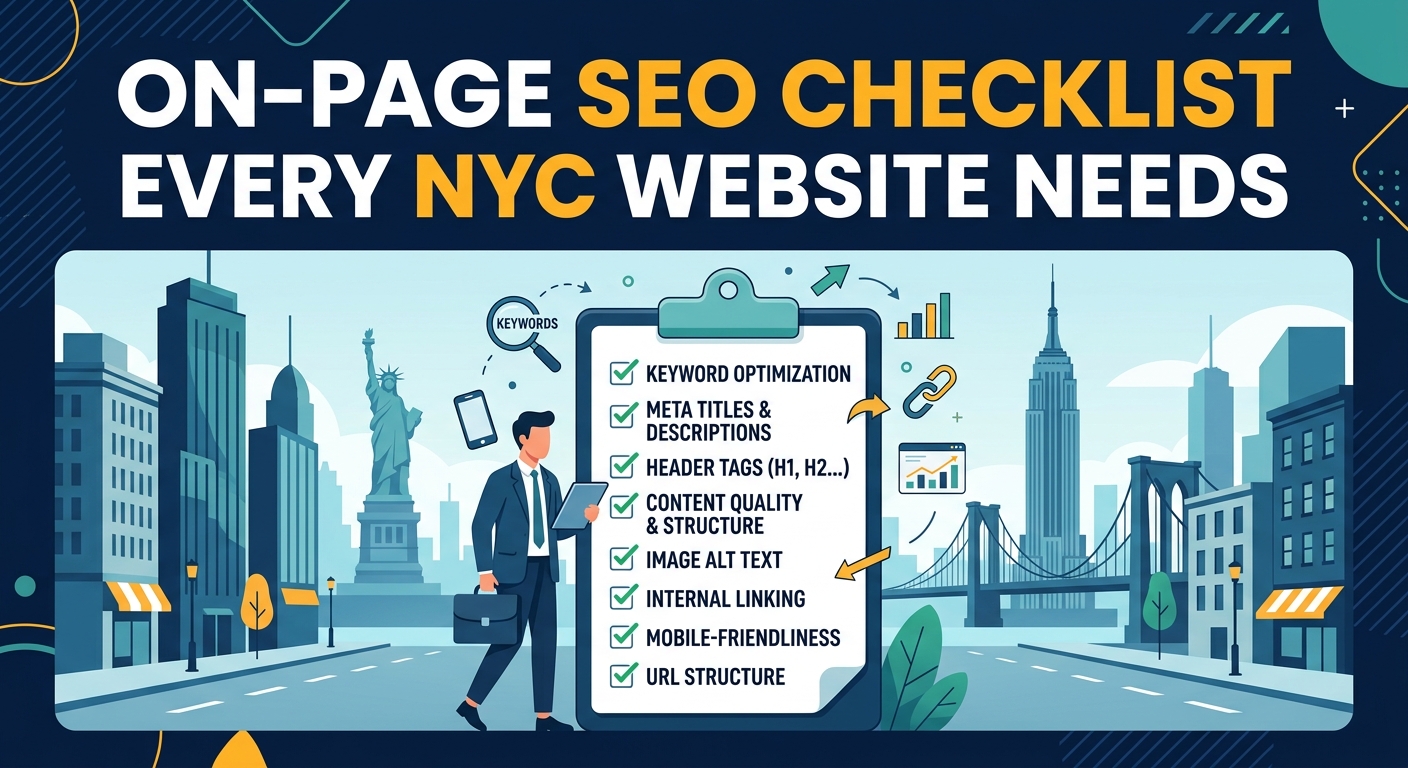
On-page SEO covers everything that lives on your own pages, from titles and headings to copy, images, internal links and structured data. Search engines read these signals to decide what a page is about and whether it deserves to appear in front of a nearby searcher. When these elements are tuned for real people and real locations, rankings and enquiries tend to rise together.
This checklist walks through every element a New York business should review, starting with how people search in the city and moving toward the finer technical details. You can use it as a working audit for your current website or as a blueprint for a brand new build. Each section is written so that you can act on it right away, even if you have never touched SEO before.
Understand the NYC Search Landscape
Search behavior in New York changes dramatically from one borough to the next. Someone in Manhattan may look for a dentist near their office during a lunch break, while a family in Queens may compare several providers on a quiet weekend evening. Knowing these habits helps you decide which words, offers and calls to action belong on each page.
Mobile searching is especially strong in the city because people are constantly moving between trains, sidewalks and meetings. Queries often include phrases such as near me, open now or closest to the subway, which signals a strong wish to act quickly. Pages that load fast and answer the question immediately are far more likely to earn the visit and the sale.
The city is also one of the most linguistically diverse places in the world. Many residents search in Spanish, Chinese, Russian, Bengali and many other languages, so offering translated or localized pages can open a market your competitors completely ignore. Even a short service summary written in a second language can build trust with a community that feels overlooked.
Here are the key patterns to keep in mind when planning your pages:
- Borough names and neighborhood names appear in a large share of local queries.
- Commuter traffic creates search peaks in the early morning, at lunch and in the evening.
- Voice searches tend to be longer and sound like natural spoken questions.
- Tourists and short term visitors search very differently from long term residents.
Keyword Research for NYC Businesses
Strong keyword research starts with the service you sell and then adds the places you serve. A phrase such as accountant in Brooklyn is far more valuable to a local firm than a broad term like accounting services, because the person typing it is much closer to making a decision. Build a list that mixes service terms, borough terms and neighborhood terms so that every area you cover is represented.
Next, group every phrase by search intent so that each page has one clear job. Informational searches need helpful guides, commercial searches need comparisons and proof, and transactional searches need a simple path to book or call. Assigning one primary phrase and a few supporting phrases to each page also prevents your own pages from competing against each other in the results.
The table below shows how common keyword types work for New York businesses and where each one fits best on your website.
| Keyword Type | NYC Example | Best Page Placement |
|---|---|---|
| Service plus borough | plumber in Queens | Dedicated borough service page |
| Service plus neighborhood | wedding photographer in Williamsburg | Neighborhood landing page |
| Question based | how much does a lawyer cost in Manhattan | Blog post or FAQ section |
| Urgent and near me | emergency locksmith near me | Homepage and contact page |
| Comparison | best coworking space in Midtown | Guide or comparison page |
After choosing your phrases, check the results page for each one to see what Google currently rewards. If the top results are service pages, build a service page, and if they are mostly guides, write a guide. Matching the format that already ranks saves time and greatly improves your chances of reaching the first page.
Title Tags That Win Clicks
The title tag is the clickable headline shown in search results, and it remains one of the strongest on-page signals available to you. Keep it to roughly 50 to 60 characters so that it displays fully, and place your main phrase near the front. A clear and honest title also sets the right expectation for the visitor, which reduces people leaving the page straight away.
For a New York business, adding a location signal helps the page match local searches. A title such as Family Dentist in Brooklyn Heights | Gentle Care for All Ages tells both the reader and the search engine exactly what to expect. Add your brand name at the end only if there is room left, since the service and the place matter more than the logo.
Here are the most common title tag mistakes to avoid:
- Using the same title across many pages, which confuses search engines about which page matters most.
- Stuffing several boroughs or cities into one title in an attempt to rank everywhere at once.
- Writing titles that are too long and get cut off in the search results.
- Leaving a default page name such as Home or Untitled in place after the site launches.
Review your titles whenever you publish a new page and again every quarter. Small wording changes can lift click rates noticeably without any change in ranking position, which makes this one of the cheapest improvements you can make.
Meta Descriptions That Drive Traffic
A meta description does not directly decide rankings, but it strongly influences whether people click on your listing. Think of it as a short advertisement of about 140 to 160 characters that sits beneath your title. Write it for the person reading, and mention the main benefit within the first few words.
Local hooks work especially well in this space, such as same day service in Manhattan or free consultations across the five boroughs. Finish with a gentle call to action like book today or request a quote. Every page should carry its own unique description, because duplicates waste a valuable chance to stand out from nearby competitors.
Follow these quick guidelines when writing your descriptions:
- Include the main phrase naturally so it can appear in bold when it matches the search.
- Mention a clear offer, price point or proof such as years of experience in the city.
- Avoid quotation marks, which can cause the text to be cut off in some displays.
- Rewrite descriptions for pages that have high impressions but low click rates.
Treat these snippets as an ongoing test rather than a one time task. Compare click rates before and after each edit, and keep the versions that attract the most visitors to your site.

Header Tags and Content Structure
Header tags give your page a skeleton that both visitors and search engines can follow. Each page should carry a single H1 that states the main topic, followed by H2 headings for the major sections and H3 headings for the details beneath them. When this order is logical, a reader can scan the page in seconds and a crawler can understand how the ideas connect.
Use your headings to answer the questions real New Yorkers ask. A heading such as How Much Does Boiler Repair Cost in the Bronx speaks directly to a search and often earns a featured snippet. Include your main phrase in the H1 and weave related terms into the subheadings, but always keep the wording natural and easy to read.
Keep these structure rules in mind as you edit your pages:
- Never skip levels, such as jumping from an H1 straight to an H3.
- Avoid using headings only to make text look larger or bolder.
- Keep each heading short enough to be understood at a glance.
- Place the most important answer near the top of the page so busy readers see it first.
High Quality Local Content
Content is the heart of on-page SEO, and in a crowded market like New York it must offer something competitors cannot copy easily. Share real experience, such as lessons from jobs completed in specific neighborhoods, pricing patterns across boroughs or common problems in older city buildings. This kind of detail shows expertise and builds the trust that turns a visitor into a customer.
Neighborhood landing pages can be powerful when they are done properly. Each one should describe the services you provide in that area, mention nearby landmarks or streets, share a local testimonial and include a clear way to get in touch. Pages that simply swap the neighborhood name in an otherwise identical template are treated as thin content and can hurt your overall visibility.
Depth matters as well, so aim to cover a topic more completely than the pages currently ranking above you. Answer follow up questions, add examples and explain costs, timelines and next steps in plain language. A page that leaves the reader with nothing left to search for is the page that tends to rise.
Plan a regular refresh schedule so that your information never goes stale. Update prices, hours, staff details and seasonal advice at least twice a year, and review your highest traffic pages every quarter. Search engines reward pages that stay accurate, and visitors quickly lose confidence in a site that shows outdated facts.
URL Structure and Internal Linking
A clean URL tells people and search engines what a page contains before it even loads. Keep addresses short, use lowercase letters, separate words with hyphens and include the main phrase, as in a path that ends with emergency-plumber-brooklyn. Avoid long strings of numbers, unnecessary folders and special characters, since they make links harder to read and share.
Once a page is live, try not to change its address unless there is a strong reason. If you must move it, set up a permanent redirect so that the ranking strength and any visitors from old links are passed to the new location. Broken or redirected chains slow the site down and can quietly drain your performance over time.
Internal links connect your pages and spread authority across the site. Group related pages into topic clusters, with one main service page supported by detailed guides, case studies and neighborhood pages that all link back to it. Use descriptive anchor text that tells the reader what to expect, rather than vague words such as click here or learn more.
Pay special attention to orphan pages, which are pages that no other page links to. Search engines may struggle to find them, and visitors will almost never reach them. A quick crawl of your site will reveal these pages, and adding two or three relevant links to each one is usually enough to bring them back into view.
Image Optimization
Images make a page more engaging, but unoptimized files are one of the biggest causes of slow loading. Compress every picture before uploading it, and choose modern formats such as WebP or AVIF, which keep quality high while reducing file size. Resize images to the exact dimensions they will be shown at, so the browser never has to download a giant file and shrink it.
Descriptive file names and alt text help search engines understand what each image shows. A file named brooklyn-brownstone-kitchen-remodel.webp is far more useful than IMG_4821.jpg, and the alt text should describe the scene in a short and honest sentence. Good alt text also supports visitors who use screen readers, which improves accessibility for everyone.
The table below summarizes the main image settings to check on every page.
| Image Element | Recommended Practice | Ideal Target |
|---|---|---|
| File format | Use WebP or AVIF instead of large PNG or JPG files | Modern compressed format |
| File size | Compress before upload | Under 150 KB for most images |
| File name | Use descriptive words separated by hyphens | Includes service and location |
| Alt text | Describe the image in a natural sentence | Under 125 characters |
| Loading method | Apply lazy loading to images below the fold | Enabled on all lower images |
| Dimensions | Set width and height in the page code | Prevents layout shifts |
Real photographs of your team, your work and your New York location nearly always outperform generic stock images. They signal authenticity to visitors and give search engines additional context about where you operate. If you do use stock photos, limit them to supporting roles and place original images in the most prominent positions.
Mobile Friendliness and Page Speed
Most New Yorkers search from a phone, often while walking, riding the subway or waiting in line. If your page is slow or awkward to use on a small screen, those visitors will leave within seconds and return to the results to choose someone else. Search engines notice this behavior and treat it as a sign that the page does not satisfy the search.
Google measures page experience through Core Web Vitals, which focus on loading speed, interactivity and visual stability. Aim for the main content to appear in under 2.5 seconds, for taps and clicks to respond in under 200 milliseconds, and for the layout to stay steady with a shift score below 0.1. Meeting these targets gives your pages a clear advantage over slower competitors.
Design for thumbs and small screens from the very beginning. Use readable text sizes, generous spacing around buttons and a click to call button that stays easy to reach. Forms should be short, and menus should be simple enough to use with one hand.
These are the most reliable ways to speed up a site:
- Choose a fast hosting plan with servers that perform well for East Coast visitors.
- Turn on browser caching and use a content delivery network to serve files from nearby locations.
- Remove unused plugins, scripts and tracking codes that add weight without adding value.
- Minify code files and delay non essential scripts until after the main content has loaded.
Test your pages on a real phone using a regular mobile connection, not only on a fast office network. Many city visitors have patchy signal underground or in crowded buildings, so a page that still loads quickly in those conditions earns a real competitive edge.
Local Schema Markup
Schema markup is a layer of structured code that explains your content to search engines in a precise format. For a New York business, the LocalBusiness type is the most important, because it can describe your name, address, phone number, opening hours, service area and accepted payment methods. This clarity helps search engines connect your website with the right local searches.
Other schema types add even more value. FAQ markup can help your questions and answers appear directly in results, Review markup can display star ratings next to your listing, and Service markup can describe exactly what you offer and where. These enhanced listings take up more space on the page and tend to draw a noticeably higher share of clicks.
After adding schema, test it with a structured data testing tool to confirm that there are no errors or warnings. Keep the markup in sync with the visible content on the page, since mismatched details can lead to penalties or the loss of rich results. Whenever your hours, phone number or services change, update the code at the same time so the information stays reliable everywhere.

NAP Consistency and Google Business Profile Alignment
NAP stands for name, address and phone number, and these three details must match exactly everywhere your business appears online. Search engines compare your website against your Google Business Profile and other listings to confirm that you are real and trustworthy. Even small differences, such as Street in one place and St. in another, can weaken that confidence.
Place your full NAP in the header or footer of every page, and repeat it on your contact page and each location page. Embed a Google Map on the contact page so visitors can see your exact position and get directions in a single tap. If you serve customers at their homes or offices, list your service areas clearly so that both people and crawlers know where you work.
These steps keep your local signals strong:
- Use the same business name, suite number and phone format on every page and listing.
- Choose one primary phone number and avoid swapping it for tracking numbers in visible text.
- Match your website categories and service descriptions to your Google Business Profile.
- Add a separate page and map for each physical location if you operate more than one office.
User Experience and Conversion Elements
Rankings only matter if visitors take action once they arrive. A clear layout, simple menu and obvious next step help busy New Yorkers decide quickly, and good engagement tells search engines that your page satisfies the search. Think of every page as a short conversation that should end with a call, a booking or a message.
Place a primary call to action above the fold and repeat it after each major section. Click to call buttons are essential on mobile, and short forms with only the fields you truly need will always convert better than long ones. Trust signals such as customer reviews, licenses, certifications and recognizable client logos reduce hesitation and make the decision easier.
Keep the experience smooth with these habits:
- Write button text that describes the result, such as Get My Free Quote.
- Show your phone number and opening hours without making visitors scroll or search.
- Add real testimonials that mention the borough or neighborhood you served.
- Avoid pop ups that cover the content immediately, especially on small screens.
Technical On-Page Checks
Technical details sit quietly behind your pages, but small errors here can undo months of good work. Canonical tags tell search engines which version of a page is the main one, which prevents duplicate content problems when similar pages exist. Robots directives and noindex tags should be reviewed carefully so that you never block an important page by accident.
Your site must also run on HTTPS, since browsers warn visitors away from insecure pages. Broken links frustrate readers and waste crawl budget, so scan for them regularly and fix or redirect each one. An up to date XML sitemap submitted through your search console account helps new and changed pages get discovered faster.
The table below offers a simple schedule for keeping your on-page elements healthy throughout the year.
| Task | What to Check | Suggested Frequency |
|---|---|---|
| Title and meta review | Length, uniqueness and click rate | Every quarter |
| Broken link scan | Internal and outbound errors | Every month |
| Page speed test | Core Web Vitals on mobile | Every month |
| Schema validation | Errors and outdated details | Every quarter |
| NAP comparison | Site versus business listings | Every quarter |
| Content refresh | Prices, hours and statistics | Twice a year |
| Sitemap and indexing | Coverage and excluded pages | Every month |
Why Choose Dealmate
Dealmate understands that ranking in New York takes more than generic advice, because every borough and neighborhood behaves differently. Our team builds on-page strategies around how your actual customers search, then turns those insights into pages that attract visitors and convert them. You receive clear explanations in plain language, so you always know what is being done and why it matters.
Our process begins with a detailed audit of your current website, followed by a prioritized action plan that tackles the biggest opportunities first. We handle titles, content, structure, speed and schema, and we track the results with transparent monthly reports. Whether you run a single shop in Brooklyn or a growing company across the five boroughs, Dealmate shapes the work around your goals and your budget.
Frequently Asked Questions
What is on-page SEO and why does it matter for NYC businesses?
On-page SEO is the practice of improving the content and code of your own web pages so that search engines understand them better. It includes titles, headings, copy, images, links and structured data. In a market as crowded as New York, these details often decide which business appears first. Strong on-page work also improves the experience of every visitor.
How long does it take to see results from on-page SEO?
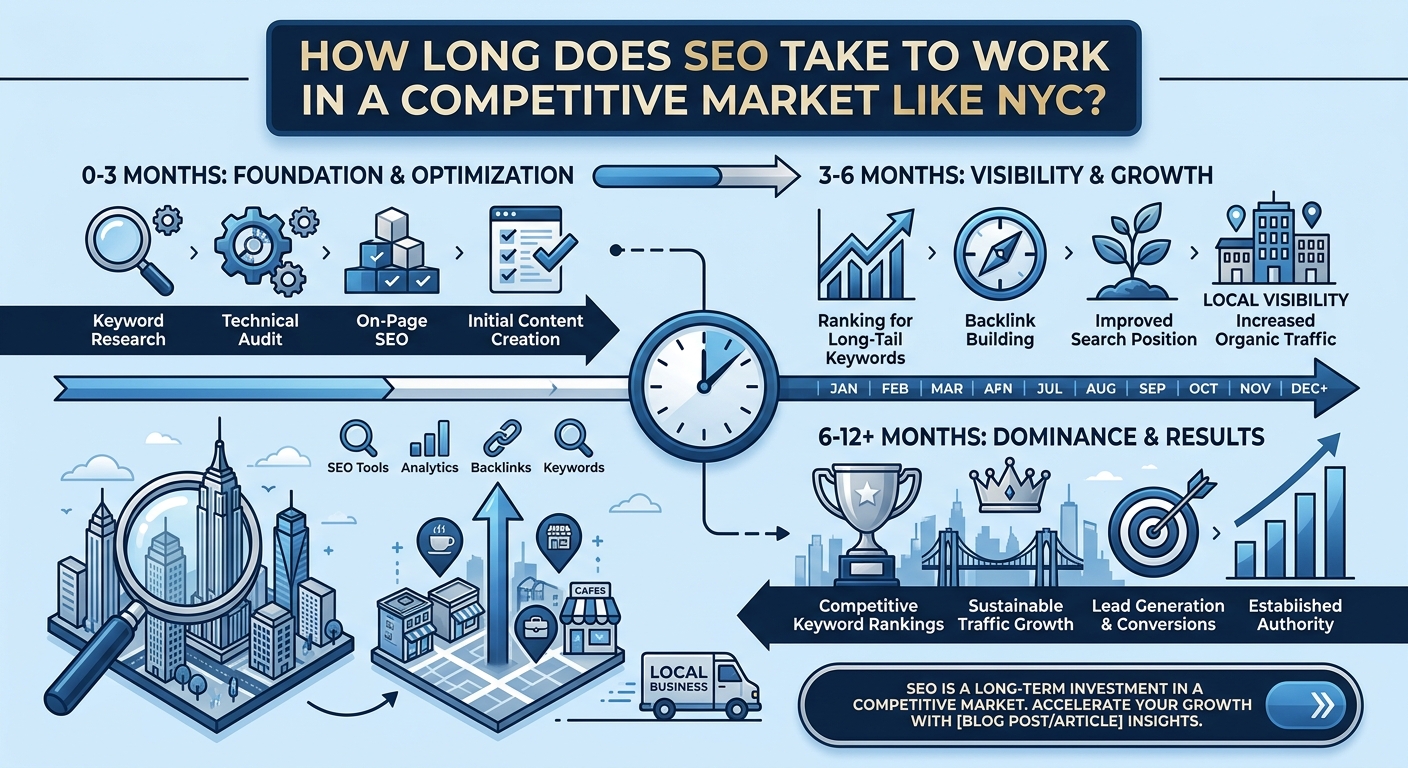
Most businesses begin to notice changes within four to twelve weeks after making meaningful updates. Competitive keywords in New York can take longer, especially for newer websites. Results depend on the quality of your content, your current authority and the strength of nearby competitors. Consistent improvements usually bring steadier gains than a single large overhaul.
How many keywords should I target on one page?
Each page should focus on one primary keyword and a small group of closely related phrases. This keeps the content clear and prevents your own pages from competing with each other. Supporting phrases should appear naturally within headings and body text. Trying to cover too many topics on one page usually weakens all of them.
Do I need separate pages for each NYC borough?
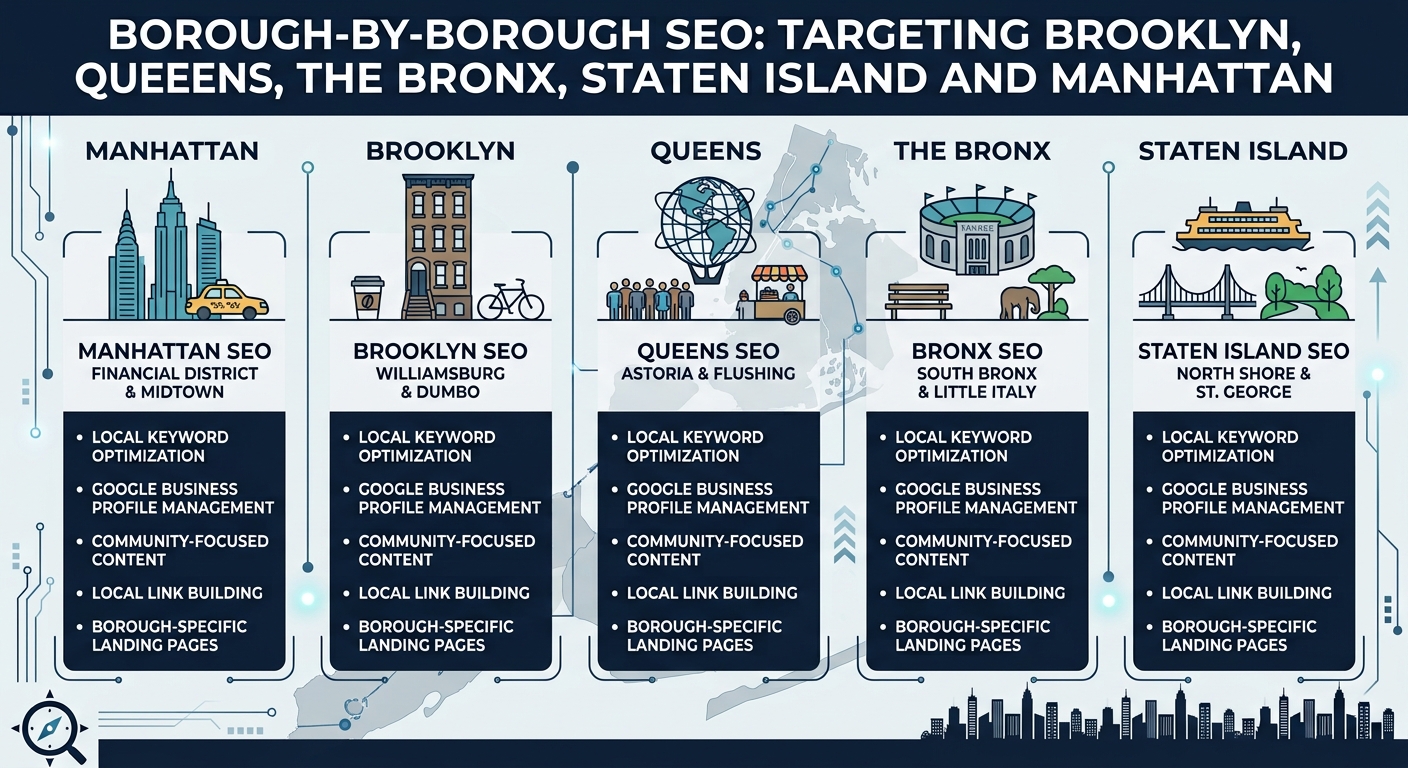
If you provide services in several boroughs, separate pages are usually a smart choice. Each page should contain genuinely useful local details, such as areas served, local examples and relevant testimonials. Copying the same text and changing only the borough name will not help and may cause harm. Quality matters far more than the number of pages you publish.
What is the ideal length for a title tag and meta description?
Title tags work best at roughly 50 to 60 characters, while meta descriptions perform well at about 140 to 160 characters. These lengths help your text display fully in search results. Place the main phrase and the key benefit near the start of each one. Always write them to attract a real person, not only a search engine.
How important is mobile optimization for local searches in New York?
Mobile optimization is extremely important because most local searches in the city happen on phones. People often search while commuting or walking, and they expect pages to load almost instantly. A slow or awkward mobile page sends them straight back to the results. Search engines also use the mobile version of your site as the main version for ranking.
Does schema markup really improve rankings?
Schema markup is not a direct ranking factor, but it helps search engines understand your content with greater accuracy. It can also unlock rich results such as star ratings and expanded questions. These eye catching listings tend to earn more clicks than plain ones. Over time, the added traffic can support stronger overall performance.
How often should I update my website content?
You should review key pages at least every quarter and refresh important details twice a year. Prices, opening hours, team information and statistics should always be accurate. Publishing new helpful content on a regular schedule also signals that your site is active. Fresh and reliable information builds trust with both visitors and search engines.
Can I do on-page SEO myself or should I hire an agency?
Many owners can handle basic tasks such as writing titles, adding alt text and fixing broken links. Technical work like schema, speed tuning and large scale content planning often needs specialized skills. An agency saves time and reduces costly mistakes in a competitive market. The right choice depends on your budget, your schedule and your growth goals.
How do I measure whether my on-page SEO is working?
Track organic traffic, keyword positions, click through rates and conversions using your analytics and search console tools. Compare these numbers before and after each round of changes so you can see what actually worked. Pay attention to calls, form submissions and direction requests, since these show real business value. Review the data monthly and adjust your plan based on what you learn.
Conclusion
On-page SEO gives New York businesses a dependable way to stand out in one of the most competitive markets in the world. By combining local keyword research, strong titles and descriptions, clear structure, original content, fast mobile pages, accurate schema and consistent business details, you build a website that search engines trust and customers enjoy using. Each item in this checklist supports the others, so steady progress across all of them delivers the best results.
Start by auditing your most important pages and fixing the quickest wins first. Then schedule regular reviews so your site stays accurate and competitive as the city and its search habits keep changing.