
Low rankings usually come from a scattered plan, not one missing plugin. If you are working on an existing WordPress site, the right checklist is less about adding more tools and more about finding the issues that block visibility first. Fix the issues that block visibility before the issues that polish visibility.
Most site owners do not have one catastrophic problem. They have a stack of smaller issues that compound over time. An older site may have weak titles, thin internal links, redirect leftovers, duplicate archive pages, or plugin overlap. A green light in an SEO plugin does not mean the page deserves to rank.
This guide gives you a practical WordPress SEO checklist for existing websites. Use it to audit what matters, prioritize the right fixes, and avoid wasting time on tasks that look productive but do not move search visibility.
Start With the Problems That Suppress Visibility
The first pass should answer one question: can search engines crawl, understand, and trust your important pages? If the answer is unclear, do not jump to plugin settings or content expansion yet. Start with indexing, site structure, and page targeting.
If you need a broader framework before using this checklist, review SEO for WordPress on existing websites and how to optimize SEO for WordPress. Those guides pair well with the step-by-step audit below.
WordPress SEO Checklist for Existing Websites
Use this checklist in order. That order matters because technical blocks and page targeting issues usually limit performance more than cosmetic tweaks. You do not need a perfect score. The goal is a site that loads cleanly, is easy to use, and makes each important page easy for Google to understand.
| Priority | What to check | Why it matters |
|---|---|---|
| 1 | Indexing and visibility settings | Pages cannot rank if search engines are blocked |
| 2 | One clean SEO plugin setup | Overlapping plugins can create conflicting metadata and sitemaps |
| 3 | Titles and meta descriptions | These help search engines and users understand page purpose |
| 4 | Page intent and keyword targeting | Pages perform better when each one has a clear topic |
| 5 | Internal links and anchor text | Links help users navigate and help Google discover related pages |
| 6 | Duplicate and thin content | Weak or overlapping pages dilute relevance |
| 7 | URL structure and redirects | Broken paths and messy migrations waste authority |
| 8 | Image handling and media cleanup | Heavy pages and stray attachment URLs create clutter |
| 9 | Speed and template bloat | Slow sites create friction for users and search performance |
| 10 | Measurement and ongoing review | You need evidence to know what is improving |
1. Check search engine visibility first
Start by confirming your important pages can actually be indexed. Existing sites sometimes carry old noindex settings, staging leftovers, blocked folders, or pages that were quietly removed from XML sitemaps.
Review your WordPress reading settings, inspect important URLs, and confirm that your main service, category, product, and contact pages are indexable. If your rankings dropped after a redesign or migration, this is one of the first places we check at WordPress SEO Expert.
2. Use one SEO plugin, not several
One well-configured SEO plugin is enough. Running overlapping plugins often creates duplicate metadata, conflicting canonicals, and competing sitemap outputs that make an older WordPress setup harder to trust and maintain.
If your site uses multiple SEO tools, simplify the setup before doing anything else. The gap between plugins is not that one works and one does not. The gap is usually in features, interface, and how much cleanup the current installation needs. If you are comparing options, our post on Yoast SEO vs Rank Math can help you choose without the hype.
3. Rewrite weak titles and descriptions
Titles and meta descriptions should make the page purpose obvious fast. Google recommends descriptive, concise titles and warns against keyword stuffing and repetitive boilerplate on page titles, and it recommends unique descriptions that accurately summarize the specific page through its Search Central documentation.
Weak title: SEO Services | SEO Company | SEO Expert. Stronger title: WordPress SEO Services for Small Businesses. This is not about making every title longer. It is about making each title clearer, more specific, and more distinct from the rest of the site.
4. Make sure each important page has one clear job
Existing websites often underperform because several pages chase the same phrase while none of them fully satisfy the search intent. That creates internal competition, thin differentiation, and confused site structure.
Map one primary topic to each important page. Consolidate near-duplicates where needed. Expand the page that should win instead of publishing five weak variations. Google’s people-first content guidance also supports building content that is genuinely useful instead of producing search engine-first pages built only to capture traffic.
5. Strengthen internal links with descriptive anchors
Internal links help users move through the site and help search engines understand page relationships. Google recommends crawlable links that use actual anchor elements and descriptive anchor text that makes the destination clear.
Look for older posts that mention services, categories, or core problems without linking to the best destination page. Then add natural anchors that describe the next step. If you want a stronger foundation for this work, read what actually moves WordPress rankings and WordPress SEO mistakes that hurt rankings.
6. Remove or improve thin and duplicate content
Thin and duplicate content usually weakens an existing site more through confusion than through one obvious penalty. Blog tag archives, author archives, old city pages, and slight keyword variants often create overlap that adds very little value.
Audit low-value URLs and decide whether to improve, merge, redirect, or noindex them. The right answer depends on whether the page serves a real user purpose. If it does not help a visitor complete a task or answer a question, it is probably not helping your SEO strategy either.
7. Clean up URLs, canonicals, and redirects
Messy URL structures can keep an existing site stuck even when the content is decent. Old slug changes, HTTP to HTTPS inconsistencies, trailing slash conflicts, and redirect chains create unnecessary friction.
Check that each important page resolves to one preferred version. Review canonical tags for self-references on primary pages and verify redirects after migrations, page merges, and deleted content. This is especially important for WooCommerce stores and any site that has changed themes, permalink settings, or category structures more than once.
8. Review images, attachment pages, and media clutter
Image handling matters because bloated media slows pages and loose media URLs can create low-value indexed pages. Existing WordPress sites often collect years of oversized images, duplicate uploads, and attachment pages that add little value.
Compress new uploads, review whether attachment pages should redirect, and make sure image file names and alt text are descriptive where useful. This is not about stuffing keywords into every image. It is about cleaner media management and a better page experience.
9. Check template-level speed issues
Speed problems on older WordPress sites usually come from stacked plugins, heavy page builders, bloated themes, and third-party scripts that load sitewide. Most of the time, one slow page is not the problem. A slow template is.
Review your heaviest templates first, including the homepage, main service pages, category pages, and high-traffic blog posts. Remove what is unnecessary before trying to micro-optimize everything else. Practical SEO is not about chasing a perfect testing score. It is about reducing friction on the pages that matter most.
If you are not sure whether your current plugin configuration is helping or quietly hurting you, WordPress SEO Expert can help.
10. Track changes and review outcomes

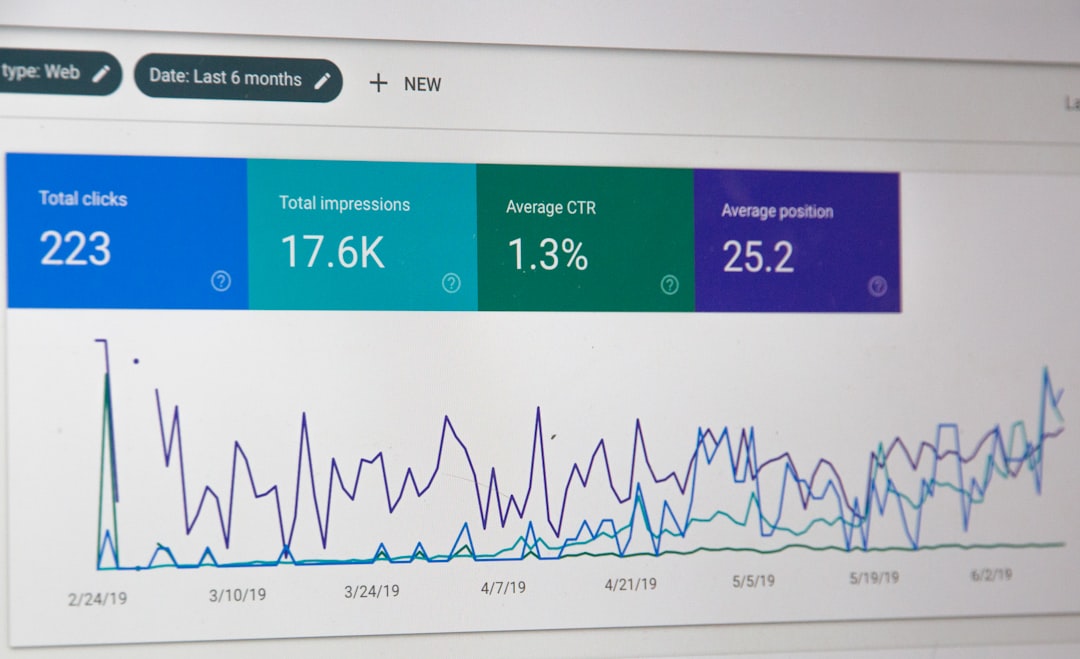
A checklist only works if you connect it to measurement. Existing sites improve faster when you document what changed, which pages were affected, and what happened to impressions, clicks, rankings, and leads after the fix.
Create a short 30-day and 90-day action plan. Start with pages closest to revenue or lead generation. Then review search performance and refine the next round of changes based on evidence, not guesswork.
What to Fix First on an Existing WordPress Site
If your site feels overwhelming, start with the smallest set of fixes that can unlock visibility. In most cases, that means confirming indexability, simplifying SEO plugins, improving core page titles, tightening internal links, and consolidating duplicate pages before doing deeper content expansion.
That sequence matters because it clears structural friction first. Once Google can crawl the right pages, understand their purpose, and move through the site more easily, later content improvements tend to perform better.
A Practical Rule for Ongoing SEO Maintenance
The best long-term rule is simple: keep the setup clean enough that every important page has a clear topic, a clear title, a clear path from other pages, and no technical confusion around it. Most site owners do not need more SEO activity. They need more SEO clarity.
When you treat SEO as ongoing cleanup and prioritization instead of constant publishing, existing WordPress sites become much easier to grow. Contact WordPress SEO Expert today to schedule a consultation. No pitch, no pressure. Just an honest look at what your site actually needs and whether your current setup is part of the solution or part of the problem.

















