

Low rankings usually come from a few fixable issues: weak keyword targeting, thin page signals, crawl problems, and inconsistent site structure. This step-by-step WordPress SEO guide shows how to fix the fundamentals first so later content work actually has a chance to rank.
Most WordPress sites do not need complicated tactics to improve SEO. They need clean settings, strong page targeting, and a publishing process that avoids duplicate content and missed metadata. If you want help applying this process to your site, WordPress SEO Expert can help.
Start with the foundations first
Before you touch keywords or content, make sure your site is indexable, secure, and easy for search engines to crawl. Technical mistakes can cancel out good content, so this step deserves attention before anything else.
Check that your site is using HTTPS, that the correct version of your domain resolves consistently, and that WordPress is not set to discourage search engines from indexing the site. Google also recommends using the noindex tag rather than robots.txt when you need to prevent indexing of a page. An SEO plugin can also help you manage titles, canonicals, schema, and XML sitemaps in one place.
If your site already has crawl or indexing issues, review your broader technical SEO setup before moving on. Foundational fixes usually produce better results than publishing more pages on top of a broken structure.
Step 1: Install one SEO plugin and configure it fully
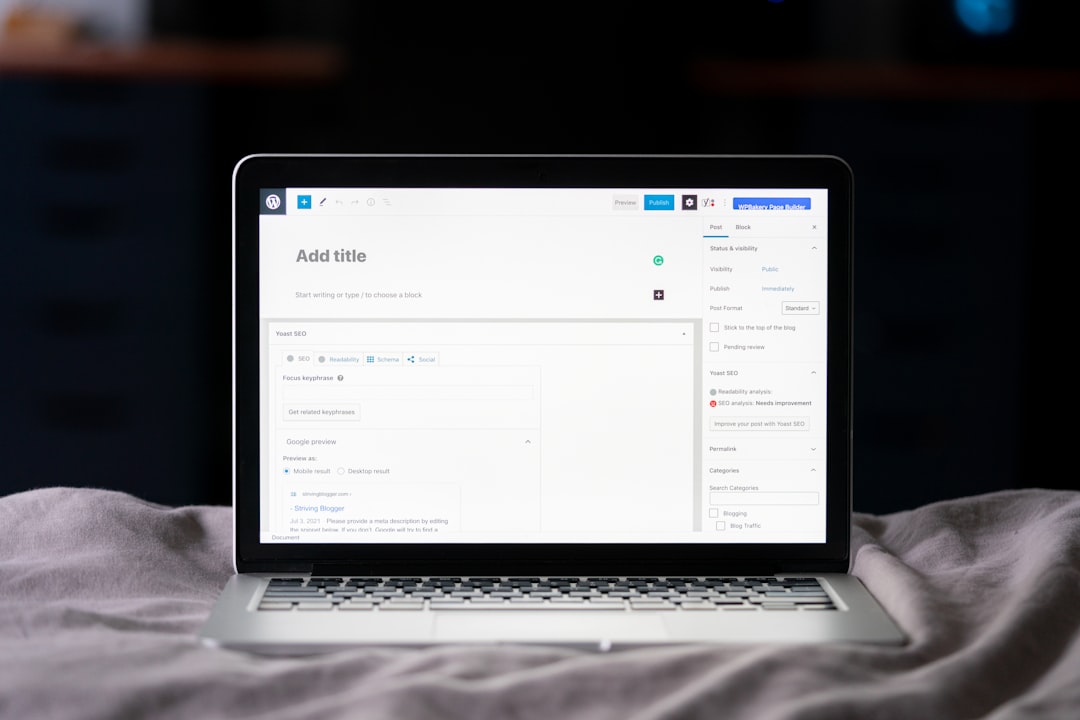
Use one well-supported SEO plugin, then finish the setup instead of leaving default settings half done. A single plugin reduces conflicts and gives you one place to manage titles, meta settings, XML sitemaps, schema basics, and social previews.
Yoast SEO, for example, can generate XML sitemaps automatically and adds structured data for core page types and breadcrumbs. Whatever plugin you choose, avoid running multiple SEO plugins at the same time because overlapping schema, sitemap, or title controls can create conflicts.
During setup, review these areas carefully: homepage title and meta description, title templates, indexing rules for posts and pages, media attachment behavior, XML sitemap settings, and breadcrumb settings. This is also a good point to connect your content planning with real keyword research so each page has a clear search target.
Step 2: Fix permalinks, categories, and site structure
Short, readable URLs and a clean content hierarchy make your site easier to crawl and easier for users to understand. This step is less about chasing keywords in the URL and more about preventing messy duplication and navigation problems.
Use a simple permalink structure, keep slugs concise, and avoid creating unnecessary categories or tags that generate low-value archive pages. Organize pages into clear parent-child relationships where that helps users. If you change URLs on a live site, use permanent redirects and update internal links so Google and users both reach the final destination directly.
Step 3: Choose one primary keyword per page

Each page should target one main search intent, not five loosely related terms. That keeps the title, headings, copy, internal links, and call to action aligned instead of diluted.
Pick a keyword that matches what the page actually offers. A service page should target a commercial-intent query. A blog post should target an informational query. Then add close variations naturally in subheadings and body copy without forcing exact matches into every paragraph.
This is where many sites stall. They publish content around topics they want to rank for, but not around terms real customers actually search. If that sounds familiar, WordPress SEO Expert can help you map pages to realistic target queries and close intent gaps.
Step 4: Write better title tags and meta descriptions
Your title tag has a direct impact on relevance and click-through rate. The meta description does not act like a direct ranking factor in the same way, but it still matters because better snippets can earn more clicks from the same impression volume.
Write a unique title for every important page. Put the main topic near the front, keep the wording natural, and avoid repeating the same phrase across multiple pages. For meta descriptions, summarize the page benefit clearly and give searchers a reason to click. Good copy here often beats clever copy.
Step 5: Improve on-page SEO on every important page
On-page SEO works best when it improves clarity, not when it tries to game density formulas. The goal is to make the page obviously relevant to the topic and genuinely useful to the visitor who landed there.
Use one clear H1. Break the page into logical H2s and H3s. Add the primary keyword where it fits naturally in the title, H1, intro, and at least one subheading. Expand the topic with examples, FAQs, comparisons, and next-step guidance. Stronger on-page SEO usually comes from better structure and depth, not from repeating the same term.
Step 6: Add internal links with a purpose
Internal links help search engines understand page relationships and help users move toward the next useful page. They are one of the easiest SEO improvements to implement because you control them completely.
Link from high-authority pages to pages you want to strengthen. Use descriptive anchor text that tells readers what they will find next. Also look for opportunities to connect informational content with service pages, since that often improves both user flow and topical relevance.
Step 7: Make images and media search-friendly
Images can support rankings indirectly by improving engagement and page quality, but only if they do not slow the site down or create accessibility issues. This step is simple and worth doing on every publish cycle.
Compress large images before upload, use descriptive file names when practical, and write alt text that describes the image in context. Do not stuff alt text with keywords. The best alt text helps users who rely on screen readers and gives search engines accurate context about the image.
Step 8: Publish content that matches search intent
SEO content performs when it answers the reason behind the query. A page can be well optimized and still fail if it targets the wrong stage of the buyer journey or the wrong format for the query.
Look at the pages already ranking for your target topic. Are they service pages, tutorials, product pages, or comparison articles? Match that format, then add something more useful: clearer examples, better structure, stronger visuals, or more actionable steps. Publishing for search now also means thinking about how your expertise appears in AI-driven results and summaries, which is why a broader AI SEO strategy is becoming part of modern content planning.
Step 9: Monitor indexing and performance in Google Search Console
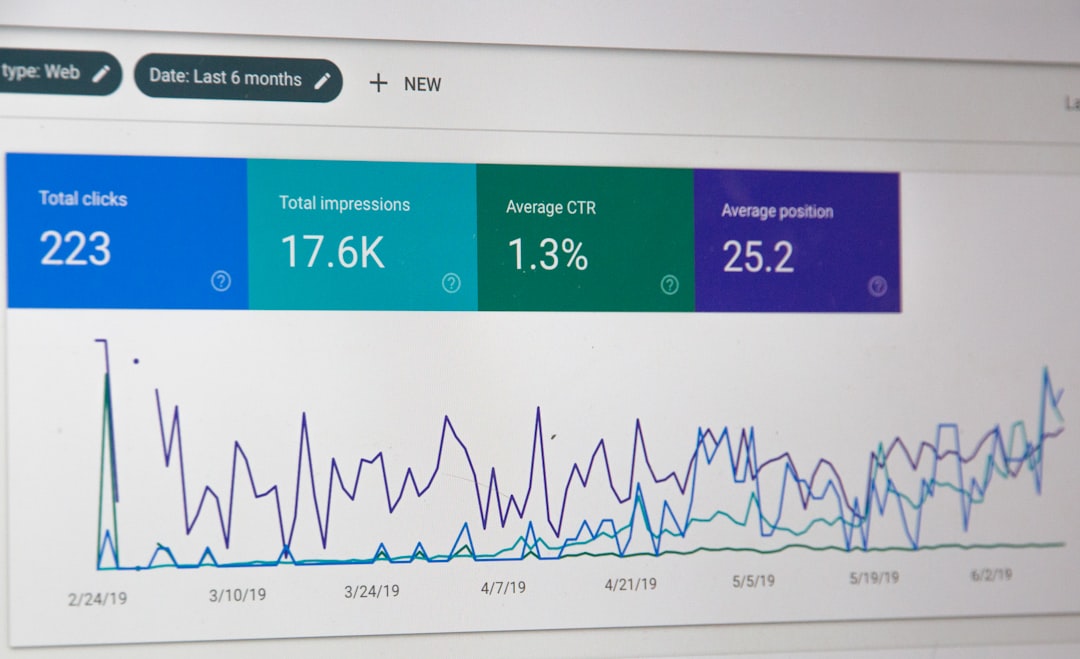
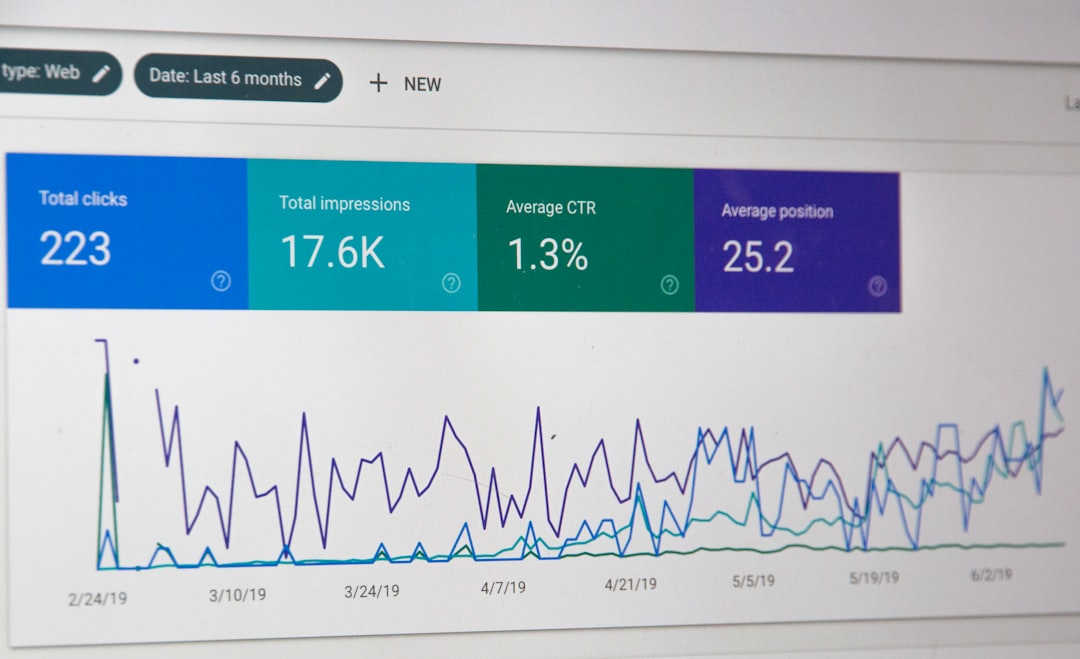
You cannot improve what you do not measure. Search Console shows whether pages are being indexed, what queries trigger impressions, and where click-through rate or average position may be lagging.
Check the Pages report for indexing issues, the Search results report for query and page performance, and the sitemap submission area after major content updates. Watch for pages that get impressions but few clicks, since those often need better titles and meta descriptions rather than full rewrites.
Step 10: Refresh old content before writing too much new content
Updating existing pages is often faster than creating new ones from scratch. If a page already has some impressions or links, improving it can produce results sooner than launching another page on a similar topic.
Refresh outdated sections, tighten search intent, improve headings, add internal links, update examples, and consolidate overlapping pages when necessary. If two pages target the same query too closely, consider merging them and redirecting the weaker URL to the stronger one.
A practical WordPress SEO checklist
If you want a simpler way to apply this guide, use this checklist during setup, page publishing, and monthly SEO reviews. It covers the basics most WordPress sites miss.
| Area | What to check |
|---|---|
| Indexing | Search engines are not discouraged and important pages are indexable |
| Plugin setup | One SEO plugin is configured for titles, sitemaps, canonicals, and schema basics |
| URLs | Permalinks are clean and changed URLs use permanent redirects |
| Page targeting | Each page has one primary keyword and matching intent |
| Metadata | Title tag and meta description are unique and useful |
| Structure | Each page uses one H1 with logical H2 and H3 sections |
| Internal links | Important pages receive descriptive internal links from related content |
| Media | Images are compressed and alt text is descriptive |
| Monitoring | Search Console is checked for indexing, impressions, and CTR issues |
When to get expert help
If you have already published content consistently but rankings remain flat, the issue is usually not effort. It is usually a mismatch in technical setup, page targeting, internal linking, or content quality.
That is often the point where an outside review saves time. WordPress SEO Expert can audit your WordPress setup, prioritize the fixes that matter most, and help you build a process you can actually maintain.
Final takeaway
A strong WordPress SEO process is usually less about hacks and more about consistency. Set up the platform correctly, target the right keywords, optimize each page clearly, and review performance often enough to catch problems early.
If you want a second set of eyes before you spend more time on content, contact WordPress SEO Expert to book a free consultation or request a free WordPress SEO audit.

















Pingback: WordPress SEO Guide: Examples That Work
Pingback: How to Improve WordPress SEO