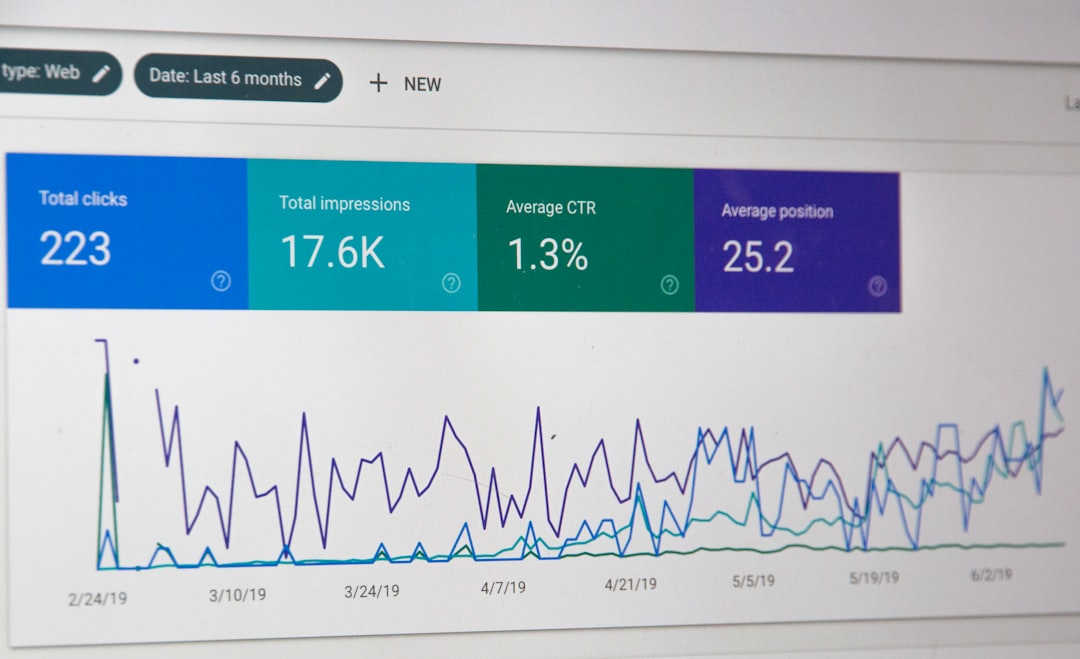
Low rankings usually come from a stack of smaller issues, not one missing plugin. The right WordPress SEO tools help you find those issues faster, but the real payoff comes from using each tool for a specific job: crawling, indexing, on-page optimization, internal linking, speed, and measurement.
There is no single best SEO stack for every site. A local service business, a content site, and a WooCommerce store need different setups. The goal is a clean toolset, a clear process, and enough data to decide what to fix first instead of chasing green plugin lights.
What tools matter most for WordPress SEO?
The tools that matter most are the ones that answer five practical questions: can Google crawl the site, can Google index the right pages, do pages match search intent, is the site fast enough, and are key pages earning clicks? If a tool does not help answer one of those, it is probably optional.
A practical stack usually includes one SEO plugin, Google Search Console, Google Analytics, a crawling tool, an image or performance plugin, and a way to review internal links. If your site is already messy, start with the crawl and index layer before you touch titles or publish more content.
That same logic shows up in our WordPress SEO strategy for small business guide: structure and page purpose usually matter more than adding more software. If your site is slow on top of that, review our WordPress site speed fixes for SEO before you assume content is the main problem.
Recommended WordPress SEO tools by job
The easiest way to choose tools is by role, not by hype. Pick one primary tool per function, keep the stack lean, and avoid overlap between plugins that edit titles, generate sitemaps, add schema, or handle redirects.
| Area | Recommended tool type | What it helps you do |
|---|---|---|
| On-page SEO | One SEO plugin | Edit title tags, meta descriptions, canonicals, schema basics, and XML sitemaps |
| Search performance | Google Search Console | Review clicks, impressions, CTR, and average position by page and query |
| Site crawling | Desktop crawler or audit platform | Find broken links, duplicate titles, missing metadata, redirect chains, and indexation problems |
| Speed optimization | Caching and image optimization plugins | Improve load times, reduce page weight, and support better page experience |
| Internal linking | Content audit and link review tools | Spot orphan pages and strengthen connections between service, category, and blog pages |
| Technical cleanup | Redirect and indexing management tools | Handle redirects, noindex rules, canonicals, and crawl waste |
Technique 1: Use one SEO plugin, not three
The safest setup is one primary SEO plugin with a clear configuration. Multiple overlapping SEO plugins often create duplicate metadata, conflicting schema, extra code, and confusion over which settings actually control the page.
Whichever plugin you use, configure the basics first: homepage title, page and post templates, XML sitemap behavior, indexation settings for archives, canonical defaults, and redirect handling. Then stop. Plugin scores are not the goal. A page can score well inside a plugin and still fail because the search intent, internal links, or template quality are weak.
Google recommends writing descriptive, concise title text and avoiding keyword stuffing or repeated boilerplate across pages, which is why your plugin settings should support unique titles instead of spinning variations of the same phrase on every URL. Google’s title link documentation is still the best baseline for this.
Weak vs stronger title examples
Weak title: SEO Services | SEO Company | SEO Expert
Stronger title: WordPress SEO Services for Small Businesses
Weak title: Blog | SEO Tips | Marketing Articles
Stronger title: WordPress SEO Tools and Techniques That Fix Real Problems
Technique 2: Let Search Console tell you where the upside is
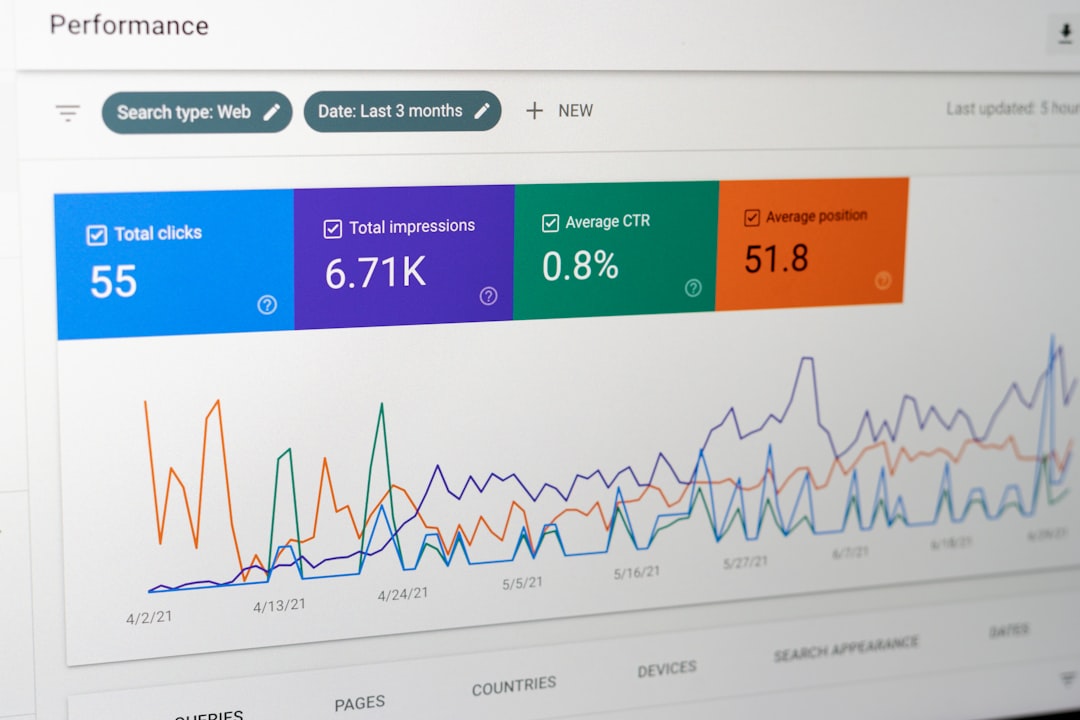
If you are unsure what to update first, start with Google Search Console. Its Performance report shows clicks, impressions, average CTR, and average position, which makes it the fastest way to find pages already close to better results.
Look for pages with high impressions and low CTR, pages ranking on the edge of page one, and queries that do not quite match the page’s current angle. Google’s documentation confirms those are core metrics in the Performance report, and the query and page views are useful for spotting title, intent, and relevance problems. Review Google Search Console’s Performance report overview and its query and page grouping guidance if you need a refresher.
A simple workflow works well here. Export the pages with the most impressions, sort for lower CTR, and rewrite only the titles and meta descriptions for the pages with clear business value. Then review performance again after a few weeks instead of changing everything at once.
Technique 3: Crawl the site before publishing more content

Most stuck sites do not have a content shortage. They have duplicate titles, thin archive pages, broken internal links, redirect chains, orphaned service pages, or templates that accidentally create index bloat. A crawl shows you that in one pass.
Run a crawl and check for duplicate title tags, missing H1s, pages blocked from indexing, long redirect chains, and thin URLs that should probably not exist. For WordPress sites, pay close attention to tag archives, attachment pages if enabled, author archives on single-author sites, and filtered URLs on WooCommerce stores.
This is where site owners often waste time. They publish five new posts while old technical issues keep stronger pages from performing. A crawl gives you a fix-this-first list, which is usually more valuable than another generic content calendar.
Technique 4: Improve internal links with page purpose in mind

Internal linking works best when it reflects site structure, not when it is added randomly. Every important service, category, or location page should receive relevant links from supporting pages that explain the topic in more detail.
Use descriptive anchor text that helps users understand where the link leads. Link from blog posts to the main commercial page when the topic naturally supports it. Link laterally between related guides when a reader would reasonably want the next step. That is much stronger than stuffing exact-match anchors into every paragraph.
Google’s people-first content guidance also pushes in this direction. Content should help the visitor complete a goal, not exist only to attract a click from search. See Google’s helpful, reliable, people-first content guidance when you are deciding whether a page deserves to stay indexed or needs consolidation.
If you are seeing a traffic plateau, our team at WordPress SEO Expert can help identify whether the real blocker is internal architecture, cannibalization, or thin content before you rewrite half the site.
Technique 5: Treat speed as support, not the whole strategy
Speed matters, but it is usually a multiplier, not the entire ranking strategy. A faster site can improve usability and page experience, but it will not rescue pages that target the wrong queries or fail to answer the searcher’s question.
For WordPress, the high-impact fixes are usually image compression, page caching, script deferral, font cleanup, and template-level improvements. WordPress added native image lazy loading in version 5.5, which means many sites already have a useful baseline if themes output images correctly with dimensions. You can verify that in the WordPress core note for version 5.5.
If your site feels slow, do not guess. Measure the pages that matter most, fix the worst templates first, and stop once performance is solid enough to remove obvious friction. Our detailed walkthrough on improving WordPress site speed for SEO covers the practical order of operations.
Technique 6: Match the page to the query before you optimize details
Search intent beats plugin tuning. Before adjusting schema, alt text, or word count, ask whether the page type is even right for the query. A homepage rarely beats a focused service page for a service-intent search, and a short service page rarely beats a solid guide for an informational query.
This is why page mapping matters. Assign one primary topic to each important page, reduce overlap between similar URLs, and make sure headings, copy, and calls to action fit what the searcher expects next. Small business WordPress sites usually gain more from tighter page targeting than from adding advanced tools.
A simple tool and technique workflow
If your rankings are stuck, use a short sequence. Start with what blocks visibility, then move to what improves relevance, then refine what improves CTR and usability. That order prevents you from polishing pages that are still buried under technical problems.
| Priority | What to do | Why it comes first |
|---|---|---|
| 1 | Run a crawl and check indexation settings | Technical issues can suppress good pages before content quality gets a fair chance |
| 2 | Review Search Console pages and queries | Shows where clicks, impressions, CTR, and near-win opportunities already exist |
| 3 | Fix page targeting and internal links | Clarifies page purpose and strengthens important URLs |
| 4 | Improve titles, descriptions, and headings | Helps searchers understand the page and can improve click-through rate |
| 5 | Address speed and template friction | Supports conversion and page experience after the fundamentals are in place |
Common mistakes with WordPress SEO tools
The most common mistakes are tool overlap, over-optimization, and using software in place of a strategy. More dashboards do not mean better SEO if nobody is using the data to make decisions.
Watch for these patterns: multiple SEO plugins installed together, every page trying to rank for the same phrase, archive pages indexed without a purpose, heavy plugins added for one minor feature, and title rewrites done without checking Search Console first. Most underperforming WordPress sites have some version of that stack.
Final takeaway
The best WordPress SEO tools and techniques are the ones that make problems visible and fixes executable. Use one clean SEO plugin, monitor Search Console regularly, crawl the site for technical issues, improve internal links with intent in mind, and treat speed as part of the system instead of the whole system.
If you want a second set of eyes before changing settings or rewriting pages, contact WordPress SEO Expert today to schedule a consultation. We can help you find what is actually holding rankings back and build a cleaner plan from there.