

Launching a new site is when small SEO mistakes become expensive. Most new WordPress websites do not fail because one setting is missing. They struggle because indexing, templates, internal links, and plugin choices are left half-finished from day one.
This checklist is built to help you fix the issues that block visibility before the issues that polish visibility. If you want a broader foundation first, review our WordPress SEO best practices and our guide on how to improve WordPress SEO.
Start with indexing and crawl access

The first check is simple: make sure search engines can reach the pages you actually want to rank. A new site with the wrong visibility settings, weak navigation, or broken page states will underperform no matter how polished the content looks.
Check that your key pages are live, linked from the site, and not hidden behind accidental noindex settings. In WordPress, look at Settings, Reading and make sure the site is not discouraging search engines from indexing it. Then confirm your main pages return a normal status code, appear in your XML sitemap, and are reachable through your navigation or internal links.
This is also where new sites often create unnecessary noise. Tag archives, author archives on single-author sites, thin category pages, and attachment pages can all distract from the URLs that matter most. Keep the crawl path focused.
Use one SEO plugin and configure the basics
One well-configured SEO plugin is enough. Running overlapping plugins often creates duplicate metadata, conflicting canonicals, and competing sitemap outputs that are harder to diagnose later than they are to prevent now.
Set up one plugin and handle the core controls first: title templates, meta descriptions, XML sitemaps, social sharing defaults, and archive indexing rules. A green light in an SEO plugin does not mean the page deserves to rank. The plugin is only a control panel, not a strategy.
If you are still deciding between tools, our Yoast SEO vs Rank Math comparison breaks down where the differences actually matter and where they do not.
Write page titles and descriptions that match intent
Every important page needs a specific title and a useful description. New sites often leave defaults in place, repeat the same wording across multiple pages, or stuff titles with keywords that make the result look weak in search.
Google recommends descriptive, concise title text and warns against keyword stuffing and repetitive boilerplate. Google also says meta descriptions should accurately summarize the page and help users decide whether the result matches what they need. Keep titles distinct, make them readable, and write descriptions as click support rather than filler.
| Weak title | Stronger title |
|---|---|
| Home | SEO | Marketing | WordPress SEO Services for Small Businesses |
| Blog | WordPress SEO Checklist for New Websites |
| Blue Widgets, Best Blue Widgets, Buy Blue Widgets | Blue Widgets for Commercial Kitchens |
A simple rule helps here: if the title could fit on ten different pages, it is too generic. If the description sounds like a plugin wrote it, rewrite it.
Make your site structure clear before you add content
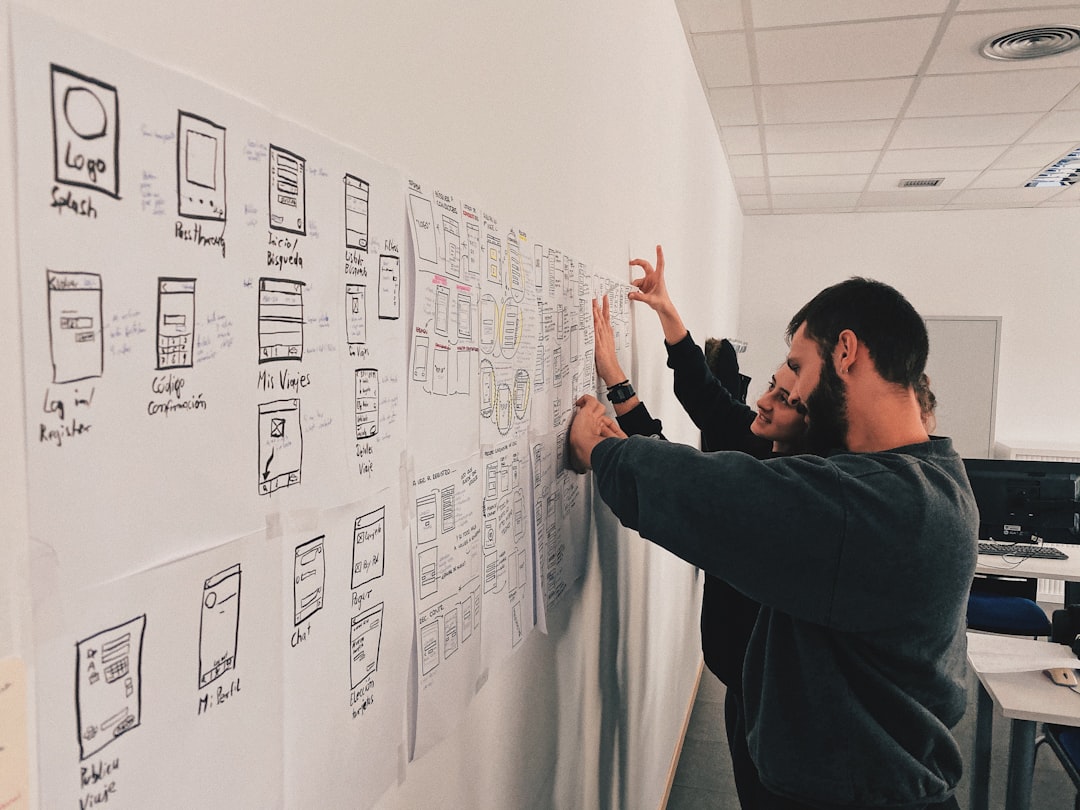
New websites rank better when the structure is simple and intentional. Important pages should be easy to reach, grouped logically, and connected through descriptive internal links from the start.
Create a small set of core pages first. For most businesses, that means home, primary service pages, about, contact, and a blog or resources section if you plan to publish regularly. Do not bury service pages several clicks deep. Do not create five thin pages that all target slight variations of the same phrase when one stronger page would do the job better.
Use internal links to connect broad informational pages to conversion pages. Descriptive anchors help both users and search engines understand what the linked page covers. If a page matters, it should not only exist in your sitemap. It should be part of the visible structure of the site.
If you are not sure whether your architecture is helping or quietly diluting relevance, WordPress SEO Expert can help.
Fix duplicate URL paths early
Canonical confusion is easier to prevent on a new website than to clean up after months of publishing. If several URLs show similar content, search engines can get mixed signals about which version should rank.
Review trailing slash consistency, HTTP to HTTPS redirects, www versus non-www preference, attachment pages, category archives, tag archives, pagination, and any parameter-based URLs created by filters or plugins. Pick the preferred version, link to that version internally, and redirect outdated variants where needed.
This matters even more on WooCommerce builds, where filter URLs, sort parameters, and product variations can multiply faster than most store owners expect. Clean URL rules early save troubleshooting later.
Set up content formatting for people first
A clean page structure helps new content perform better from the start. One clear H1, logical subheadings, short paragraphs, and a page that answers one main intent usually beat a page that tries to sound comprehensive but says very little.
Focus each page on a distinct purpose. Your homepage should not compete with your main service page. Your service page should not be rewritten into three weaker location pages with nearly identical copy. New websites grow faster when each page has a clear job instead of overlapping with the next one.
Google’s guidance around helpful, people-first content aligns with this. The goal is not to satisfy every plugin suggestion. The goal is to publish content that is useful, specific, and easy to understand.
Check performance on the templates that matter
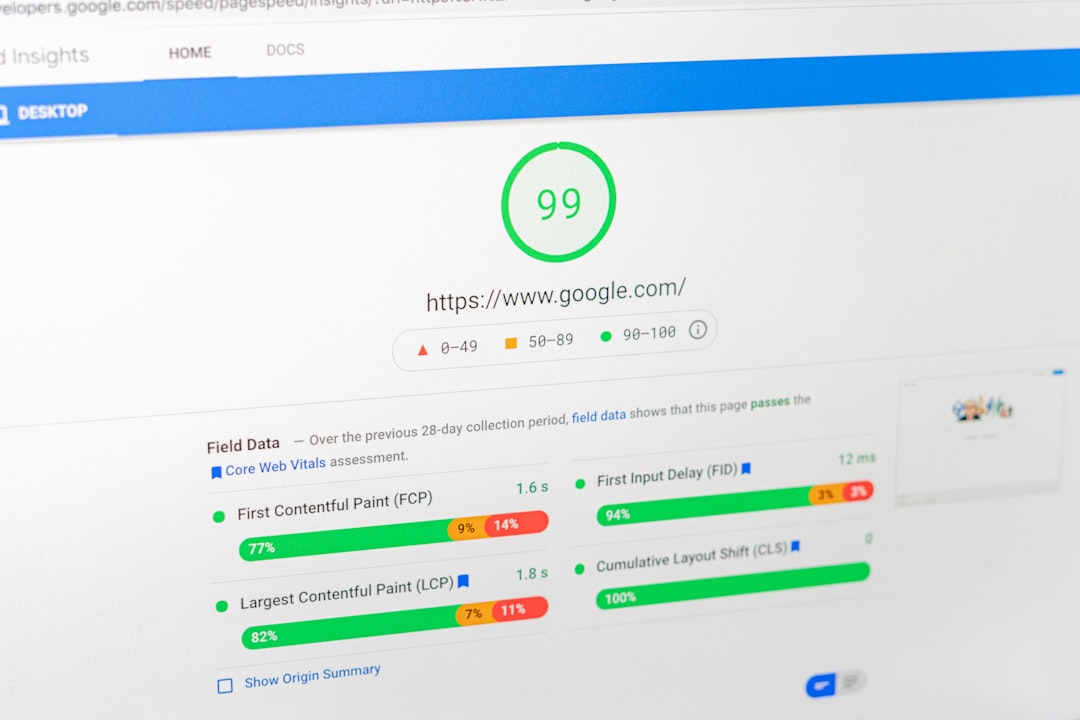
Speed matters most when slow templates create a bad experience. A new website does not need perfect scores everywhere, but it does need pages that load cleanly, stay stable, and do not frustrate users on mobile.
Test your homepage, core service pages, blog post template, and product pages separately if you run WooCommerce. New sites often launch with oversized images, heavy sliders, unnecessary scripts, and plugin bloat before traffic has even started. Fix those problems now, while the site is still easy to clean up.
You do not need a perfect score. The goal is a site that loads cleanly and is easy to use.
Add schema carefully, not aggressively
Structured data should clarify what the page is about, not decorate every page with markup just because the plugin allows it. New websites often overdo schema before the main content and indexing setup are even solid.
Google says structured data should reflect the visible page content and should not be misleading. Use the schema types that match the page, such as Organization, LocalBusiness, Article, Product, or Breadcrumb markup where appropriate. Skip irrelevant schema that does not align with what users can actually see.
Your practical WordPress SEO checklist
If you only want the order of operations, use this checklist. Fix the issues that block visibility before the issues that polish visibility, and do not move on until the previous step is reasonably clean.
| Priority | What to check | Why it matters |
|---|---|---|
| 1 | Search visibility setting, crawl access, indexable status | Pages cannot rank if search engines cannot reach or index them |
| 2 | Preferred domain, HTTPS, redirects, canonicals | Prevents duplicate URL confusion |
| 3 | Title tags, H1s, page intent, meta descriptions | Improves relevance and click-through potential |
| 4 | Navigation, categories, internal links | Strengthens discovery and site hierarchy |
| 5 | XML sitemap and archive indexing rules | Keeps technical signals cleaner |
| 6 | Template speed and mobile usability | Improves user experience on the pages that matter |
| 7 | Schema markup and content formatting | Helps search engines understand page purpose more clearly |
What to stop doing on a new site
Most new sites do not have one catastrophic problem. They have a stack of smaller issues that compound over time. The fastest gains often come from removing bad habits early rather than adding more tools.
Stop chasing plugin scores as if they are rankings. Stop publishing thin variations of the same topic. Stop stacking SEO plugins, schema plugins, and sitemap plugins that duplicate each other. Stop creating pages that exist only because a template or taxonomy generated them automatically.
If you are experiencing these symptoms, our team at WordPress SEO Expert can help.
The best next step
The right first move is usually a focused review of your highest-value pages and templates, not a sitewide scramble. A cleaner launch setup gives every future page a better chance to perform.
If you are building a new site and want an honest review before bad settings become long-term problems, WordPress SEO Expert can help you prioritize what matters, what can wait, and what is quietly hurting visibility already.
Contact WordPress SEO Expert today to schedule a consultation. Book a free SEO consultation. No pitch, no pressure. Just an honest look at what your site actually needs and whether your current setup is part of the solution or part of the problem.

















