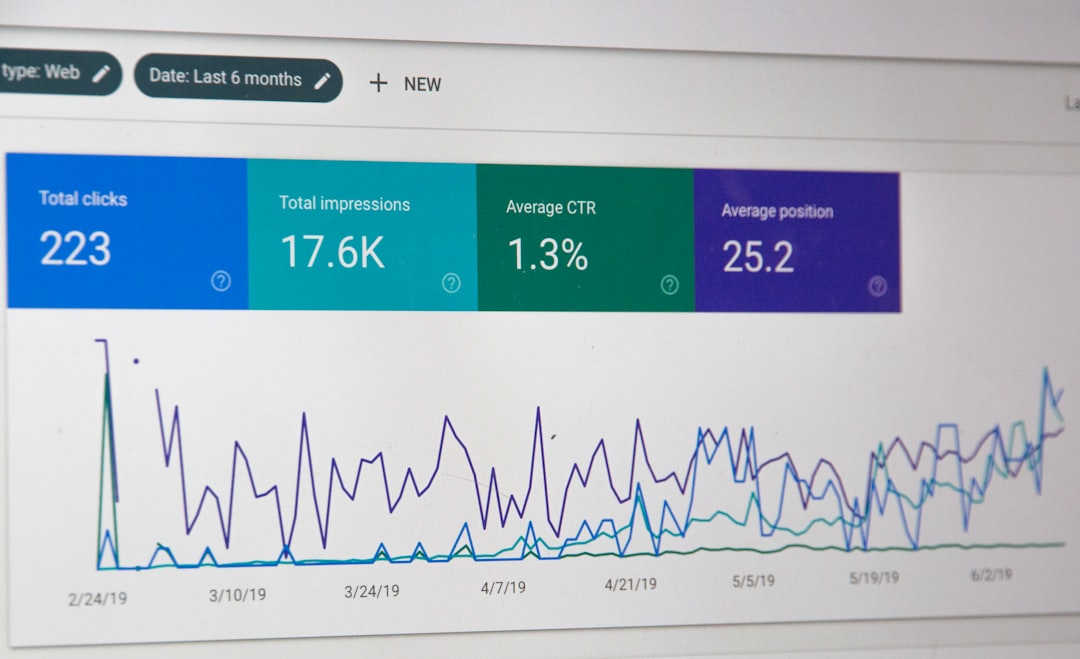
Higher Google rankings usually come from fixing the basics well, not chasing tricks. The biggest wins on WordPress often come from better page titles, cleaner site structure, stronger internal links, faster pages, and content that matches search intent instead of just repeating keywords.
That matters because Google says its systems aim to reward helpful, reliable, people-first content, and it uses signals from titles, headings, links, canonical setup, and page experience to understand pages. WordPress already gives you a solid foundation, but the settings and publishing habits still need to be managed carefully.
If you are trying to improve rankings without turning your site into an SEO science project, start with the tips below. If you get stuck, WordPress SEO Expert can help you sort the technical issues from the content issues and focus on the changes most likely to move the needle.
1. Make sure search engines can crawl and index your site
Before you touch keywords or plugins, confirm that your site is actually open to search engines. A surprising number of WordPress sites still have visibility settings, noindex rules, or robots instructions that quietly block growth.
In WordPress, check Settings and then Reading to make sure the search engine visibility box is not discouraging indexing. Also review your SEO plugin settings, staging subdomains, and any page-level noindex rules. Google also warns that blocking a page in robots.txt does not reliably keep it out of search, while noindex is the proper way to prevent indexing.
This is also a good point to review your broader on-page SEO setup so important pages are not hidden by templates, duplicate archives, or thin tag pages.
2. Use clean permalinks and avoid changing them casually
Readable URLs help users and search engines understand page topics faster. On WordPress, a simple post name structure is usually easier to manage than long parameter-based URLs or overly nested permalink patterns.
Set your permalink structure once, keep it consistent, and avoid changing live URLs unless you have a redirect plan. WordPress documentation notes that permalinks are the permanent URLs for posts, pages, and archives, and changing them on an established site can create broken paths if redirects are missing.
3. Write title tags for humans first
Your title tag is still one of the clearest signals you control. A descriptive title helps Google understand the page and helps searchers decide whether your result is worth the click.
Keep titles specific, avoid stuffing the same phrase multiple times, and make sure each important page has its own angle. Google’s guidance on title links specifically says there is no reason to repeat the same words or phrases multiple times. In practice, a title like WordPress SEO Tips for Service Businesses is usually stronger than WordPress SEO Tips | SEO Tips for WordPress | Best WordPress SEO.
4. Match one primary intent per page
Pages rank better when they solve one clear search need. If a page tries to be a tutorial, a sales page, a comparison page, and a glossary all at once, it usually becomes weaker for each job.
Choose a primary intent for each URL. A service page should explain the service and next step. A blog post should teach. A category page should help users browse options. This is one reason keyword cannibalization happens on WordPress sites: multiple posts target the same phrase but with no clear role.
5. Build real topical depth, not just longer posts
More words do not automatically mean better SEO. What helps is covering the actual subtopics, questions, examples, and objections a searcher needs before they can move forward.
Google’s people-first content guidance is clear on this point: the goal is useful, satisfying content created to help readers, not content padded to hit a target length. On WordPress, that usually means improving weak pages, expanding missing sections, and removing filler instead of publishing endless near-duplicate articles.
If you are not sure what to improve first, a free SEO consultation can help you find the pages that deserve updates before you spend time writing more content.
6. Fix heading structure so pages are easier to scan
Clear headings improve both readability and page structure. They help visitors scan quickly, and they help search engines understand the main topic and supporting sections.
Use one clear H1 for the page topic, then organize H2s and H3s by subtopic. Do not use headings just for styling. On many WordPress sites, headings get skipped, repeated, or buried inside page builder elements, which makes important sections harder to understand.
7. Strengthen internal links with descriptive anchor text
Internal links are one of the simplest ways to improve discoverability, context, and user navigation. They also help you show how related pages fit together across your site.
Link from relevant posts and service pages using natural anchor text that describes the destination. Instead of vague anchors, use phrases tied to the target topic. This is especially useful when you are supporting service pages with educational content or connecting related guides inside the same topic cluster.
8. Watch your category, tag, and archive pages
Taxonomy pages can help or hurt depending on how you use them. Well-managed categories can strengthen site structure. Thin or duplicate tag archives often add clutter without adding real search value.
Keep categories intentional, avoid creating a new tag for every post, and review whether archives deserve indexing. On WordPress sites with years of publishing history, weak archive pages can dilute internal linking and create duplicate-like patterns that muddy relevance.
9. Optimize images beyond file upload defaults
Images can support rankings indirectly through relevance, accessibility, and page quality. They also give Google more context when filenames, surrounding copy, and alt text are handled well.
WordPress documentation notes that search engines look for alt and title attributes in image and link tags. In practice, write alt text that describes the image in context, compress large files before upload, and avoid decorative images that slow down key pages for no clear benefit.
10. Handle duplicate URLs with canonicals, not guesswork
Duplicate or near-duplicate URLs are common on WordPress, especially on stores, filtered archives, parameterized URLs, and sites using multiple templates. Canonical signals help Google understand which version you prefer.
Google recommends rel=”canonical” as the preferred method for consolidating duplicate URLs on a site. Make sure your SEO plugin outputs consistent canonical URLs, and avoid conflicting signals between canonicals, sitemaps, redirects, and noindex rules.
11. Improve speed where it affects real pages
Faster sites do not guarantee rankings, but slow, unstable pages make it harder to compete. Speed work matters most when it improves the actual experience on the templates that attract search traffic.
Focus on image compression, caching, script cleanup, lighter themes, and reducing plugin bloat. Product pages, blog templates, and service pages usually matter more than obsessing over a perfect score on low-value URLs. Think in terms of usability first, not vanity metrics.
12. Choose SEO plugins for fit, not feature overload
You do not need the most complex plugin to rank better. You need one that handles essentials cleanly: titles, meta descriptions, XML sitemaps, canonicals, schema basics, and index controls.
Once the essentials are set, more features do not automatically create more visibility. In fact, plugin overlap can create conflicting schema, duplicate redirects, or mixed indexing rules. Keep your stack simple enough that you understand what is controlling each SEO signal.
If you are experiencing these issues, our team at WordPress SEO Expert can help you audit plugin conflicts, content gaps, and template-level SEO problems before they turn into bigger ranking losses.
A simple WordPress SEO priority checklist
If your site feels messy, start with the fixes that remove blockers first, then move into improvements that strengthen relevance and user experience. This order keeps you from polishing pages that Google still cannot interpret properly.
| Priority | What to check | Why it matters |
|---|---|---|
| First | Indexing, noindex rules, robots setup | Pages cannot rank if they are blocked or misconfigured |
| Second | Permalinks, canonicals, redirects | Prevents duplicate and broken URL issues |
| Third | Title tags, headings, search intent | Improves relevance and click potential |
| Fourth | Internal linking and taxonomy cleanup | Strengthens structure and content relationships |
| Fifth | Content depth and page quality | Helps users complete the task they searched for |
| Sixth | Speed and plugin cleanup | Improves site experience and maintainability |
Common WordPress SEO mistakes to avoid
Most ranking problems are not caused by one catastrophic mistake. They usually come from several smaller issues that stack up over time and make the site harder to crawl, understand, and trust.
Watch for duplicate titles, multiple thin posts on the same keyword, unchecked tag creation, orphan pages, image-heavy templates, and SEO plugins that were configured once and never reviewed again. A technically clean site with clear page purpose usually outperforms a cluttered site with more content.
The bottom line
WordPress SEO works best when the fundamentals support each other. Start with crawlability and indexing, clean up URLs and canonicals, improve titles and headings, then strengthen internal links and content quality around real search intent.
That approach is slower than chasing hacks, but it is the work that tends to hold up. Contact WordPress SEO Expert today to schedule a consultation if you want help turning these tips into a practical SEO plan for your website.