

Low rankings usually come from a scattered plan, not one missing plugin. A useful WordPress SEO checklist is not a giant document you ignore after one week. It is a short, prioritized system that helps you fix the issues blocking visibility before you spend time polishing pages that search engines cannot properly crawl, index, or understand.
The strongest approach is to build your checklist around sequence, not volume. Start with technical settings, then move into page targeting, internal links, and content updates. If you want a broader baseline before creating your own process, review our WordPress SEO best practices and our comparison of Yoast SEO vs Rank Math if plugin confusion is slowing you down.
What a WordPress SEO checklist should actually do
A good checklist should help you make decisions in the right order. It should not try to cover every SEO idea equally. Most site owners do not have one catastrophic problem. They have a stack of smaller issues that compound over time.
That means your checklist should answer four questions clearly. What should be indexed? Which pages matter most? What is confusing search engines right now? What should you stop doing because it looks productive but adds little value? If your checklist cannot help you answer those questions, it is probably too generic.
Start with your SEO goals, not plugin settings
Your checklist should begin with business goals and key page types. If you skip this step, you end up optimizing random blog posts while your service pages, category pages, or product pages stay weak.
List the pages that actually drive leads, sales, or qualified traffic. For a service business, that is usually your homepage, core service pages, location pages if they are unique, and a small group of educational posts that support those services. For WooCommerce, that usually includes product categories, top product pages, and high-intent buying guides. These are the pages your checklist should prioritize first.
Build your checklist in the right order
Fix the issues that block visibility before the issues that polish visibility. Titles and content tweaks matter, but they come after crawlability, indexing, canonicals, and site structure.
A practical checklist moves from technical foundations to on-page clarity to authority signals inside your own site. This keeps you from wasting time rewriting pages that are noindexed, orphaned, duplicated, or buried too deep to perform well.
| Priority | What to check | Why it comes first |
|---|---|---|
| 1 | Indexing and crawl access | Pages cannot rank if search engines cannot reach or index them |
| 2 | Canonical and redirect rules | Prevents duplicate URL confusion and split signals |
| 3 | Page targeting and titles | Improves relevance and click potential |
| 4 | Internal linking | Strengthens discovery and page hierarchy |
| 5 | Content quality and formatting | Helps pages satisfy search intent more clearly |
| 6 | Speed and template issues | Improves usability and reduces friction |
| 7 | Schema and sitemap cleanup | Supports cleaner technical signals |
Step 1: Check crawlability and indexability first
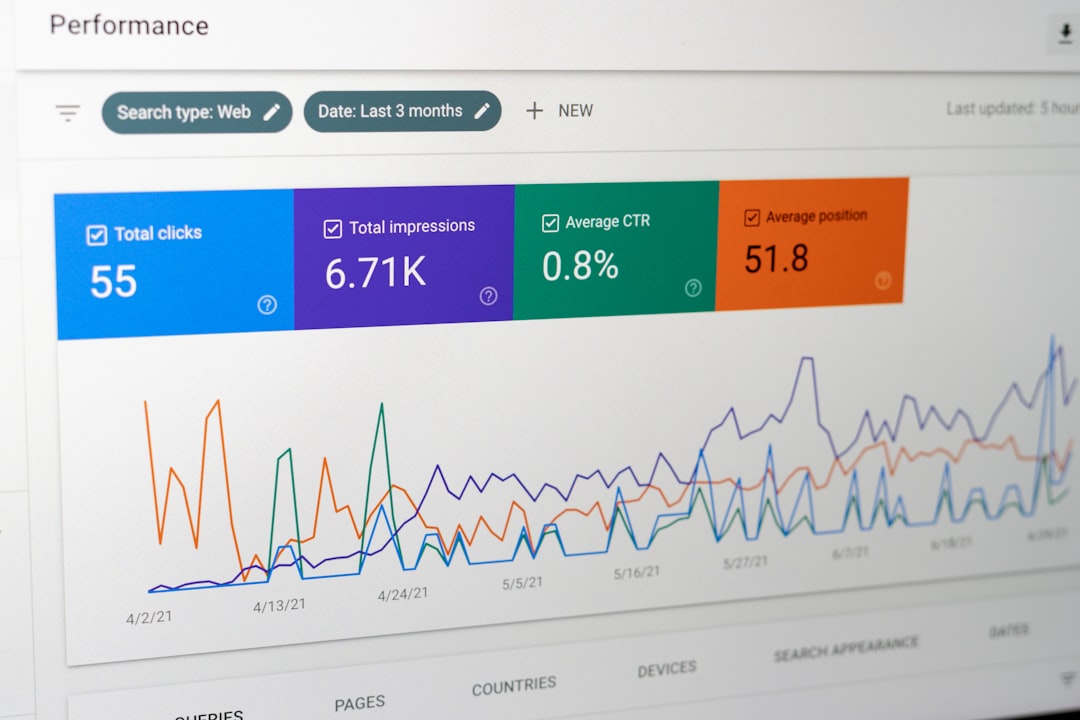
The first section of your checklist should confirm that important pages can be crawled and indexed normally. This is the foundation. If this part is wrong, everything else underperforms.
Review whether key pages are blocked by settings, accidentally marked noindex, excluded from your sitemap, or isolated from internal links. Pay close attention to service pages, category pages, and cornerstone posts. A beautiful page title will not help much if the page is not being surfaced correctly in the first place.
This is also where you should review archive pages, search-result pages, attachment pages, and any low-value URLs your site generates automatically. Some of these deserve indexing. Many do not. Your checklist should force a yes-or-no decision instead of letting these pages pile up unchecked.
Questions to include in this section
Is the site visible to search engines? Are important pages included in the XML sitemap? Are any high-value pages noindexed by mistake? Do important pages receive internal links from crawlable pages? Are low-value archives or parameter URLs creating clutter?
Step 2: Check canonicals, redirects, and duplicate URLs
Your second checklist section should reduce duplication. Search engines struggle when several URLs compete to represent the same page, product, or topic.
Common WordPress duplication issues come from archive pages, tag pages, trailing slash inconsistencies, attachment URLs, filter combinations, and old URLs left live after edits or redesigns. Your checklist should ask which version is the main URL, whether internal links point to that version, and whether outdated alternatives should redirect.
This matters even more after migrations or redesigns. Developers and site managers often focus on visual launch quality while quiet SEO problems build underneath. A strong checklist catches those issues early before rankings slide further.
Step 3: Map one primary intent to each important page
Each key page should have one clear job. If a page tries to target several unrelated intents, it usually becomes vague, repetitive, and harder to rank.
For each priority page, note the main topic, the searcher need behind it, and the action you want a visitor to take. This is where your checklist becomes a strategy instead of a maintenance routine. You are not just checking boxes. You are matching specific pages to specific opportunities.
Do not create five thin pages for five tiny keyword variations if one stronger page would serve the topic better. Consolidation often beats fragmentation. If you are already publishing regularly but seeing little movement, that is usually a sign your checklist needs tighter page targeting, not more output.
Step 4: Review title tags and on-page focus
Your checklist should include title reviews, but only after the technical basics are under control. Titles help search engines and users understand the page, but they work best when the page itself is already crawlable, indexable, and distinct.
Use concise, descriptive titles that reflect the page topic clearly. Avoid repetitive boilerplate, stacked keywords, or awkward phrasing written only to satisfy a plugin score. A green light in an SEO plugin does not mean the page deserves to rank.
Weak title: SEO Services | SEO Company | SEO Expert. Stronger title: WordPress SEO Services for Small Businesses. That difference is not about stuffing in more terms. It is about making the page intent clearer to both users and search engines.
Step 5: Add internal links with a purpose

Your checklist should tell you where links should go next, not just whether links exist. Internal linking works best when it supports site structure, spreads context, and helps important pages stand out.
Link related blog posts to service pages. Link broader educational content to more commercial pages when it makes sense. Connect overlapping articles so users can move naturally through the topic. If your site has strong pages that are only listed in a sitemap and rarely linked from other content, that belongs near the top of your checklist.
If your current structure feels messy, our WordPress SEO best practices article can help you tighten the fundamentals before you expand the site further.
If you are not sure whether your current plugin configuration is helping or quietly hurting you, WordPress SEO Expert can help. We can review your architecture, internal links, and indexing setup before you spend months polishing the wrong pages.
Step 6: Audit content quality after structure is clear

Content should be reviewed after the page has a clear target and a clean technical setup. Otherwise, you risk rewriting copy on pages that have larger structural problems.
Your checklist should include a quick quality review for each important page. Does the introduction answer the topic directly? Are the sections organized around real questions? Is there one clear H1? Are the paragraphs easy to scan? Does the page say anything meaningfully different from nearby pages on your site?
This is also the point where many site owners realize their issue is content overlap, not content quantity. Several similar pages often compete with each other and weaken the overall topic signal. In those cases, merging, redirecting, and strengthening one page is usually smarter than publishing another variation.
Step 7: Keep plugin setup simple
One well-configured SEO plugin is enough. Running overlapping plugins often creates duplicate metadata, conflicting canonicals, and competing sitemap outputs.
Your checklist should include a plugin review so you know which tool controls titles, schema, sitemaps, redirects, and archive settings. If two plugins are handling overlapping functions, simplify the setup before troubleshooting anything else. Cleaner systems are easier to diagnose and less likely to create hidden conflicts.
If you are still deciding which setup makes more sense for your site, our Yoast SEO vs Rank Math comparison breaks down the practical trade-offs without the usual hype.
Step 8: Use speed checks as support, not as the whole strategy
Speed belongs on your checklist, but it should not dominate it. Slow pages can absolutely hurt usability, yet many flat-ranking sites have bigger issues than a slightly imperfect performance score.
Review the templates that matter most, such as your homepage, service pages, product pages, and blog posts. Look for obvious friction like oversized images, excessive scripts, plugin bloat, and inconsistent caching. You do not need a perfect score. The goal is a site that loads cleanly and is easy to use.
A simple weekly and monthly checklist rhythm
Your strategy should be repeatable. A checklist only works if it fits into a real publishing and maintenance routine.
Weekly, review new pages before and after publishing. Confirm indexing settings, title clarity, internal links, and content structure. Monthly, review your highest-value pages for outdated titles, weak internal linking, duplication risks, or content overlap. Quarterly, step back and assess whether your content map still matches the services, products, and search opportunities that matter most to the business.
What to leave off your checklist
A strong checklist is just as much about exclusion as inclusion. If you try to monitor everything, you will end up fixing nothing well.
Leave out low-value busywork like obsessing over plugin scores, rewriting every sentence for a readability badge, or publishing thin near-duplicate posts to chase minor keyword variations. Also be careful with giant audits that create fifty action items but no order of execution. The goal is not maximum activity. The goal is steady improvements on the pages that matter most.
Your first version of the checklist
If you need a place to start, keep your first version short. Focus on visibility blockers, page targeting, internal links, and content quality for priority pages.
| Checklist section | What to review |
|---|---|
| Indexing | Important pages are crawlable, indexable, and present in the sitemap |
| Duplication | Canonicals are correct and outdated URLs redirect cleanly |
| Page targeting | Each priority page serves one clear intent |
| Titles | Titles are descriptive, specific, and not repetitive |
| Internal links | Important pages are linked naturally from relevant content |
| Content quality | Pages answer the topic directly and are easy to scan |
| Plugin setup | One SEO plugin controls the main SEO outputs |
| Speed | Key templates load cleanly without obvious friction |
The best next step
The best WordPress SEO checklist is the one you can actually use to prioritize action. Keep it short, tie it to your highest-value pages, and review it in the same order every time. That is how a checklist becomes a strategy instead of another abandoned document.
If your rankings are flat and you are not sure whether the real problem is indexing, duplication, weak page targeting, or internal link structure, WordPress SEO Expert can help. Book a free SEO consultation. No pitch, no pressure. Just an honest look at what your site actually needs and whether your current setup is part of the solution or part of the problem.
Contact WordPress SEO Expert today to schedule a consultation and get a clearer plan for what to fix first on your WordPress site.


















Pingback: WordPress SEO Fundamentals for Small Business