

Low rankings on WordPress usually come from a scattered plan, not one missing plugin. Most sites that stay stuck have a stack of smaller issues: weak page targeting, messy internal links, index bloat, slow templates, and plugin settings that look fine in the dashboard but fail in the HTML. This guide shows what to fix first, what can wait, and how to build a cleaner SEO setup without chasing plugin scores.
There is no single checklist that fixes every site. A local service business, a WooCommerce store, and a content-heavy blog all need different priorities. What stays consistent is the process: make sure search engines can crawl the site, tighten page intent, improve titles and internal links, remove low-value pages from the index, and only then spend time on advanced extras.
If your site recently launched or changed themes, start with the basics in our WordPress SEO checklist for new websites. If performance is part of the problem, review our guide to improving WordPress site speed for SEO before changing content templates.
What is WordPress SEO, really?
WordPress SEO is the work of making your site easier to crawl, easier to understand, and more useful for the exact searches you want to win. WordPress gives you a strong publishing foundation, but it does not make ranking automatic. Themes, plugins, archive settings, content quality, and site structure still decide whether pages perform.
That matters because many site owners assume installing Yoast, Rank Math, or another plugin means the site is now optimized. In reality, an SEO plugin helps you control titles, meta tags, sitemaps, schema, and indexing rules. It does not choose the right keywords, improve weak service pages, fix duplicate WooCommerce URLs, or earn trust signals on its own.
Google’s own guidance is much less dramatic than most SEO marketing. Google recommends creating helpful, reliable content, using words people actually search for in prominent places like titles and headings, and making links crawlable so search engines can discover your pages. Google also advises writing title tags that are descriptive, concise, and not stuffed with repeated keywords. Google Search Essentials and Google’s title link documentation are a good reality check when plugin recommendations start turning into busywork.
The 5 areas that decide most WordPress SEO results
If rankings are flat, do not start with twenty tactics at once. Start with the five areas that create most SEO gains on WordPress: crawlability, page targeting, on-page signals, internal linking, and technical cleanup. Most underperforming sites are weak in more than one of these at the same time.
| Area | What to check first | Why it matters |
|---|---|---|
| Crawlability | Indexing settings, robots directives, sitemap health | If search engines cannot crawl or index the right pages, content improvements will not matter yet. |
| Page targeting | One primary intent per page, no overlapping service or blog topics | Pages often fail because two or more URLs compete for the same query. |
| On-page signals | Titles, H1s, intros, image alt text, schema where appropriate | These help search engines and users understand what each page is about. |
| Internal linking | Contextual links from relevant pages using descriptive anchor text | Internal links help discovery, distribute authority, and clarify topic relationships. |
| Technical cleanup | Site speed, duplicate archives, canonicals, pagination, redirects | Technical friction compounds weaker content and slows ranking progress. |
1. Fix crawl and index problems first
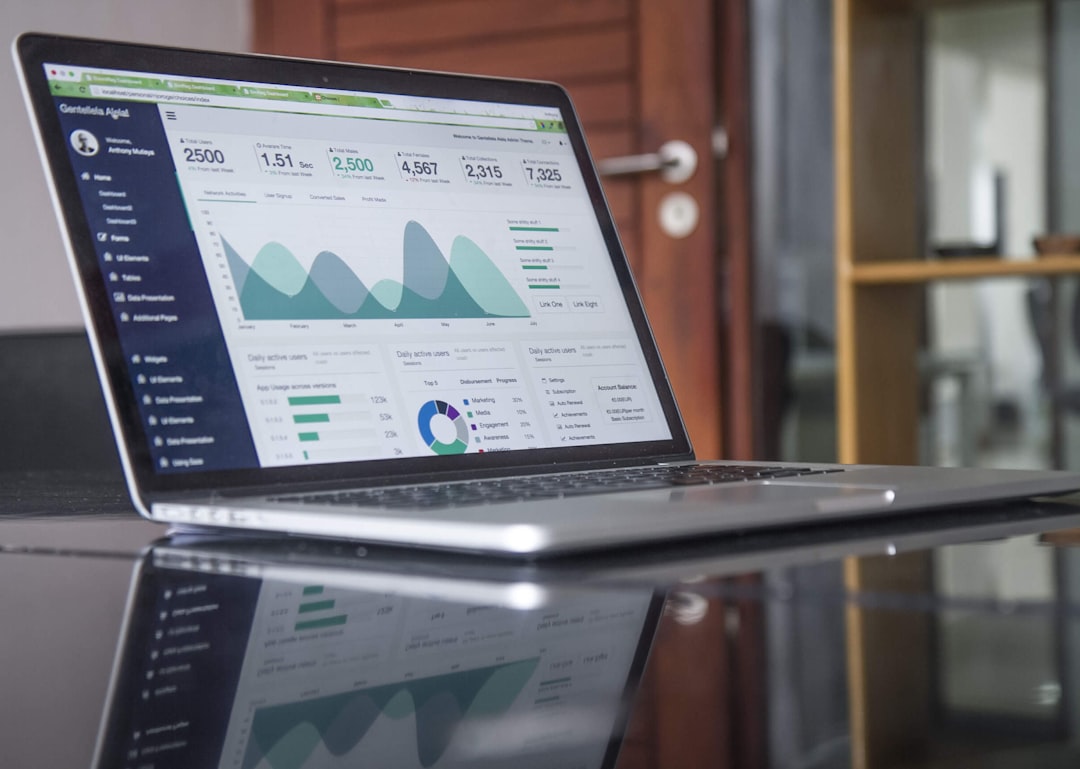
The fastest way to waste months on SEO is to improve pages that Google should not or cannot index correctly. Before touching copy, confirm the site is indexable, the preferred URLs are consistent, and your XML sitemap reflects only pages worth ranking.
On WordPress, this usually means checking the search engine visibility setting, reviewing robots instructions, confirming canonicals on live pages, and making sure archives are not inflating the index. Category pages may deserve indexing. Tag archives often do not. Date archives rarely help on small business sites. Author archives usually add little on single-author sites.
This is also where plugin conflicts create silent damage. Running multiple SEO plugins, keeping old redirection logic from a previous theme, or leaving thin archive pages indexable can create a site that looks organized in WordPress admin while sending mixed signals to search engines. If you are not sure what to verify, our pre-launch WordPress SEO checklist covers the core settings and HTML checks in the right order.
What to review on every WordPress site
Use one SEO plugin, not two. Pick a clean setup and make sure it controls titles, meta descriptions, schema, and XML sitemaps consistently. Then verify the live source code, not just the plugin screen. A page can show as indexable in settings while still outputting a noindex directive because of theme code or another plugin conflict.
Keep your sitemap focused. It should include the pages, posts, and taxonomies you actually want crawled. It should not be a dumping ground for media attachment URLs, thin tags, or archives with no search value. Cleaner sitemaps make troubleshooting easier and reduce the chance that low-value URLs compete with your real landing pages.
2. Match one page to one search intent
Many WordPress sites do not have a content shortage. They have an intent mismatch. One service page targets three services at once, two blog posts chase the same phrase, and the homepage tries to rank for every keyword in the business. Rankings stall because no page sends a clear signal about which query it should own.
Start by choosing one primary topic for each important page. A local roofing company might separate roof repair, roof replacement, and emergency roofing into different pages because the search intent differs. A WordPress agency might separate technical SEO, on-page SEO, and local SEO because each service solves a different problem. When everything is merged into a single generic page, relevance gets diluted.
Look for overlap in your own site. If two pages could both answer the same query, decide which one should lead. Strengthen that page and either merge, redirect, or reposition the weaker one. This is one of the most common reasons a well-written page underperforms: it is competing against its own site.
Weak vs stronger page targeting
Weak targeting sounds broad and safe, but it usually reduces clarity. A page titled “SEO Services” with sections on audits, local SEO, technical SEO, link building, and content strategy may look comprehensive, but it often fails to rank for any one service well. A stronger setup gives each major service its own page with tighter titles, headings, examples, and internal links.
That same principle applies to blog content. A post about WordPress title tags should not also try to rank for site speed, schema, and XML sitemaps in the same article unless the search intent truly calls for a broad overview. Topic sprawl is one reason “complete guide” style content often goes long without actually becoming more useful.
3. Improve the on-page elements that carry the most weight
Once page intent is clear, improve the on-page signals that help both users and search engines understand the page quickly. Focus on titles, headings, opening paragraphs, image alt text, and structured content. These are the elements people see first and the signals search engines use to interpret page relevance.
Write titles for humans first, then tighten them for search. Google recommends that titles be clear, concise, and descriptive, and specifically warns against keyword stuffing and repetitive boilerplate across pages. That means a title like “SEO Services | SEO Company | SEO Expert” is weaker than a title that names the actual offer and audience more clearly. Google’s title guidance supports the simpler approach.
Use the H1 to reinforce the page topic, not repeat filler. Open the page by answering the reader’s question directly in the first paragraph. Then use H2s for the main subtopics they expect. This structure helps readers scan and helps you avoid burying the answer under generic SEO filler.
Meta descriptions do not directly improve rankings, but they can improve click-through rate by making the page easier to choose in search results. Write them like an honest preview, not an ad. Promise a specific takeaway, explain who the page is for, and avoid generic lines that could belong to any SEO article online.
Image SEO without the fluff
Image SEO on WordPress is usually simple. Use descriptive file names before upload, write alt text that describes the image in context, compress large images, and avoid uploading oversized assets when a smaller dimension would do. This helps both accessibility and page performance.
If performance is slipping, treat image optimization as both a usability fix and an SEO support task. Large media files hurt load times, especially on template-heavy sites. Our WordPress speed guide breaks down practical fixes, including image compression, caching, and script cleanup.
4. Use internal links to support rankings
Internal links are one of the most underused WordPress SEO tools because they are simple, boring, and effective. They help search engines discover pages, clarify which pages matter most, and connect related topics in a way users can actually follow. When rankings are stuck, weak internal linking is often part of the picture.
Google recommends using crawlable links and descriptive anchor text that is concise and relevant to the destination page. In practice, that means linking phrases like “technical SEO checklist” or “improve WordPress site speed” instead of vague anchors like “read more” or “click here.” Google’s linking best practices support this approach.
Most sites should link from broad pages to narrower pages and back again where it helps the reader. Service pages should point to supporting blog posts. Blog posts should point to the core service or category page when relevant. This creates topic clusters without forcing awkward links into every paragraph.
If you are working through these fixes and want a second set of eyes before rewriting half the site, WordPress SEO Expert can help. We diagnose where internal linking, page overlap, or technical issues are actually limiting rankings so you do not waste time on random changes.
5. Clean up the technical issues that compound everything else
Technical SEO problems rarely work alone. Most site owners do not have one catastrophic issue. They have several medium-size issues that pile up over time: bloated plugins, slow templates, duplicate archives, redirect chains, and inconsistent canonical handling. Together, those problems can drag down strong content.
Speed matters here, but keep it in perspective. Better performance can improve user experience and remove friction, yet it will not rescue mismatched content or poor targeting. Use speed work to support rankings, not as a substitute for content strategy. If load time is part of your current bottleneck, our real fixes for WordPress site speed explain where caching, image compression, and script control usually make the biggest difference.
For WooCommerce, technical cleanup becomes even more important. Filter URLs, parameter combinations, thin product variants, out-of-stock pages, and weak category copy can create a large crawl footprint with little ranking value. The goal is not to make every URL indexable. The goal is to help search engines focus on the pages that can actually win traffic and sales.
A practical fix order for most WordPress sites
Use this sequence when you need a simpler roadmap. First, confirm crawlability and index rules. Second, map one primary intent to each key page. Third, tighten titles, headings, and intros. Fourth, strengthen internal links. Fifth, clean up technical drag such as archive bloat, speed issues, and redirect problems. This order prevents you from polishing pages that are structurally weak from the start.
| Priority | Fix this first | Common mistake |
|---|---|---|
| 1 | Indexing and crawl checks | Writing new content before confirming pages are indexable. |
| 2 | Keyword and intent mapping | Letting multiple pages compete for the same phrase. |
| 3 | Titles, H1s, page intros | Stuffing keywords instead of clarifying the offer. |
| 4 | Internal links | Using generic anchors or orphaning important pages. |
| 5 | Technical cleanup and speed | Chasing a perfect score before fixing structure. |
Which SEO plugin should you use?
There is no single best SEO plugin for WordPress. There is a best fit for your workflow, site complexity, and comfort level. The wrong move is stacking multiple SEO plugins or changing tools every few months because another score system looks more impressive.
For most sites, the right plugin is the one that lets you manage titles, meta descriptions, XML sitemaps, schema basics, redirects if needed, and indexing rules without adding clutter. Once it is configured, spend far less time inside the plugin and far more time improving page targeting, internal links, and content quality.
Plugin scores can be helpful reminders, but they are not rankings. A green light does not mean the page deserves to rank, and a yellow warning does not mean the page is weak. Treat plugin analysis as a checklist assistant, not a verdict.
What good WordPress SEO usually looks like after cleanup
A well-optimized WordPress site usually feels simpler, not more complicated. It has clear page targets, fewer low-value URLs in the index, stronger links between related pages, faster templates, and titles that describe what the page actually offers. The site becomes easier to manage because fewer parts are working against each other.
You should also expect progress to be uneven. Technical fixes can improve crawling and clarity quickly, but ranking gains still depend on competition, site trust, and whether the content genuinely serves the query better than what already exists. Google’s documentation makes that point clearly: following SEO best practices can help, but it does not guarantee crawling, indexing, or rankings. Search Essentials is worth reading for that reason alone.
When to get help
If you have already published content, installed an SEO plugin, and improved the basics but rankings still are not moving, the next step is diagnosis, not more random activity. A proper audit can show whether the bottleneck is technical, structural, competitive, or content-related before you spend months changing the wrong things.
WordPress SEO Expert can review the site with that lens. We look at indexing, page overlap, internal linking, technical drag, and on-page clarity to identify what is actually holding the site back. If you want a low-pressure second opinion, book a free SEO consultation with WordPress SEO Expert and we will help you prioritize the fixes that matter most.
Final takeaway
WordPress SEO works best when the plan is focused. Start with crawlability and indexing. Make each important page about one clear search intent. Tighten the titles and headings people actually see. Build internal links that help users navigate the topic. Then clean up the technical issues that slow everything down. That is usually what moves rankings, not another plugin or a longer checklist.
If your site feels stuck and you are not sure which issue to tackle first, contact WordPress SEO Expert today to schedule a consultation. We will help you identify the bottlenecks before you spend more time fixing the wrong things.

















