
Low rankings on a WordPress site usually come from a stack of smaller problems, not one missing plugin. The fastest way to improve SEO is to fix the foundation first: choose one clean SEO plugin setup, map each important page to one primary topic, tighten titles and headings, improve internal links, and make sure technical issues are not blocking crawling or slowing the site down.
Most site owners do not need a giant checklist. They need a short order of operations. This guide walks through the practical fixes that move the needle first, with examples you can apply on a small business WordPress site. If you want deeper help on the technical side, review our WordPress site speed SEO fixes and our WordPress SEO strategy for small business for related next steps.
Start with the pages that matter most
The best first move is to stop treating every page the same. Focus on your homepage, main service pages, top product or category pages, and any posts already getting impressions in Google Search Console. Those are the pages most likely to produce faster SEO gains than publishing more content at random.
Give each important page one clear job. Your homepage should target your broad main service or brand topic. Service or category pages should target buyer-intent searches. Blog posts should support those pages by answering related questions. When several pages chase the same keyword, Google gets mixed signals about which one should rank.
Use one clean WordPress SEO plugin setup
SEO plugins help manage titles, meta descriptions, XML sitemaps, and indexing settings, but they do not create strategy for you. The practical goal is one plugin doing the core SEO work cleanly, not several overlapping tools fighting each other in the background.
If you already have multiple SEO plugins active or recently switched from one to another, check for duplicate title tags, competing schema output, and conflicting index settings. A clean setup is usually better than chasing green lights in two dashboards. Plugin scores can be useful prompts, but they are not the goal. Search intent, crawlability, and page quality matter more.
Fix titles and headings before rewriting everything
Title tags and headings are among the easiest SEO improvements because they help search engines and users understand the page quickly. Google recommends descriptive, concise titles and advises against repetitive or boilerplate title text. It also uses your page title and visible headings as signals when generating search result title links.
A weak title often sounds generic or stuffed. A stronger title says exactly what the page offers. For example, a homepage title like SEO Services | SEO Company | SEO Expert is vague and repetitive. A clearer version like WordPress SEO Services for Small Businesses tells both Google and the reader what the page is about.
On each core page, use one clear H1, then build logical H2s around the questions a visitor would ask next. This makes the page easier to scan and easier to expand later without turning it into a wall of text.
Improve internal links so your best pages carry more weight

Internal linking is one of the most underused SEO wins on WordPress. Google’s documentation notes that internal links and relevant anchor text help its systems understand site structure and help users find related pages more easily. If good pages are buried or orphaned, they often underperform even when the content is solid.
Link from related blog posts to service pages using descriptive phrases, not generic anchors. Link between closely related posts when the second page genuinely helps the reader. A simple rule works well: every important page should receive links from relevant pages higher up in your site structure and from supporting content where the topic naturally overlaps.
Check the technical basics that block growth
Technical SEO problems do not always crash a site, but they can quietly suppress rankings for months. Start by checking whether important pages are indexable, whether your XML sitemap includes the right URLs, whether redirects are clean, and whether thin archives, tag pages, or duplicate URLs are creating clutter.
Open the WordPress admin and review your reading settings, SEO plugin indexing rules, and any recent changes from redesigns or migrations. If rankings dropped after a site rebuild, look especially for noindex mistakes, URL changes without redirects, broken canonicals, and pages that lost internal links.
| Area | What to check first | Why it matters |
|---|---|---|
| Indexing | Important pages are not set to noindex | If Google cannot index the page, the rest of your SEO work does not matter |
| Sitemaps | Main pages appear in your XML sitemap | Helps search engines discover the right URLs |
| Redirects | Old URLs point to the correct new pages | Preserves relevance and reduces traffic loss after changes |
| Canonicals | Duplicate or near-duplicate pages point to the preferred version | Reduces mixed signals across similar URLs |
| Archives | Thin tag or attachment pages are controlled | Prevents low-value pages from diluting crawl attention |
Make WordPress faster where it actually counts
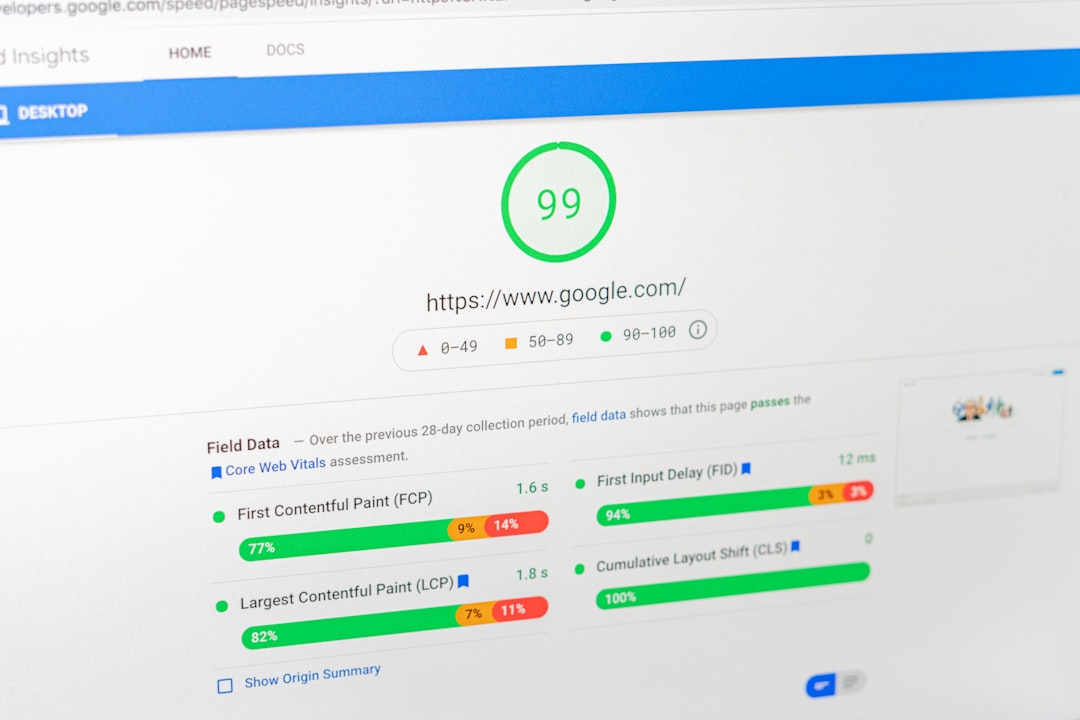
Site speed matters most when it affects real users and compounds other weaknesses. Google says its systems aim to reward content that provides a good page experience, but speed is not a substitute for weak content or poor targeting. Treat performance as part of the foundation, especially on mobile.
Start with image compression, caching, and script cleanup. Large images, bloated themes, too many plugins, and cheap hosting are common causes of slow WordPress pages. For a deeper walkthrough of plugin choices, settings, and speed-first priorities, see our guide on how to improve WordPress site speed for SEO.
Be careful with lazy loading. Google supports lazy-loaded content, but it advises that important content should load when it becomes visible in the viewport rather than only after a user action like clicking or scrolling. In practical terms, your critical above-the-fold content should not depend on fragile JavaScript behavior.
Optimize images for search visibility
Image SEO is not just about compression. Google recommends descriptive filenames and alt text because it uses those signals, along with page context, to understand an image. This is an easy win on WordPress sites that upload files named IMG1234.jpg and leave alt text blank.
Use filenames that describe the image, write alt text that explains the image in context, and place images near relevant copy. For service pages and blog content, this helps accessibility first and search visibility second. Do not stuff alt text with keywords. Write what the image actually shows and why it belongs on the page.
Improve on-page SEO with clearer page intent
On-page SEO works when the page matches what the searcher wanted in the first place. Before adding more keywords, ask whether the page actually answers the visitor’s next question, shows proof, and gives a clear path to take action. Many WordPress pages underperform because they are vague, not because they are missing one phrase.
Add specifics that help a buyer decide: who the service is for, what the process looks like, what happens next, and what makes this page more useful than a competitor’s. Google’s people-first content guidance is a good filter here. If the page mainly exists to rank and not to help, it usually feels thin no matter how many optimization tweaks you add.
If your site serves a small business audience, our small business WordPress SEO strategy shows how to map search intent to the right page types instead of spreading keywords across the entire site.
Use Search Console to choose what to fix next

The best source of SEO direction is often your own Search Console data. Look for pages with impressions but low clicks, pages ranking on the edge of page one, and queries sending traffic to the wrong page. Those patterns tell you where titles, internal links, or content alignment may be off.
This is where WordPress SEO Expert can save time. We help site owners separate real bottlenecks from noise, so you are not rewriting pages that already have the right intent while technical issues or weak structure remain untouched.
A simple priority order for WordPress SEO
If you want an easier plan to follow, work from the top down. Fixing foundations before publishing more content prevents wasted effort and makes later optimization easier to measure.
| Priority | Action | Expected benefit |
|---|---|---|
| 1 | Check indexing, sitemaps, redirects, and canonicals | Removes technical blockers that can suppress rankings sitewide |
| 2 | Improve titles, H1s, and page focus on core pages | Clarifies relevance and often lifts click-through rate |
| 3 | Add internal links to service, category, and top blog pages | Strengthens structure and helps important pages earn more visibility |
| 4 | Fix speed issues from images, scripts, and hosting | Improves usability and supports page experience |
| 5 | Expand or refresh content only after the foundation is clean | Gives new content a better chance to rank |
When to get outside help
If you have already installed the common plugins, published content, and still cannot tell why rankings are stuck, the issue is usually diagnostic. A second set of eyes can tell you whether the real bottleneck is technical, structural, competitive, or content-related before you waste another month changing random settings.
If you are experiencing these issues, our team at WordPress SEO Expert can help. Request a free WordPress SEO audit if you want a practical review of what to fix first and what can wait.
Final takeaway
Improving SEO for WordPress is usually less about doing more and more about doing the right fixes in the right order. Start with indexability, page focus, internal links, and performance. Once the foundation is clean, content improvements have a much better chance to work.
Contact WordPress SEO Expert today to schedule a consultation if you want help identifying the exact issues holding your site back.

















