

Low rankings usually come from a scattered plan, not one missing plugin. For local businesses on WordPress, the biggest gains usually come from tightening your service pages, location signals, internal links, and technical setup before you publish more content or chase plugin scores.
Most local sites do not have one catastrophic problem. They have a stack of smaller issues that compound over time. A green light in an SEO plugin does not mean the page deserves to rank. What works better is a short, practical strategy that fixes the issues blocking visibility first, then improves the pages already closest to producing calls and leads.
If you want a broader foundation before focusing on geography, review our WordPress SEO best practices. If your local pages are slow or unstable, pair this strategy with our guide on how to improve WordPress site speed for SEO.
What should a local WordPress SEO strategy include?
A strong local strategy has five parts: page targeting, location relevance, internal linking, technical hygiene, and measurement. If one of those is weak, rankings often flatten even when you keep publishing.
Start by mapping one main topic to each important page. Your homepage should support your broad service and primary market. Service pages should target clear buyer-intent searches. Location pages should exist only where you can add real local value. Supporting blog posts should answer pre-sale questions and strengthen the service pages they connect to.
1. Fix your core pages before adding more content
The first job is to make your homepage, core service pages, and top location pages unmistakably useful. Local SEO usually improves faster when you strengthen money pages than when you add another general blog post.
Check whether each core page has one clear purpose, one clear primary service, and a visible next step. If several pages target the same service in the same city, you create overlap instead of relevance. Consolidating weak duplicates is often more effective than trying to optimize all of them separately.
This is where many local sites get stuck. They keep publishing while the pages that should rank first are too thin, too vague, or too similar to each other. A smaller set of stronger pages usually outperforms a larger set of near-duplicates.
2. Match your location signals across the site

Your location signals should tell one consistent story. When your services, service areas, and business details feel disconnected across the site, local relevance gets weaker and troubleshooting gets harder.
Make sure your primary services are named consistently across your homepage, service pages, contact page, and any location pages. If you serve multiple cities, explain the relationship clearly instead of stuffing city names into headings and footers. Customers should be able to tell where you work, what you do, and how to contact you without hunting for it.
Google recommends clear, descriptive page titles and warns against keyword stuffing or repetitive boilerplate. It also recommends concise, relevant internal anchor text and a logical site structure that helps users reach important pages. Those principles matter even more on small local sites where every important page carries more weight.
3. Use internal links to reinforce local priorities
Internal links help search engines understand which pages matter most and how your topics connect. On a local site, they also keep visitors moving from general information to service pages that can generate leads.
Link from blog posts to relevant service pages. Link from broad service pages to supporting location pages where appropriate. Link related pages using natural anchor text that describes the destination clearly. If a high-value page is only in your sitemap and nowhere else, it is probably under-supported.
If you are unsure how this fits into a bigger site structure, our article on SEO for WordPress local businesses expands on local page targeting and page hierarchy. For broader cleanup priorities, the WordPress SEO best practices guide gives you a solid checklist to follow.
4. Keep titles and descriptions clear, not clever
Your titles and descriptions should improve relevance and click-through, not impress a plugin. Clear, specific wording usually does more for local SEO than squeezing in every variation of a keyword.
Google advises site owners to write descriptive, concise title text and avoid keyword stuffing. Google also explains that search snippets are primarily generated from page content, but it may use the meta description when that description better summarizes the page. That means your titles should make a plain promise, and your descriptions should support that promise with a useful summary.
| Weak title | Stronger title |
|---|---|
| Plumber | Plumbing | Emergency Plumbing | Emergency Plumbing for Homes in Phoenix |
| Local SEO Services | SEO Expert | Local SEO Services for Dallas Small Businesses |
| Roof Repair | Roof Repair for Storm Damage in Tampa |
You do not need a perfect score. The goal is a site that loads cleanly, reads naturally, and makes the next step obvious.
5. Clean up technical issues that dilute local relevance

Technical SEO matters most when it prevents your best pages from being crawled, indexed, or understood correctly. Fix the issues that block visibility before the issues that polish visibility.
For local WordPress sites, common problems include duplicate archive pages, conflicting canonical settings, thin tag pages, broken internal links, and multiple SEO plugins creating overlapping output. One well-configured SEO plugin is enough. Running overlapping plugins often creates duplicate metadata, conflicting canonicals, and competing sitemap outputs.
If your site recently changed themes, migrated domains, or launched a redesign, inspect redirects, canonicals, and indexing settings first. Many traffic drops that look mysterious are just a chain of smaller launch mistakes. If you are experiencing these symptoms, our team at WordPress SEO Expert can help.
6. Measure pages, not just rankings
Rankings alone do not tell you which local pages deserve attention first. The better question is which pages are already earning impressions, which ones are getting the wrong clicks, and which ones are close to generating more leads with modest improvements.
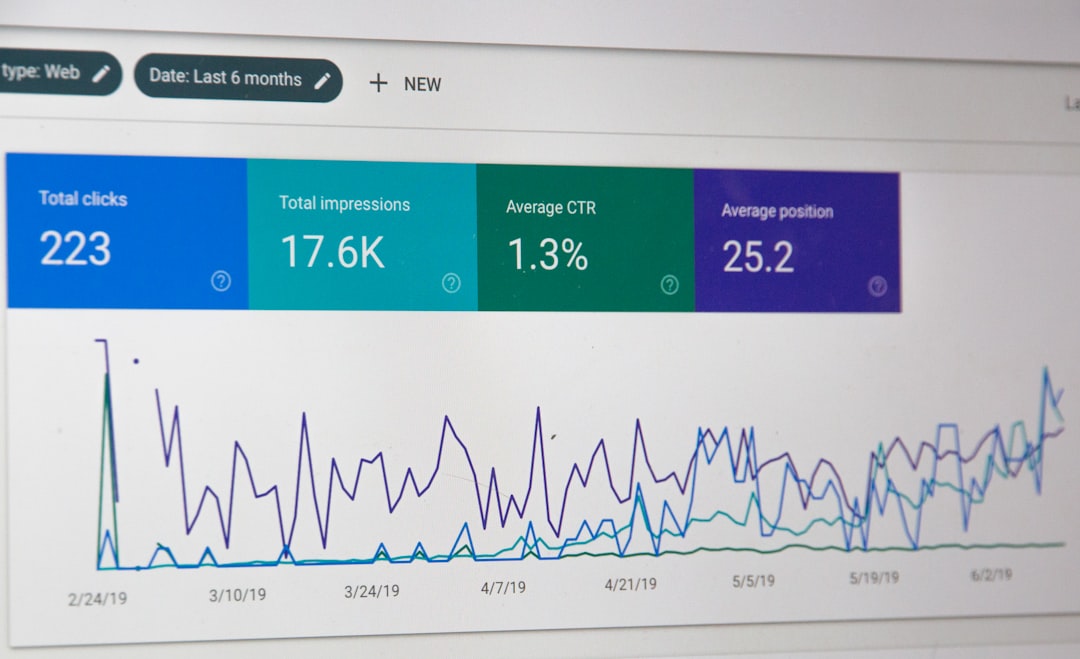
Review your top service and location pages regularly in Google Search Console. Look for pages with growing impressions but weak clicks, pages attracting the wrong intent, and pages with little visibility despite strong business value. That usually tells you whether the problem is title clarity, page targeting, internal linking, or page quality.
A simple priority order for local businesses
Most local businesses need a short roadmap, not a huge SEO document. This order keeps the focus on visibility and lead generation instead of busywork.
| Priority | What to fix first | Why it matters |
|---|---|---|
| 1 | Homepage, service pages, and location-page targeting | These pages carry the strongest buyer-intent signals |
| 2 | Titles, internal links, and navigation | They clarify page relationships and improve clicks |
| 3 | Duplicate URL cleanup and plugin settings | They reduce technical conflicts and diluted signals |
| 4 | Supporting blog content | It works better after your core pages are already strong |
| 5 | Ongoing measurement and refinement | It helps you improve the pages with the highest upside |
What local businesses should stop doing
Stop treating plugin scores as strategy. Stop publishing thin city pages that only swap place names. Stop stacking multiple SEO plugins. Stop rewriting pages that already have decent intent match when the bigger issue is structure or duplication.
Most site owners do not need more SEO activity. They need less scattered activity and better prioritization. If you are not sure whether your current plugin configuration is helping or quietly hurting you, WordPress SEO Expert can help.
The best next step
The best next move is usually a focused review of your highest-value local pages. Start with the pages tied to calls, form fills, booked jobs, or store visits, then work outward into supporting content.
WordPress SEO Expert works with local businesses that need a practical plan, not a generic checklist. Book a free SEO consultation. No pitch, no pressure. Just an honest look at what your site actually needs and whether your current setup is part of the solution or part of the problem.
Contact WordPress SEO Expert today to schedule a consultation.

















