Low rankings usually come from a scattered plan, not one missing plugin. WordPress SEO works best when you fix crawlability, title tags, canonicals, internal links, and speed in the right order instead of chasing plugin scores. This guide shows the best practices that matter first, where WordPress sites usually go wrong, and what to clean up before you publish more content.
There is no single setting that makes a WordPress site rank. Most underperforming sites have a stack of smaller problems: pages that are technically indexable but weakly linked, titles that say too little or too much, archives that add bloat, and plugins that overlap. If you want a baseline before making changes, review our WordPress SEO checklist for new websites and compare it against your live setup. and compare it against your live setup.
Start with indexability first

If search engines cannot crawl and index the right pages, everything else is secondary. The first best practice is confirming that important pages return a normal 200 status, are included in your sitemap when appropriate, and are not blocked by noindex tags, bad robots rules, or conflicting plugin settings.
In WordPress, this usually means checking the Search Engine Visibility setting, reviewing archive indexing rules inside your SEO plugin, and making sure staging URLs are not leaking into production. Category pages, author archives, tag archives, search result pages, and attachment pages deserve a deliberate decision. Leaving every archive indexable by default often creates thin pages that dilute crawl attention.
Use one SEO plugin, not a stack
One clean SEO setup is almost always better than three overlapping tools. When multiple plugins control titles, schema, XML sitemaps, redirects, and robots directives, it becomes much harder to diagnose why pages are underperforming or why metadata keeps changing.
Pick one primary plugin and configure the essentials well: title templates, meta description defaults, XML sitemap output, social sharing defaults, and archive indexing. Keep the setup simple enough that you can still audit it six months later. If your site already feels messy, compare your settings against the priorities in our WordPress SEO best practices post and remove overlaps before adding anything new.
Write titles for humans, not plugin badges
Your title tag is still one of the strongest on-page signals you control, and it strongly affects click-through rate. Google recommends descriptive, concise titles and advises against keyword stuffing, repeated boilerplate, and titles that do not clearly describe the page.
That means weak titles like SEO Services | SEO Company | SEO Expert should be replaced with something specific to the page. A clearer version like WordPress SEO Services for Small Businesses gives searchers a better reason to click and gives Google a clearer signal about page intent. Keep important pages unique, readable, and aligned with what the user will actually find after clicking.
| Weak title | Stronger title |
|---|---|
| Blog | WordPress SEO Tips for Local Service Sites |
| SEO Services | SEO Company | SEO Expert | WordPress SEO Services for Small Businesses |
| Blue Widgets, Best Blue Widgets, Buy Blue Widgets | Blue Widgets for Commercial Kitchens |
Keep canonical signals consistent
Canonical mistakes are one of the most common WordPress SEO problems because small URL variations multiply quickly. A strong best practice is choosing one preferred version of each page, linking to that version internally, and making sure your canonical tags and redirects support the same decision.
Google recommends including a self-referential canonical on the canonical page itself and linking internally to the canonical URL rather than to duplicates. This matters on WordPress sites with tag archives, filtered WooCommerce URLs, pagination, trailing slash inconsistencies, and http versus https variants. Canonicals are not a cleanup shortcut for a broken site structure, but they are an important reinforcement signal when used consistently.
Treat internal links as a ranking support system

Internal links help search engines discover pages, understand topic relationships, and estimate which pages matter most on your site. They also help visitors find the next logical page instead of hitting a dead end and leaving.
Link from broad informational pages to related service pages, from category hubs to supporting articles, and from older posts to newer pages that deserve visibility. Anchor text should describe the destination naturally. If a page matters but nothing links to it except the sitemap, that page is already at a disadvantage.
If you are not sure where to add links, start with pages that already get impressions in Search Console and pass relevance from those pages to your commercial and supporting URLs. This is usually a faster win than publishing another isolated article.
Control archives and low-value URLs
Not every WordPress-generated URL deserves to be indexed. One of the best practices most site owners skip is deciding which archives add value and which only create duplicate or thin pages.
For many sites, tag archives, date archives, attachment pages, and internal search pages should stay out of the index. Category archives can be useful when they have a real purpose, unique introductory copy, and a clear place in the site structure. The goal is not to noindex everything. The goal is to keep low-value pages from competing with stronger ones.
XML sitemaps should be simple and intentional
Your sitemap should help search engines find the pages you want indexed, not create more ambiguity. WordPress introduced core XML sitemaps in version 5.5, but many SEO plugins also generate their own sitemap indexes, so it is worth checking which sitemap is actually serving as your primary source.
Whichever system you use, make sure the sitemap includes the page types you want indexed and excludes pages you have intentionally set to noindex. A sitemap does not fix deeper SEO problems, but it does make discovery cleaner when your indexing signals are already in order.
Page speed matters, but only after the basics
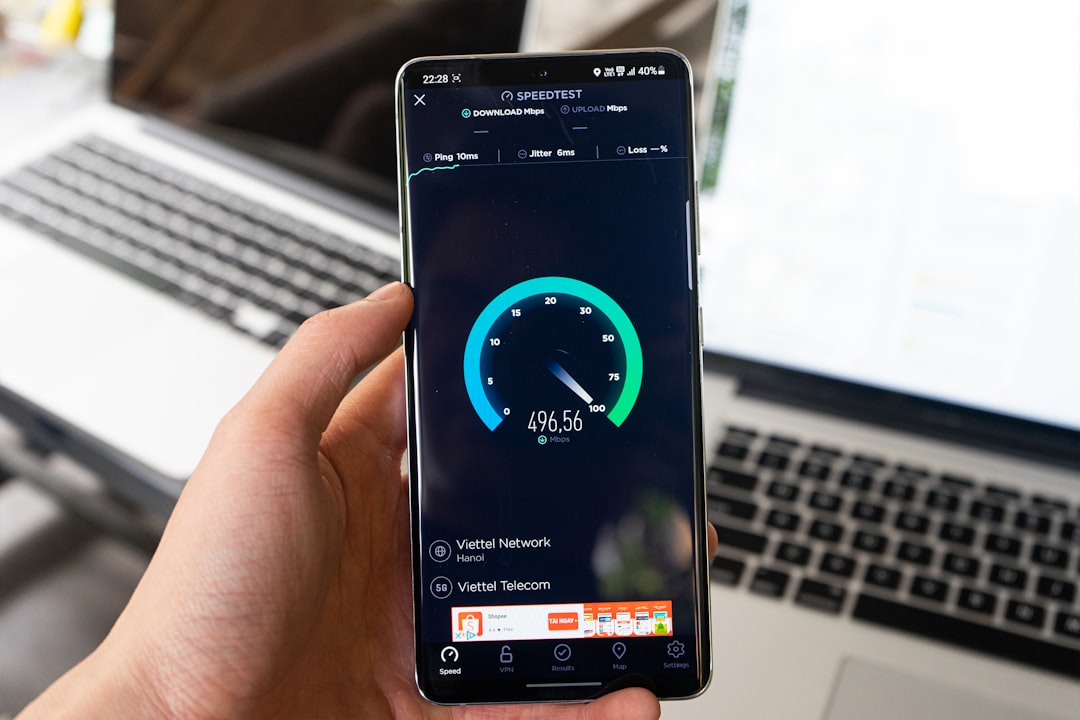
Performance matters because slow pages frustrate users and make the site harder to use, especially on mobile. But speed work should follow indexability, metadata, and architecture fixes unless your site is clearly struggling with heavy images, bloated scripts, or severe interaction delays.
Google’s Core Web Vitals now include Interaction to Next Paint, so script-heavy menus, sliders, popups, and page builder bloat deserve closer attention than many WordPress owners realize. In practical terms, start with oversized images, weak caching, too many plugins, unused scripts, and third-party tools that load on every page whether they are needed or not.
A perfect score is not the goal. A site that loads quickly, stays stable, and responds promptly on real devices is what matters. Most businesses get more value from fixing the obvious bottlenecks than from chasing tiny score gains.
Format content so search engines and users can follow it
Content formatting influences SEO more than many plugin checklists suggest. A strong page has one clear H1, useful H2 and H3 sections, short paragraphs, and enough depth to answer the searcher’s question without filler.
Do not split one topic into several thin posts just to target small keyword variations. Do not publish pages that repeat the same definitions without adding a new angle. In most cases, one well-structured page with clearer intent will outperform a cluster of overlapping weak URLs.
WordPress SEO fixes in priority order
If your site has been stuck for months, prioritize the fixes below before you publish more content. This order helps reduce overwhelm and keeps you focused on the changes that usually have the biggest impact first.
| Priority | What to check | Why it matters |
|---|---|---|
| 1 | Indexing and noindex rules | Pages cannot rank if they are blocked or excluded incorrectly |
| 2 | Canonical and redirect setup | Prevents duplicate URL confusion and split signals |
| 3 | Title tags and page intent | Improves relevance and click-through potential |
| 4 | Internal linking | Helps discovery, hierarchy, and topical relationships |
| 5 | Archives and sitemap hygiene | Reduces index bloat and clarifies what should be crawled |
| 6 | Site speed and interaction issues | Improves usability and mobile experience |
| 7 | Content structure | Helps satisfy search intent more clearly |
If you are working through these issues and want a second set of eyes before changing settings across the site, WordPress SEO Expert can help identify which fixes are actually holding rankings back. Request a free WordPress SEO audit and we will help you sort technical problems from plugin noise.
What to stop doing
Stop chasing green plugin lights as if they measure SEO success. Stop installing overlapping optimization plugins. Stop creating dozens of thin tag pages. Stop stuffing titles with repeated keywords and city names that make the page look spammy in search results.
Most site owners do not have one catastrophic problem. They have a stack of smaller issues that compound over time. That is why a page can be well written and still underperform. Cleaning up those signals usually produces a better outcome than publishing faster without a stronger structure.
The practical next step
The best next step is usually a focused review of your highest-value pages, not a sitewide rewrite. Check the pages that already get impressions, the pages tied to revenue, and the pages that should rank but do not. Then fix the blockers in order.
If you want a practical plan instead of another generic checklist, WordPress SEO Expert can review your setup and tell you exactly what to fix first. Book a free SEO consultation and we will help you turn a scattered WordPress SEO setup into a prioritized roadmap.