
WordPress SEO usually stalls because the basics are scattered, not because you are missing one secret plugin. The tips that work are the ones that improve page targeting, internal links, titles, technical cleanliness, and page experience in a clear order. If rankings feel stuck, start by fixing what helps Google understand and trust the right pages first.
Most site owners do not have one catastrophic issue. They have a stack of smaller problems: weak titles, overlapping pages, thin internal linking, slow templates, and plugin bloat. That is why a page can be well written and still underperform. If you want a second set of eyes before changing settings, review our WordPress SEO strategy for small business and our WordPress site speed fixes for SEO to see how the foundation fits together.
Start with page purpose, not plugin scores

The first optimization tip is simple: each important page needs one clear job. Your homepage should target your main service or category, service pages should target buying-intent terms, and blog posts should support those pages instead of competing with them.
This is where many WordPress sites go wrong. They publish multiple pages around the same phrase, change titles every few weeks, and trust plugin traffic lights to tell them whether the page is optimized. The result is keyword overlap and mixed signals. A cleaner structure gives Google a better chance to understand which page should rank for which search.
Before you edit anything, make a simple map of your top pages. Assign one primary topic to each page and look for duplication. If two pages chase the same intent, strengthen one and consolidate the weaker one.
Write titles that are concise and specific
Better title tags can improve both relevance and click-through rate, but only if they are specific. Google recommends descriptive, concise title text and advises against keyword stuffing or boilerplate titles repeated across pages.
A weak title often reads like a list of SEO terms. A stronger title tells the searcher exactly what the page is about. Instead of repeating variations of the same phrase, lead with the main topic and make the rest of the wording support it.
| Weak title | Stronger title |
|---|---|
| SEO Services | SEO Company | SEO Expert | WordPress SEO Services for Small Businesses |
| Blog | SEO Tips | WordPress SEO Tips That Actually Work |
Google may generate title links from several page signals, including the HTML title element and visible headings, so consistency matters. Keep your page title, H1, and on-page focus aligned instead of sending three different messages.
Use internal links to push authority to the right pages
Internal linking is one of the most practical WordPress SEO improvements because it helps both users and search engines understand page relationships. Google specifically notes that descriptive anchor text for internal links helps people and Google make sense of your site more easily.
Do not dump generic links into sidebars and hope for the best. Add contextual links inside the body where they genuinely help the reader. A post about optimization tips should naturally point to deeper resources on strategy, technical cleanup, or speed when those topics come up.
That is also why we recommend linking key supporting articles back to your core service and category pages. If you are tightening up your overall structure, our guide to building a practical WordPress SEO strategy is a good next step. If performance is part of the problem, these site speed fixes for SEO show where to look first.
Fix technical clutter before publishing more content
Publishing more posts rarely solves a technical SEO bottleneck. If your site has orphan pages, unnecessary archives, redirect chains, duplicate templates, or noindex mistakes, new content gets added to a messy system instead of a strong one.
Start with the checks that catch the biggest problems fastest. Look at your index settings, XML sitemap behavior, canonical setup, redirect rules, and whether important pages are reachable in just a few clicks. If a redesign or plugin change caused a traffic drop, diagnose that first before rewriting page copy.
| Area | What to check first | Why it matters |
|---|---|---|
| Indexing | Important pages are not blocked or noindexed | Google cannot rank pages it is not allowed to index |
| Site structure | Core pages are linked from navigation or relevant body copy | Important pages should not be buried |
| Duplicate content | Tag archives, filtered URLs, and duplicate service pages | Too many similar URLs dilute signals |
| Redirects | Old URLs resolve cleanly to the best replacement page | Migrations and redesigns often leak authority here |
One clean setup is usually better than stacking overlapping SEO plugins. Keep the tools you actually use, remove duplication, and make sure the remaining setup is consistent.
Improve speed where it affects real users
Speed matters when it helps visitors reach content faster and interact without friction. It is not about chasing a perfect lab score. Google uses page experience signals such as Core Web Vitals, and Google Search now crawls almost all sites with mobile Googlebot, so your mobile experience deserves the most attention.
For most WordPress sites, the best speed wins come from compressed images, better caching, reduced script bloat, and more disciplined plugin choices. Google also recommends descriptive filenames and useful alt text for images, which supports both image understanding and accessibility.
If your homepage loads slowly, start with large images and unnecessary JavaScript before touching advanced settings. The detailed walkthrough in our WordPress site speed guide breaks down the exact fixes in priority order.
If you are experiencing these issues, our team at WordPress SEO Expert can help. We look at the actual bottlenecks first so you do not waste time tweaking settings that will not move rankings or conversions.
Optimize images and headings for clarity
Image SEO and heading structure are small on their own, but together they make pages easier for users and search engines to understand. Use one clear H1 per page, descriptive H2s for sections, and alt text that explains the image in context instead of stuffing keywords.
Google’s image guidance says alt text and descriptive filenames help it understand image subject matter. That does not mean every image needs a long description. It means screenshots, product photos, and service images should have useful labels that match the page topic.
Headings should work the same way. A vague subheading like Services or Learn More does not tell much. A specific subheading gives both readers and search engines a better sense of what comes next.
Track what is working in Search Console
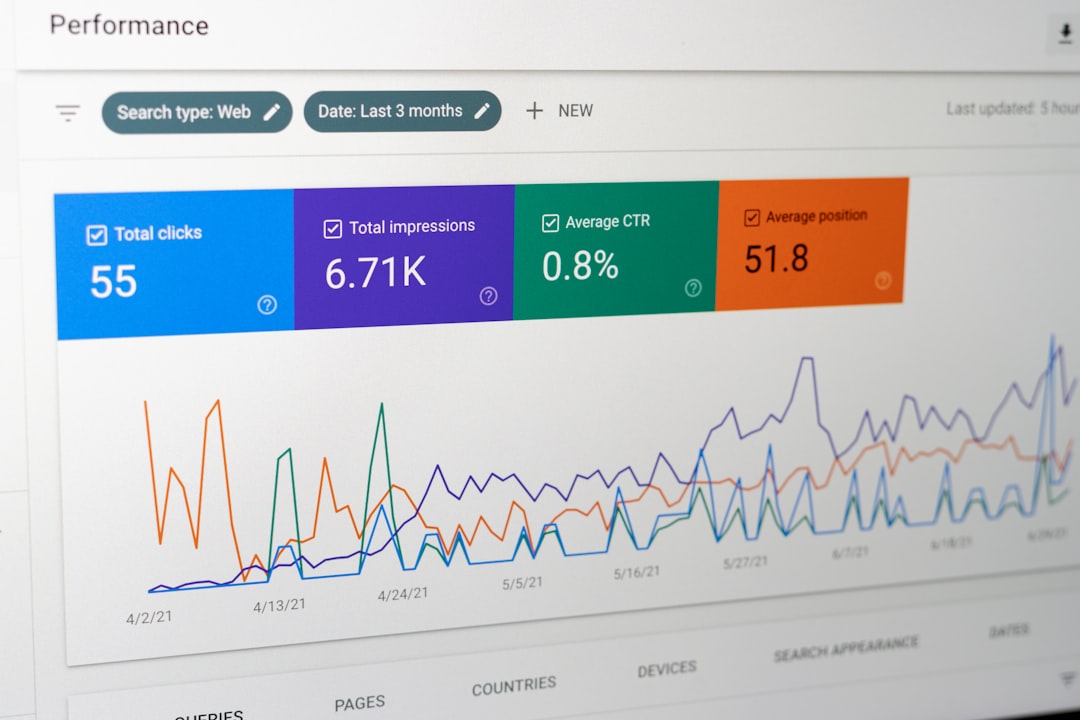
SEO improvements only count if you can see what changed. Search Console is the simplest way to measure whether your optimization work is improving impressions, clicks, and click-through rate on the pages that matter most.
Look for pages with high impressions but weak click-through rate, pages slipping in average position, and queries landing on the wrong URL. Those patterns usually point to title issues, intent mismatches, or weak internal linking. This is more useful than obsessing over a plugin checklist score because it shows how Google is already responding to your site.
A practical order for WordPress SEO fixes
The best optimization plan is short enough to execute. If you try to fix everything at once, you usually end up changing too much to measure what worked. A simple sequence keeps the work focused.
| Priority | Fix this first | Expected outcome |
|---|---|---|
| 1 | Clarify page purpose and reduce keyword overlap | Stronger relevance for important pages |
| 2 | Rewrite weak titles and improve internal links | Better click-through rate and clearer site structure |
| 3 | Clean up indexing, redirects, and duplicate URLs | Less signal dilution and fewer technical blockers |
| 4 | Improve speed on key templates, especially mobile | Better user experience and stronger page quality signals |
Final takeaway
WordPress SEO optimization works best when it is specific, prioritized, and measured. Clear page targeting, better titles, stronger internal links, technical cleanup, and practical speed fixes will usually move the needle more than any generic checklist.
If you want a diagnostic review before making changes, contact WordPress SEO Expert today to schedule a consultation. We will help you identify what is actually holding your site back and what to fix first.

















