
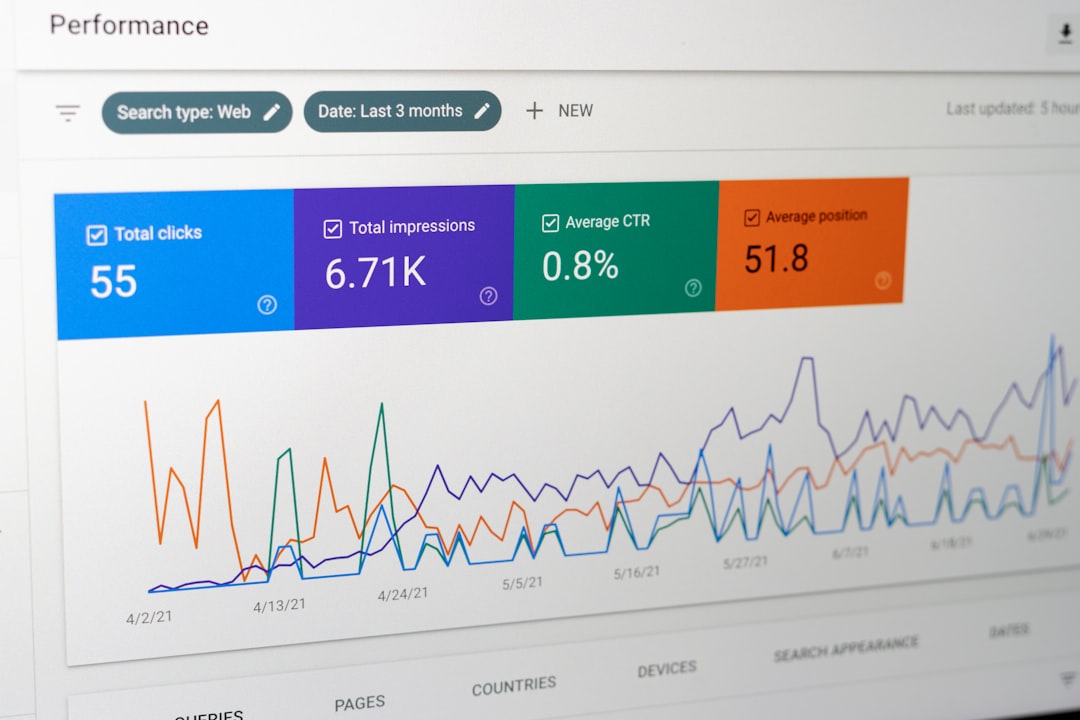
Low rankings on WordPress usually come from a stack of smaller issues, not one missing plugin. If you want better results, focus on pages Google can crawl, titles people want to click, cleaner internal links, and content that matches the search intent behind the keyword.
There is no single checklist that fixes every site. A service business, a WooCommerce store, and a content-heavy blog all run into different bottlenecks. The best WordPress SEO tips are the ones you can apply in order, test, and keep simple enough to maintain after the next theme or plugin update.
Start with crawlability before content tweaks

If Google cannot reliably crawl and understand the right pages, on-page changes will underperform. Check indexing first, then move to optimization. This is the step most site owners skip because it is less visible than titles or blog posts, but it often explains why rankings stay flat.
Make sure your key pages return a normal status code, appear in your sitemap when they should, and are not blocked by a noindex rule, theme setting, or plugin conflict. Google’s guidance on crawling and indexing makes the same point: search performance starts with accessible pages and clean discovery paths. For a deeper diagnostic framework, see our WordPress SEO best practices for 2026.
Use one SEO plugin and configure the basics well
Most WordPress sites need one primary SEO plugin, not multiple tools competing to control titles, schema, sitemaps, and canonicals. A clean setup is easier to troubleshoot and much less likely to create conflicting signals that quietly damage performance.
Set up the essentials first: title templates, meta descriptions, XML sitemaps, archive indexing rules, and default social sharing settings. Then stop. Plugin score badges are not the goal. Clear indexing rules, useful page titles, and better site structure matter more than turning on every optional feature.
Write titles that are specific, not stuffed
Your title tag is still one of the strongest on-page signals you control directly. Google recommends descriptive, concise titles and specifically advises against keyword stuffing and repetitive boilerplate across pages. That means the page title should match the topic clearly without sounding like a list of variations.
Weak example: SEO Services | SEO Company | SEO Expert. Stronger example: WordPress SEO Services for Small Businesses. The stronger version tells both users and search engines what the page is actually about. If you want help tightening titles and headings across core pages, review our on-page SEO services.
Simple title best practices
| Area | What to do |
|---|---|
| Homepage title | Name the core offer clearly instead of using a vague label like Home |
| Service page title | Lead with the service and audience, then add the brand if needed |
| Blog post title | Match the search intent with a direct payoff, not a generic phrase |
| Sitewide templates | Avoid repeating the same boilerplate on every page |
Keep URLs short and readable
Short, plain-language URLs are easier for users to understand and easier to manage as your site grows. Google recommends simple URL structures and specifically notes that hyphens help separate words more clearly than underscores.
That does not mean rewriting every old URL without a plan. It means avoiding clutter on new pages and using redirects carefully when you do change an important slug. A clean format like /wordpress-seo-tips/ is usually better than a long URL packed with folders, dates, and filler words.
Build internal links on purpose
Internal links help Google discover pages, understand topic relationships, and prioritize what matters on your site. They also help users move from a broad question to a specific service or next step. This is one of the easiest WordPress SEO wins because you already control it.
Google’s own link guidance says good anchor text should be descriptive and relevant. Link related posts, service pages, and category-level resources using natural phrases. If your site speed is limiting engagement or crawl efficiency, read how to improve WordPress site speed for SEO and connect that post from performance-related content across the site.
Use headings to organize the answer clearly
Better heading structure usually improves readability before it improves rankings, and that is exactly why it matters. One clear H1, followed by useful H2s and H3s, makes the page easier to scan and easier for search engines to interpret.
Most WordPress pages do not need more words. They need better structure. Break long sections into focused subsections, answer the main question early, and avoid filler intros that delay the point. A page can be well written and still underperform if users cannot quickly find the part that matches their intent.
Write useful alt text for images
Alt text helps with accessibility and gives search engines more context about an image. Google recommends useful, information-rich alt text written in context, not keyword stuffing. Good alt text describes what the image shows when that description adds value to the page.
For example, an image in a speed article might use alt text like WordPress PageSpeed report showing slow mobile performance. That is more useful than image1 or a repeated target keyword. If an image is purely decorative, keep the markup simple rather than forcing awkward SEO text into every graphic.
Fix speed issues that affect real pages

Speed matters most when it affects actual usability. Do not chase a perfect performance score. Start with oversized images, heavy scripts, weak hosting, and plugins loading assets on pages that do not need them. Those are the changes that usually move both user experience and SEO in the right direction.
A practical speed workflow is simple: test key templates, optimize large images before upload, reduce unnecessary plugins, enable caching, and review third-party scripts. If you are not sure which bottleneck matters most, WordPress SEO Expert can help you sort technical issues from low-value busywork before you start changing settings.
Match content to search intent, not just keywords

Keyword targeting matters, but intent matters more. A page about WordPress SEO tips should give practical examples, not just define SEO terms. A service page should explain the process, common problems, and next steps, not read like a blog summary.
Before publishing, ask one question: does this page answer the reason someone searched for it? If not, no plugin setting will save it. This is where many WordPress sites get stuck. They publish content regularly, but the content map is scattered and the page purpose is unclear.
WordPress SEO examples you can apply this week
The fastest wins usually come from small, specific changes on important pages. Instead of auditing everything at once, apply a few practical fixes to your homepage, top service pages, and best blog posts first. That gives you cleaner data and a better sense of what is actually improving performance.
| Page area | Weak version | Better version |
|---|---|---|
| Title tag | SEO Tips | SEO Blog | WordPress SEO | WordPress SEO Tips That Actually Help |
| URL slug | /blog/2026/09/wordpress-seo-tips-examples-and-best-practices-guide | /wordpress-seo-tips/ |
| Image alt text | seo tips image | WordPress dashboard showing SEO plugin title settings |
| Internal link anchor | read more | technical SEO services for WordPress sites |
If you are working through these fixes and still cannot tell what is holding rankings back, WordPress SEO Expert can help. Request a free WordPress SEO audit and we will help you prioritize the technical, on-page, and content issues that deserve attention first.
What to fix first
Most site owners do not have one catastrophic SEO problem. They have indexing issues, weak titles, thin internal links, and unclear page targeting compounding over time. The right move is not doing everything. It is fixing the order of operations.
| Priority | Fix this first | Why it matters |
|---|---|---|
| 1 | Indexing and crawlability | Pages cannot rank if search engines cannot access or interpret them properly |
| 2 | Title tags and page focus | Improves relevance and click potential |
| 3 | Internal linking | Supports discovery, hierarchy, and topical relationships |
| 4 | Content structure | Makes the page easier to scan and more useful for the target query |
| 5 | Speed and plugin cleanup | Improves usability and removes technical drag |
Good WordPress SEO is rarely about tricks. It is about a site that is crawlable, clear, fast enough, and built around pages that solve a real search need. Contact WordPress SEO Expert today to schedule a consultation if you want a second set of eyes before changing plugins, rewriting pages, or guessing at the next fix.

















