

Most WordPress SEO problems are not caused by one missing plugin. They usually come from unclear page targeting, weak internal links, thin service pages, and technical issues that quietly stack up over time. This Q&A breaks down the WordPress SEO tips that matter most so you can fix the right things first.
Good SEO on WordPress is less about chasing plugin scores and more about making each important page easier for Google and real visitors to understand. Google recommends people-first content, descriptive titles, and clear page purpose, which is why practical fixes usually outperform generic checklists. If you want a second opinion before changing anything, WordPress SEO Expert’s WordPress SEO strategy advice for small businesses is a useful next step.
What are the best WordPress SEO tips to start with?
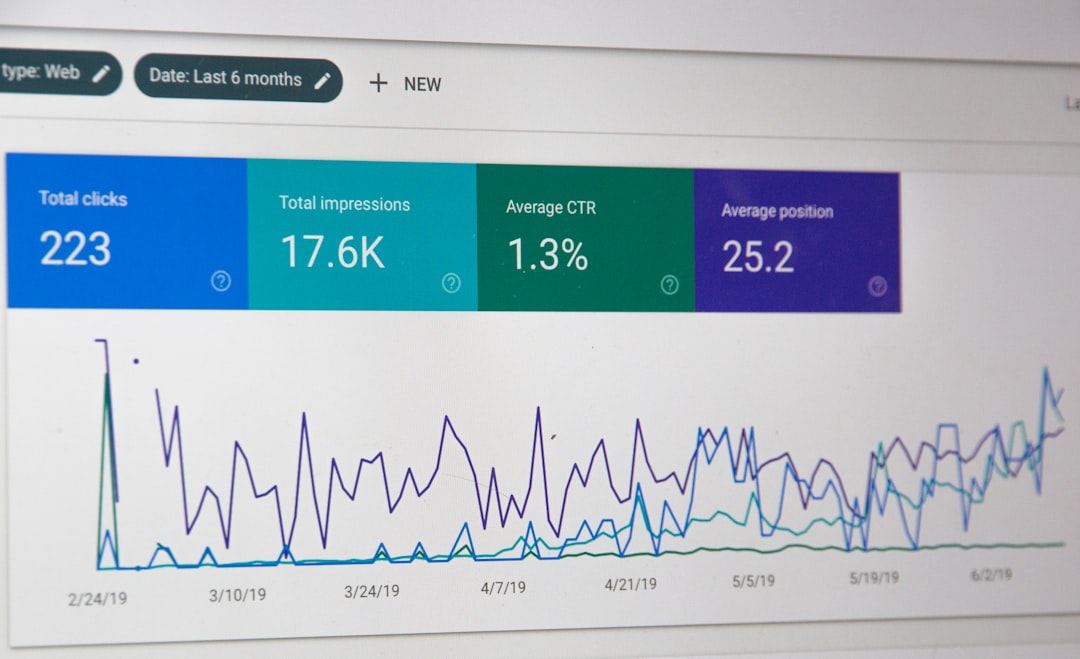
Start with the basics that affect visibility the most: clear keyword targeting, stronger page titles, cleaner internal links, faster templates, and consistent Search Console review. Most sites do not need more tactics. They need fewer priorities handled in the right order.
A practical sequence works better than doing everything at once. Map one main topic to each core page. Make sure your homepage targets your broad service, service pages target buyer-intent phrases, and blog posts support those pages instead of competing with them. Then review titles, headings, and internal links so every page has a specific job.
Google’s Search Console Performance report shows clicks, impressions, average CTR, and average position, which makes it the best free place to see whether a page is getting visibility but failing to earn clicks. Google also recommends writing descriptive, concise title text and avoiding keyword stuffing or repetitive boilerplate titles. Those two checks alone often reveal why a page is underperforming.
What should you fix first on a WordPress site?
Fix the pages closest to revenue first. That usually means your homepage, service pages, category pages, and location pages before older blog posts. A small lift on a money page is usually worth more than polishing ten low-intent articles.
Most owners get stuck because they spread effort too widely. A better approach is to review the pages that already have impressions, then improve the ones with weak click-through rate, unclear search intent, or obvious technical friction. If a page is ranking on page two or low page one, the issue is often not volume of content but clarity, trust, or snippet quality.
| Priority | What to check first | Why it matters |
|---|---|---|
| 1 | Homepage and service page titles | They shape relevance and click-through potential |
| 2 | Internal links to core pages | They help users and search engines understand page importance |
| 3 | Thin or overlapping service content | It prevents cannibalization and weak targeting |
| 4 | Page speed bottlenecks | Slow templates can hurt experience and conversion |
| 5 | Search Console performance trends | They show what is actually moving, not what you assume |
Do SEO plugins improve rankings by themselves?
No. SEO plugins help you control titles, meta descriptions, schema settings, sitemaps, and indexation rules, but they do not make weak pages rank on their own. A green score is not the same as search visibility.
This is where many WordPress sites lose time. Owners keep adjusting plugin settings while the real issue is that three pages target the same phrase, the service page is vague, or the internal links point everywhere except the page that matters. One clean plugin setup is usually enough. More than that often creates overlap, conflicting metadata, or unnecessary code.
If your site also feels slow, review these real WordPress site speed fixes for SEO. Technical drag and weak page targeting often show up together.
How should you write better SEO titles in WordPress?
Write titles that are specific, readable, and clearly tied to the page’s purpose. The goal is not to cram variations into the title. The goal is to help Google and the searcher understand exactly what the page offers.
Google’s title guidance says titles should be descriptive and concise, and it specifically warns against keyword stuffing and repeated boilerplate. That means a title like SEO Services | SEO Company | SEO Expert is weaker than a title that names the actual service and audience.
| Weak title | Stronger title |
|---|---|
| SEO Services | SEO Company | SEO Expert | WordPress SEO Services for Small Businesses |
| Blog | SEO Tips | WordPress SEO Tips for Higher Rankings |
| Local SEO Page | Local SEO for WordPress Sites That Need More Leads |
Keep titles distinct from page to page. If several URLs reuse the same pattern with only one word changed, Google may rewrite them or treat them as less helpful. The cleaner the title, the easier it is to diagnose CTR issues later in Search Console.
How important is internal linking for WordPress SEO?
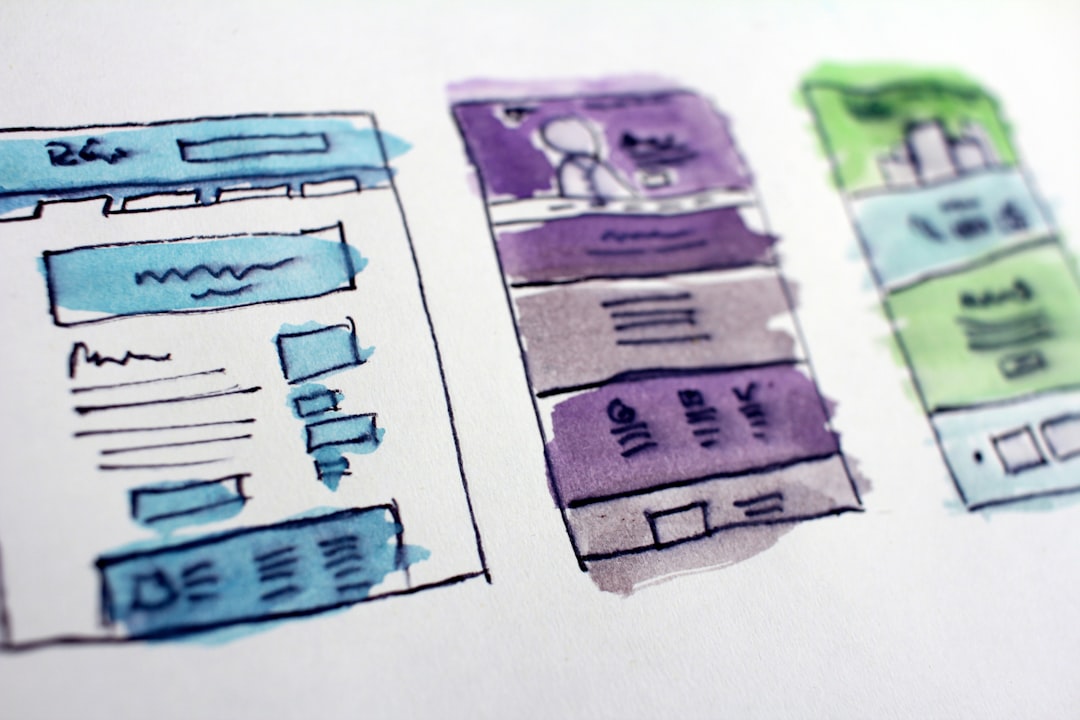
Internal linking matters more than most WordPress site owners think. It helps search engines understand which pages matter, how topics connect, and where authority should flow. It also helps visitors find the next page without relying only on your menu.
Google recommends descriptive, natural anchor text for links. That means linking phrases like technical SEO services or WordPress SEO strategy instead of vague text such as learn more. On small business sites, internal links often fix a silent problem: good pages exist, but nothing on the site points to them clearly enough.
A simple rule works well. Every important service page should receive internal links from the homepage, related blog posts, and any supporting service content. Blog posts should support commercial pages, not compete with them. That structure usually improves both user flow and topic clarity.
Does site speed still matter for WordPress SEO?
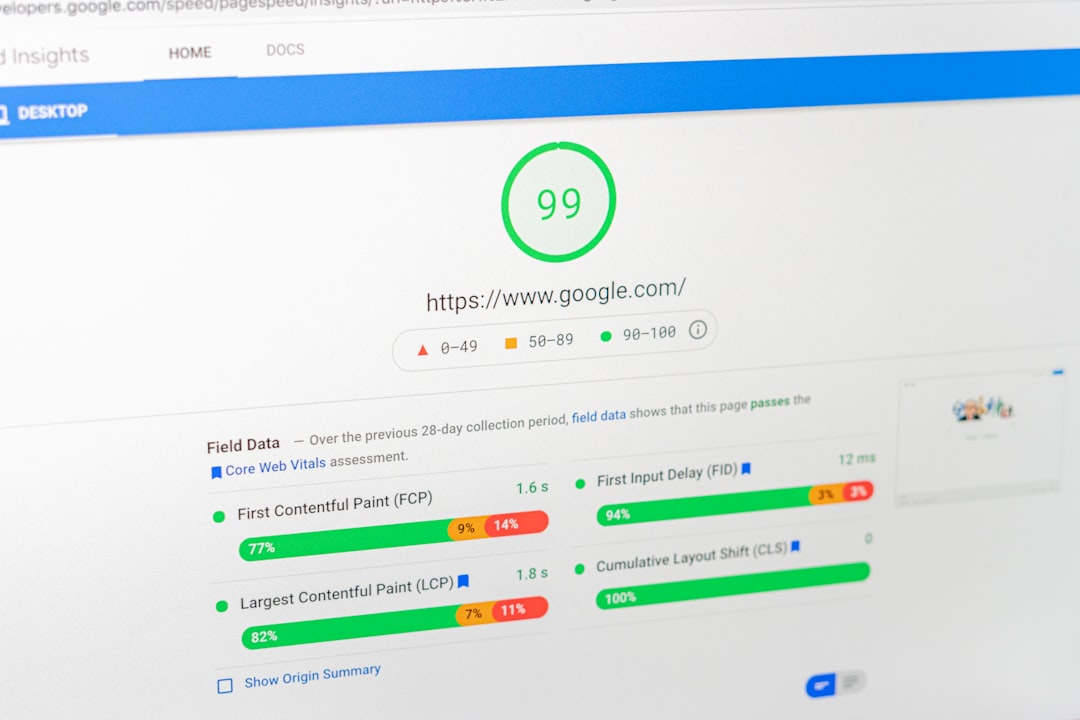
Yes, but not in the exaggerated way many speed guides present it. Speed is rarely the only reason a page ranks poorly. It becomes important when the site is slow enough to create a visibly worse experience or when competing pages are otherwise similar.
WordPress added native image lazy loading in version 5.5, and Google’s broader guidance ties page experience to how people experience your site, not just one lab score. In practice, large images, bloated themes, too many scripts, and weak hosting create most of the speed issues we see. Fix those before obsessing over a perfect performance score.
A practical stopping point helps. If the site feels fast, your key pages load cleanly on mobile, and your bottlenecks are no longer obvious, your next gains usually come from better page targeting and stronger content alignment rather than another round of plugin tweaking.
How often should you check Search Console?
For most small business WordPress sites, a monthly review is enough. Weekly checks can help during a redesign, migration, content rollout, or traffic drop, but daily checking usually creates noise instead of clarity.
Focus on a few patterns. Look for pages with high impressions and low CTR, pages losing average position, and queries landing on the wrong page. Search Console gives you the data to spot these issues before you waste time rewriting pages that were never the problem.
If you are unsure what the data is really saying, WordPress SEO Expert can help translate it into a short action plan. That is often the difference between random edits and fixes that actually improve visibility.
What are the most common WordPress SEO mistakes?
The most common mistakes are overlapping page targets, plugin overload, weak internal linking, thin service pages, and publishing blog content without a real keyword map. None of these are glamorous, but they are the issues that keep rankings flat.
Another mistake is treating SEO as a content volume game. Publishing more posts rarely fixes a site with unclear structure or underbuilt commercial pages. Most sites need consolidation and prioritization before they need expansion. One strong page with clear intent usually beats multiple weaker versions that dilute relevance.
If you have already published a lot and nothing seems to move, that is usually a sign to audit the structure, not just write more. WordPress SEO Expert can help identify whether the bottleneck is technical, on-page, or strategic.
Final answer: what actually moves rankings?
What moves rankings is usually a combination of better page purpose, clearer targeting, stronger internal links, technically cleaner templates, and regular measurement. There is no single WordPress SEO tip that fixes everything. Most gains come from handling the basics in the right order.
If your rankings are stuck and you want a clear diagnosis instead of another generic checklist, WordPress SEO Expert can help. Request a free WordPress SEO audit and we will show you what to fix first, what can wait, and where your site is likely losing momentum.
Contact WordPress SEO Expert today to schedule a consultation. We will help you sort through the noise and build a WordPress SEO plan that is specific enough to execute.

















