
Low rankings usually come from a scattered plan, not one missing plugin. The fastest way to improve WordPress SEO is to fix the pages and settings that send mixed signals to Google: unclear page targets, weak internal linking, slow templates, and titles that do not match search intent.
Most site owners do not have one catastrophic SEO problem. They have a stack of smaller issues that compound over time. That is why a page can be well written and still underperform. If you want a second set of eyes before changing settings, review our WordPress SEO strategy for small business guide and our advice on how to improve WordPress site speed for SEO.
Start with the pages that matter most
The best SEO gains usually come from improving your core pages first, not publishing more blog posts. Focus on the homepage, main service pages, top category pages, and any pages already getting impressions in Google Search Console.
Give each important page one clear job. Your homepage should target your broadest core topic. Service or category pages should target buyer-intent searches. Blog posts should support those pages instead of competing with them. When three pages chase the same phrase, Google has to guess which one matters most.
Match each page to search intent
Search intent is often the real reason rankings stall. If searchers want a service page and you publish a thin blog post, or they want a comparison and you give them a sales pitch, your page will struggle even if the keyword appears in all the right places.
Start by checking the current search results for your target phrase. If the page-one results are mostly service pages, build a service page. If they are mostly guides, comparisons, or tutorials, create content in that format. Google’s documentation consistently emphasizes helpful, people-first content and descriptive page titles rather than content built just to manipulate rankings.
Weak vs stronger keyword targeting
Weak targeting: one generic page trying to rank for WordPress SEO, local SEO, technical SEO, e-commerce SEO, and link building all at once.
Stronger targeting: one focused service page for WordPress SEO services, one page for technical SEO, one page for local SEO, and supporting blog posts that answer related questions.
Fix titles and headings before chasing advanced tactics
Title tags and headings are basic, but they still do a lot of work. A weak title can lower click-through rate even when the page ranks. A vague H1 can make the page feel unfocused to both users and search engines.
Keep the title specific, readable, and aligned with the query. Google recommends descriptive titles and content that clearly summarizes the page. Avoid repetitive boilerplate and avoid stuffing multiple versions of the same keyword into the title.
Weak title: SEO Services | SEO Company | SEO Expert
Stronger title: WordPress SEO Services for Small Businesses
Use one clear H1 on the page, then organize the rest with H2s and H3s that answer the next logical questions. That makes the page easier to scan and easier to expand later without turning it into a wall of text.
Improve internal linking with purpose
Internal links help Google understand which pages are important and how topics connect across your site. They also help users reach the next useful page instead of bouncing after one visit.
Add links from blog posts to relevant service pages, from service pages to supporting resources, and from older posts to newer priority pages. Use descriptive anchor text that tells the reader what they will find next. For example, linking a phrase like small business WordPress SEO strategy is far more useful than a vague “read more.”
This is also where consolidation matters. If you have several thin posts on similar topics, combining them into one stronger resource can improve clarity and reduce keyword cannibalization.
Clean up technical issues that block growth

Technical SEO does not need to be complicated to matter. A few common WordPress problems can quietly suppress performance: noindex mistakes, redirect chains, orphan pages, duplicate archives, bloated plugins, and crawl waste from URLs that do not deserve to rank.
Check these areas first: indexability, XML sitemaps, canonicals, broken links, redirect behavior, mobile usability, and page speed. WordPress also supports native image lazy loading, which was introduced in WordPress 5.5, so many sites can improve media handling without adding another plugin.
| Area | What to check first | Why it matters |
|---|---|---|
| Indexing | Make sure important pages are not accidentally set to noindex | Blocked pages cannot rank |
| Site structure | Confirm key pages are reachable in a few clicks | Important pages get crawled and understood faster |
| Internal links | Add contextual links to priority pages | Improves discovery and topical clarity |
| Performance | Compress large images and reduce heavy scripts | Better usability and cleaner page experience |
| Plugins | Remove overlapping SEO features | Prevents metadata conflicts and unnecessary bloat |
If your site slowed down after adding page builders, sliders, or multiple optimization plugins, simplify before you add anything else. One clean SEO setup is usually better than a stack of tools fighting each other.
If you are experiencing these issues, our team at WordPress SEO Expert can help. We can identify whether the problem is technical, structural, or content-related before you spend weeks changing the wrong settings.
Use speed improvements where they actually help
Site speed matters, but it is not a magic ranking lever. Google says good page experience matters, while also making clear that strong scores alone do not guarantee top rankings. Treat speed as a usability and competitive advantage, not a substitute for better content and targeting.
For most WordPress sites, the practical fixes are straightforward: compress oversized images, serve modern formats when possible, reduce render-blocking scripts, and use a sensible caching setup. If your scores are poor, work through the specific fixes in our WordPress site speed for SEO guide before chasing edge-case tweaks.
Track progress in Search Console, not plugin scores
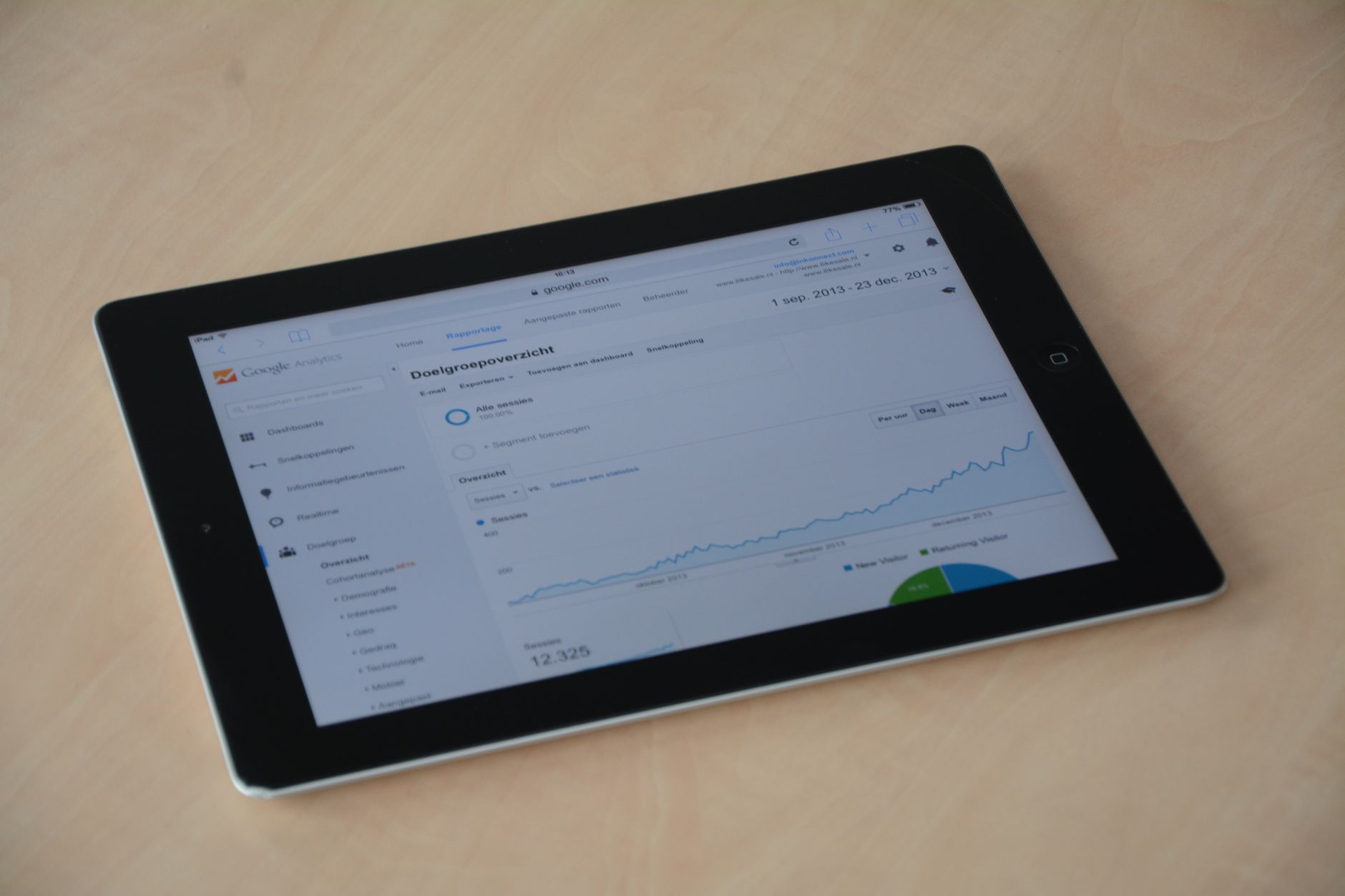
SEO plugin green lights are not the goal. The better measurement is whether impressions, clicks, click-through rate, and average position are improving for the pages that matter. Google Search Console gives you that page-level feedback directly.
Review which pages are earning impressions, which queries trigger those pages, and where CTR looks weak relative to visibility. A page with rising impressions but flat clicks often needs a stronger title and meta description. A page ranking for the wrong terms may need a clearer angle or tighter copy.
A practical order for WordPress SEO fixes
The right order prevents busywork. Most sites should fix targeting and structure first, then improve on-page elements, then clean up technical issues, and only after that scale content production.
| Priority | Action |
|---|---|
| 1 | Map one main keyword theme to each important page |
| 2 | Rewrite titles, H1s, and core page copy to match intent |
| 3 | Add internal links to priority pages |
| 4 | Fix indexability, redirects, and duplicate-page issues |
| 5 | Improve speed and template bloat where it affects usability |
| 6 | Publish supporting content after the foundation is clear |
Final takeaway
Higher Google rankings usually come from a cleaner plan, not more SEO noise. When each page has a clear purpose, your titles match intent, your internal links support priority pages, and your technical setup stops getting in the way, WordPress SEO becomes much easier to improve.
If you want a focused action plan instead of another generic checklist, contact WordPress SEO Expert today to schedule a consultation. We will help you identify what is actually holding your rankings back and what to fix first.

















