
Most WordPress SEO problems do not come from missing one magic tool. They come from a setup that sends mixed signals through overlapping plugins, weak page titles, thin archives, and internal links that do not support the pages that matter most.
A green light in an SEO plugin does not mean the page deserves to rank. The goal is not to collect features or chase perfect scores. The goal is a site that is easy to crawl, easy to understand, and clear about which pages deserve visibility.
Start With the Tools That Control the Foundation
The most useful WordPress SEO tools are the ones that control indexing, titles, canonicals, sitemaps, redirects, and internal structure. If those basics are messy, adding more reporting tools usually creates more noise instead of better rankings.
For most sites, the setup should stay simple. Use one SEO plugin, one redirect system, one caching layer, and one clear process for reviewing important pages. If your current configuration feels bloated or inconsistent, our guide to fixing WordPress SEO setup problems is a good place to compare your site against the common failure points.
The core tools worth using
One well-configured SEO plugin is enough. Running overlapping plugins often creates duplicate metadata, conflicting canonicals, and competing sitemap outputs. That is why tool selection should be based on control and clarity, not on how many extra modules a plugin can enable.
| Tool type | What it should help you do | What to avoid |
|---|---|---|
| SEO plugin | Manage titles, meta descriptions, canonicals, schema defaults, and XML sitemaps | Installing multiple SEO plugins at the same time |
| Redirect tool | Handle changed URLs and cleanup after redesigns or migrations | Leaving old URLs live without a clear redirect path |
| Caching or performance plugin | Improve load speed and reduce unnecessary page weight | Stacking multiple optimization plugins that overlap |
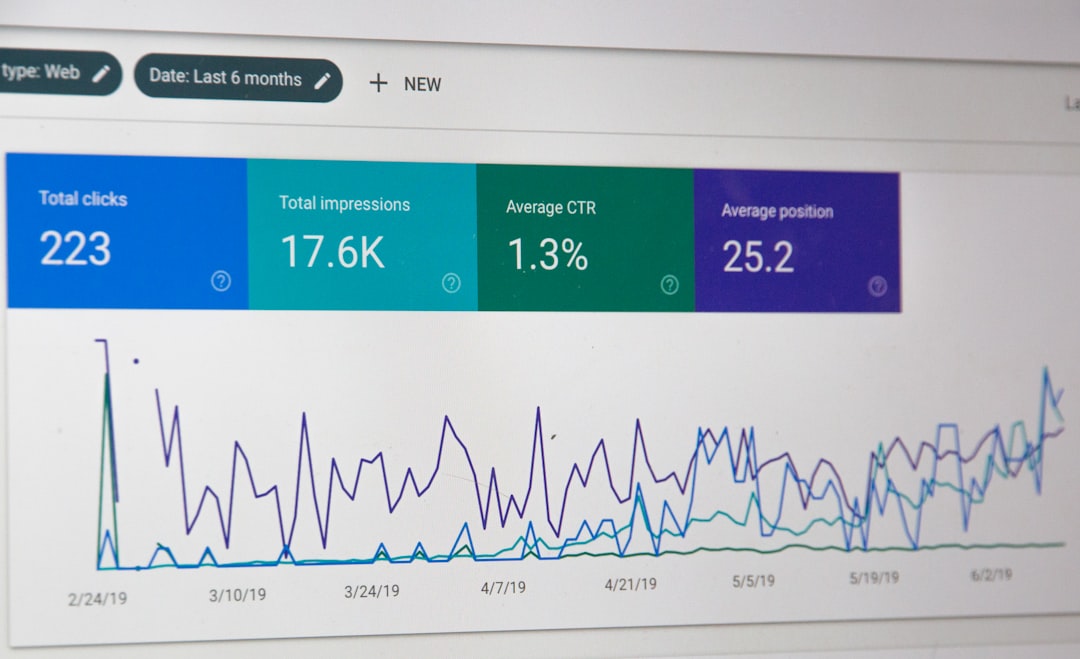
| Search Console | Review indexing, impressions, click-through trends, and page performance | Ignoring the data until traffic drops |
| Internal linking review | Strengthen site structure and support priority pages | Publishing posts that never link to key service pages |
Use Techniques in the Right Order
The best SEO techniques work when they follow a sequence. Fix the issues that block visibility before the issues that polish visibility. That means indexing and crawlability come first, then duplication control, then title and content improvements, then internal linking and support layers like schema.
This is where many DIY site owners get stuck. They spend hours rewriting text while a noindex setting, archive clutter, or weak title template keeps the page from performing. If you need the wider framework around that process, our practical WordPress SEO guide for DIY site owners walks through the layers in more depth.
Technique 1: Check crawlability and indexing first

Start by making sure search engines can reach and index your important pages. Google recommends crawlable links and clear site structure, which means your key pages should be accessible through normal HTML links and supported by descriptive anchor text, not buried behind weak navigation or orphaned content.
In practice, that means checking whether important pages are indexable, included in the sitemap, linked from navigation or relevant posts, and not diluted by unnecessary archive pages. Most site owners do not have one catastrophic problem. They have a stack of smaller issues that compound over time.
Technique 2: Fix title tags before chasing plugin scores
Page titles usually deserve attention before most on-page tweaks. Google recommends descriptive, concise title text and warns against keyword stuffing and repetitive boilerplate. If your titles are vague, duplicated, or stuffed with slight variations, the page is starting from a weaker position than it needs to.
| Weak title | Stronger title |
|---|---|
| SEO Services | SEO Company | SEO Expert | WordPress SEO Services for Small Businesses |
| Blog | WordPress SEO Tips for Local Service Sites |
| Home | WordPress SEO Consultant for Growth-Focused Sites |
That shift is simple but important. The stronger version describes the page clearly and gives both users and search engines a better summary of what the page is actually about.
Technique 3: Write unique meta descriptions for important pages
Meta descriptions do not fix weak rankings, but they can improve how a page is summarized in search results. Google says it may use the meta description when it better describes the page, so the priority is writing accurate, page-specific summaries instead of copying the same template everywhere.
Focus first on the homepage, top service pages, important category pages, and posts already earning impressions. Those are the pages where a clearer search snippet can support better click-through without forcing a full sitewide rewrite.
Technique 4: Clean up duplicates and conflicting signals
WordPress sites often create duplicate or low-value URLs through archives, attachment pages, filters, or old slug changes. The right technique is not to create more pages. It is to decide which URLs matter, direct signals toward them, and reduce the clutter that distracts from them.
This is especially important after redesigns, WooCommerce changes, or plugin swaps. A good SEO setup makes it obvious which version of a page is the main version through consistent internal linking, clean canonicals, and sensible redirect handling.
If you’re experiencing these symptoms, our team at WordPress SEO Expert can help.
Keep Your Tool Stack Simple
More tools do not automatically create better SEO. They often create duplicate features, conflicting outputs, and more settings than the site owner can realistically maintain. Simplicity is not a compromise. It is often the reason a setup becomes easier to troubleshoot and easier to trust.
A simple stack usually performs better than a crowded one because each tool has a clear job. One plugin controls metadata. One system handles redirects. One caching setup improves performance. Everything else should earn its place by solving a real problem, not by adding another dashboard.
What to Stop Doing
Stop treating plugin scores as the goal. Stop adding SEO extensions every time rankings flatten. Stop publishing thin pages to chase slight keyword variations. Those habits make the setup look active while often making the site harder to understand.
You do not need a perfect score. The goal is a site that loads cleanly, is easy to use, and sends consistent signals about which pages matter most. That usually comes from better prioritization, not from more tools.
When Professional Help Makes Sense
If your rankings are flat and you are not sure whether the problem is indexing, duplication, weak targeting, or plugin clutter, the next step is usually diagnosis. An outside review can often separate the real blockers from the settings that look important but are not holding the site back.
WordPress SEO Expert helps site owners simplify the setup, fix the technical issues that actually matter, and build a cleaner SEO process going forward. Book a free SEO consultation. No pitch, no pressure. Just an honest look at what your site actually needs and whether your current setup is part of the solution or part of the problem.
Contact WordPress SEO Expert today to schedule a consultation.

















