
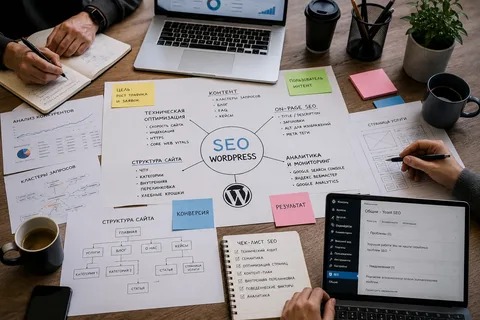
Getting a WordPress website online is only the first step. If you want people to discover your pages through Google, your website needs a clear and consistent SEO process. The good news is that WordPress makes many SEO tasks easier when the right steps are followed.
A practical WordPress website SEO strategy does not require changing everything at once. You can work through the process step by step, starting with the basics and then moving toward technical improvements, content optimization, and performance tracking.
1. Set Up the Basic SEO Foundation
Before optimizing individual pages, make sure your WordPress website has a clean foundation.
Start by checking:
- Your website uses HTTPS.
- WordPress, themes, and plugins are updated.
- Your preferred domain version is consistent.
- Search engines are allowed to index important pages.
- Your website has a logical navigation structure.
- Unnecessary plugins are removed.
You should also choose one SEO plugin rather than installing several plugins that perform the same functions. Tools such as Rank Math or Yoast SEO can help manage titles, descriptions, sitemaps, and other basic settings.
2. Research Relevant Keywords
Keyword research helps you understand what your target audience is searching for.
Instead of choosing keywords simply because they have high search volume, consider search intent. Someone searching for “what is WordPress SEO” may be looking for information, while someone searching for “WordPress SEO services” may be looking for professional help.
Create groups of keywords around your main services, products, questions, and topics.
For example:
| Main Topic | Supporting Keywords |
|---|---|
| WordPress SEO | WordPress optimization, website SEO |
| Local SEO | local WordPress SEO, Google Business Profile |
| Technical SEO | site speed, indexing, crawl issues |
| On-page SEO | title tags, headings, internal links |
3. Optimize Page Titles and Meta Descriptions

Every important page should have a clear title that tells both users and search engines what the page is about.
A good SEO title should be:
- Relevant to the page
- Specific
- Easy to understand
- Naturally written
- Focused on the main search intent
Meta descriptions do not directly determine rankings, but they can influence whether someone clicks your result. Write them as useful summaries rather than keyword lists.
4. Improve Your Content
Content should answer the visitor’s question clearly and completely.
Use the primary topic naturally in the introduction, headings, body content, and other relevant areas. Avoid repeating the same phrase unnecessarily.
Break long content into:
- H2 and H3 headings
- Short paragraphs
- Bullet points
- Tables where useful
- Examples
- Relevant images
The goal is to make the page easy to understand and useful enough that visitors do not immediately need to search somewhere else.
5. Build a Strong Internal Linking Structure
Internal links connect related pages on your website.
For example, a blog about WordPress site speed could naturally link to another article about technical SEO. A service page could link to a relevant case study or educational guide.
Good internal linking helps visitors discover more content and gives search engines additional context about the relationship between your pages.
Use descriptive anchor text instead of vague phrases such as “click here.”
6. Optimize Images
Large or poorly optimized images can slow down a WordPress website.
Before uploading images:
- Resize them appropriately.
- Compress unnecessary file size.
- Use suitable modern formats when practical.
- Add descriptive alt text when the image provides meaningful information.
- Avoid using decorative images unnecessarily.
Image optimization supports both usability and website performance.
7. Improve Technical SEO
Technical SEO makes it easier for search engines to crawl and understand your website.
Check important areas such as:
- XML sitemap
- Robots.txt
- Canonical URLs
- Redirects
- Broken links
- Duplicate content
- Mobile usability
- Page speed
- Indexing status
You can use Google Search Console to identify indexing problems and understand how Google is discovering your pages.
8. Make the Website Mobile-Friendly
A large portion of web traffic comes from mobile devices, so your website should work properly on smaller screens.
Check that:
- Text is readable.
- Buttons are easy to tap.
- Menus work correctly.
- Images fit the screen.
- Forms are usable.
- Pages load efficiently.
A responsive WordPress theme is a good starting point, but testing is still important.
9. Monitor Your SEO Performance
SEO is not a one-time task. After making changes, monitor the results.
Useful metrics include:
- Organic clicks
- Search impressions
- Average search position
- Indexed pages
- Organic traffic
- Engagement
- Conversions
Google Search Console and Google Analytics can provide valuable performance data.
10. Keep Improving Over Time
Once the basics are complete, revisit important pages regularly. Update outdated information, improve weak content, strengthen internal links, and fix technical issues as they appear.
For larger websites or businesses competing in difficult search results, working with a WordPress SEO professional can make the process more structured. An experienced specialist can audit the site, prioritize problems, and build a strategy based on the website’s actual goals.
A step-by-step approach keeps WordPress website SEO manageable. Instead of making random changes, you can build a strong foundation, optimize important pages, improve technical performance, and measure what actually works.

















