

Low rankings on WordPress usually come from a stack of small issues, not one missing plugin. If you want better SEO results, the fastest path is to fix the pages Google can already crawl, tighten your titles and internal links, and stop treating plugin score badges like the goal.
This guide shows practical SEO for WordPress examples you can apply to service pages, blog posts, and category pages. It also points to a few places where Google’s own documentation supports the direction: clear titles, descriptive links, useful headings, and people-first content. If you want help diagnosing your setup, contact WordPress SEO Expert for help with your setup.
What does good WordPress SEO look like?
Good WordPress SEO is usually simple to spot. Important pages are crawlable, titles clearly match the topic, duplicate URLs are controlled, and internal links help users move to the next relevant page. The site feels organized instead of patched together.
Google’s guidance consistently leans in that direction. Clear, concise titles help search engines understand the page, while descriptive anchor text helps both crawlers and users understand where a link leads. Helpful content also starts with a clear page focus instead of vague, keyword-stuffed copy.
SEO for WordPress example: title tags

Your title tag is one of the easiest wins because weak titles are common on WordPress sites. The fix is not to cram in more keywords. The fix is to make each title specific, readable, and distinct from similar pages.
| Page type | Weak title | Stronger title |
|---|---|---|
| Service page | SEO Services | SEO Company | SEO Expert | WordPress SEO Services for Small Businesses |
| Blog post | WordPress SEO Tips | SEO for WordPress: 7 Fixes That Improve Rankings |
| Local page | Chicago SEO | Best SEO Chicago | WordPress SEO Services in Chicago |
The pattern is simple. Lead with the actual topic, keep it concise, and avoid repeated boilerplate. That matches Google’s recommendation to write descriptive, concise title text and avoid keyword stuffing or repetitive titles across pages.
SEO for WordPress example: meta descriptions
Meta descriptions do not guarantee rankings, but they still matter for click-through and message clarity. On WordPress sites, the common mistake is using one generic template everywhere or stuffing in disconnected keywords.
| Page type | Weak description | Stronger description |
|---|---|---|
| Service page | We offer SEO services for all businesses. Contact us today. | WordPress SEO services for small businesses. Get a technical review, on-page fixes, and a clear action plan. |
| Blog post | Learn about WordPress SEO in this helpful guide. | SEO for WordPress explained with real examples. See what to fix first on titles, links, speed, and content structure. |
Google may use your meta description when it better summarizes the page for searchers, so each important page should have a unique, accurate summary. Start with the page topic, then give a concrete reason to click.
SEO for WordPress example: headings and page structure
Headings work best when they help a visitor scan the page quickly. On many WordPress sites, the issue is not missing keywords. It is messy structure: multiple H1s, vague section labels, and walls of text that never get to the point.
A cleaner format is one clear H1, useful H2s that answer obvious subquestions, and H3s only when a section truly needs them. This is especially important on long posts and service pages where readers are trying to confirm relevance fast.
| Weak heading | Stronger heading |
|---|---|
| Our Services | What Our WordPress SEO Service Includes |
| More Information | How to Check if a Page Is Indexed |
| Tips | Internal Linking Mistakes to Fix First |
Google’s people-first content guidance also supports clear, descriptive headings and page titles. If the section heading sounds like it could belong on any page, it is probably too generic.
SEO for WordPress example: internal links

Internal links help Google discover pages and understand which pages matter most. They also keep visitors moving. A common WordPress problem is publishing new content that never gets linked from older posts, service pages, or category hubs.
Here is the difference. Weak internal linking says, go read this post. Strong internal linking uses anchor text that tells the reader what they will get. For example, if you are tightening performance and crawl issues together, it makes sense to point readers to pages covering real fixes for WordPress site speed or a broader WordPress SEO checklist.
Descriptive anchor text is the key. Google explicitly recommends concise, relevant anchor text instead of vague labels or keyword stuffing. That means linking phrases naturally inside a useful sentence, not forcing exact-match anchors into every paragraph.
SEO for WordPress example: image optimization
Image SEO is not just about file size. WordPress owners often upload large files with generic names and empty alt text, then wonder why the page feels slow and the image contributes nothing semantically. The better approach is lighter images plus context.
| Element | Weak example | Stronger example |
|---|---|---|
| Filename | IMG_4821.jpg | wordpress-seo-audit-dashboard.jpg |
| Alt text | seo | WordPress SEO audit report showing crawl and index issues |
| Placement | Decorative image above the fold with no purpose | Screenshot placed next to the section it explains |
Google uses alt text, along with surrounding page content, to understand images. That means your alt text should describe the image in context, not act like a dumping ground for repeated keywords.
SEO for WordPress example: category and archive control
Archive pages can help SEO, but only if they serve a real purpose. On WordPress, many sites create tag pages, author archives, date archives, and filtered URLs that add little value and dilute crawl attention.
| Archive type | Keep indexed? | Best practice |
|---|---|---|
| Main blog category with curated posts | Usually yes | Add a useful intro and link to important posts |
| Thin tag archives with one or two posts | Usually no | Noindex or stop creating low-value tags |
| Date archives | Usually no | Disable or noindex unless they serve users |
| Search results pages | No | Keep out of the index |
This is one of the most common reasons WordPress SEO becomes noisy. Most sites do not have one catastrophic issue. They have a crawlable pile of weak archive pages competing with the URLs that actually matter.
SEO for WordPress example: plugin setup
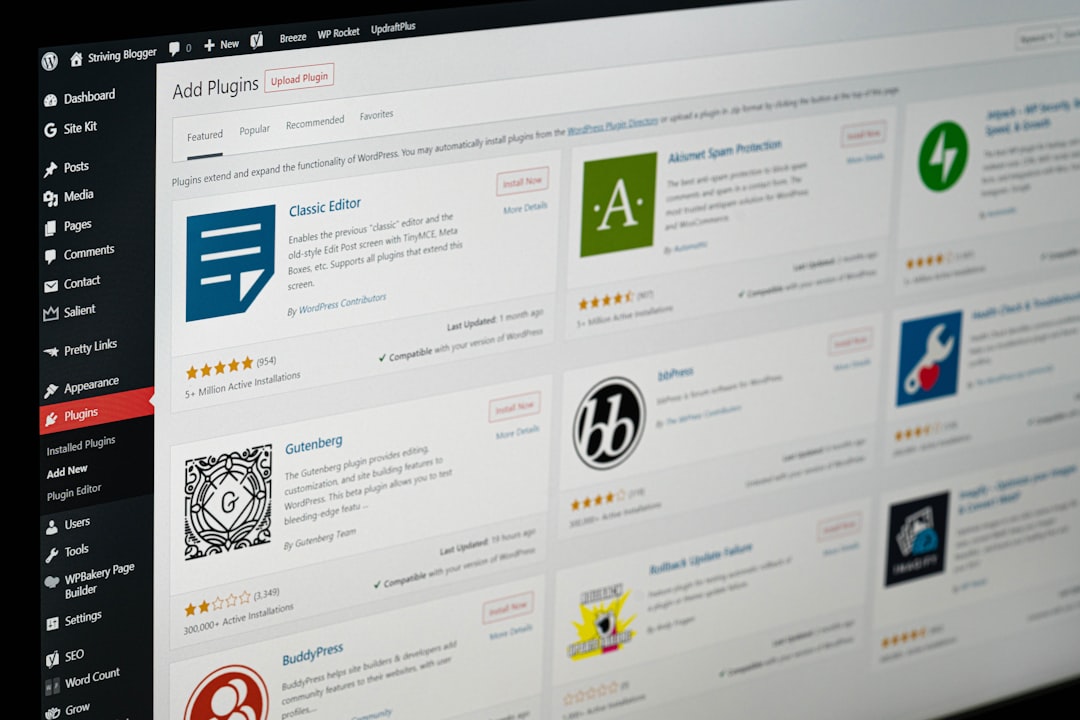
The best plugin setup is usually the cleanest one. One SEO plugin, one caching approach, and a short list of tools you understand will almost always outperform a stack of overlapping plugins fighting over titles, schema, canonicals, and redirects.
There is no single best SEO plugin for WordPress in every case. But there is a best setup for your site: one plugin configured well, with archive rules, titles, schema, and sitemaps checked manually. If your site speed is part of the problem, pair that work with a focused performance review instead of adding more plugin bloat.
If you are comparing plugin recommendations but your rankings are still flat, our team at WordPress SEO Expert can help you sort technical issues from plugin noise before you change another setting.
Best practices to prioritize first
If you want a practical order of operations, fix access and clarity before you chase advanced tactics. Most WordPress SEO gains come from better indexing, better page targeting, and better internal links, not from adding another layer of automation.
| Priority | What to check | Why it matters |
|---|---|---|
| 1 | Indexing and noindex settings | Pages cannot rank if they are blocked or excluded |
| 2 | Title tags and page intent | Improves relevance and click clarity |
| 3 | Internal links to important pages | Supports discovery and topic relationships |
| 4 | Duplicate URLs and canonicals | Reduces conflicting signals |
| 5 | Content structure and heading clarity | Makes pages easier to scan and understand |
| 6 | Image optimization and alt text | Improves usability and context |
What to stop doing
Stop measuring success by plugin green lights alone. Stop publishing thin posts for every tiny keyword variation. Stop creating tags and archives without a reason. And stop installing multiple SEO plugins that overlap in the same areas.
A better standard is this: can Google crawl the page, understand the page, and see how it connects to the rest of the site? If the answer is unclear, fix that before you spend more time on content volume or edge-case settings.
The next step if rankings are still stuck
If your WordPress site already has content but performance is flat, you probably do not need a bigger checklist. You need a prioritized diagnosis. Titles, archives, internal links, speed, and indexability interact more than most site owners realize.
WordPress SEO Expert can review what is actually holding the site back and help you fix the highest-impact issues first. Contact WordPress SEO Expert today to schedule a consultation and get a second set of eyes on your SEO setup.

















