
A WordPress SEO audit helps identify the factors that may be affecting a website’s organic visibility. Instead of making random changes, an audit provides a structured way to understand technical issues, content quality, website structure, and search performance.
Whether an audit is performed internally or by a WordPress SEO company, the process should examine the website from multiple angles.
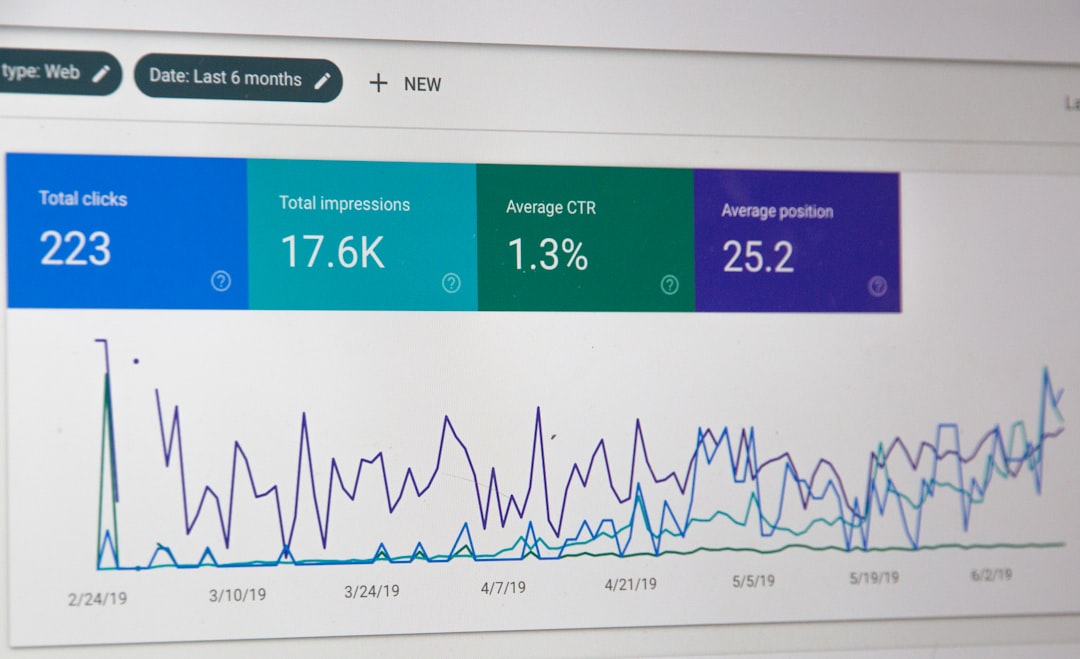
Start With the Website’s Current Performance
Before making changes, establish a baseline.
Review:
- Organic traffic
- Search impressions
- Clicks
- Ranking trends
- Main landing pages
- Organic conversions
This information helps identify whether the website is growing, declining, or remaining relatively stable.
Check Indexing

One of the first technical areas to inspect is indexing.
Important pages should be available for search engines to crawl and index.
Review:
- Indexing status
- Noindex directives
- Robots.txt
- XML sitemap
- Canonical URLs
- Search engine visibility settings
If important pages are accidentally blocked, other SEO improvements may have limited impact.
Review Website Architecture
Look at how pages are organized.
A typical structure could be:
Homepage → Services → Individual Services → Supporting Content
Check whether important pages are easy to reach through navigation and internal links.
Also identify unnecessary categories, tags, archives, or duplicate URL structures.
Audit URLs and Redirects
Review important URLs for clarity and consistency.
Look for:
- Broken URLs
- Redirect chains
- Redirect loops
- Unnecessary redirects
- Duplicate URL versions
Existing URLs should not be changed without understanding their search history and backlink profile.
Analyze On-Page SEO
Each important page should be reviewed individually.
Check:
- Page title
- H1 heading
- Subheadings
- Main content
- URL
- Meta description
- Images
- Internal links
The goal is to make the page’s topic and purpose clear.
Review Content Quality
Content should be evaluated based on relevance and usefulness.
Ask:
- Does it satisfy search intent?
- Is the information accurate?
- Is the page too thin?
- Is it outdated?
- Does another page cover the same topic?
- Are important questions unanswered?
Possible actions include updating, expanding, combining, or restructuring content.
Check Internal Links
A website audit should identify how pages connect to one another.
For example, important service pages should have relevant links from supporting articles when appropriate.
Look for:
- Orphan pages
- Broken internal links
- Overly repetitive anchor text
- Important pages with few links
Review Performance

Website speed and mobile usability should also be assessed.
Check:
- Image sizes
- Caching
- Plugin usage
- JavaScript
- CSS
- Hosting
- Mobile loading
Performance problems should be confirmed through testing rather than assumed.
Check Technical Elements
A WordPress SEO audit can include:
| Area | What to Review |
|---|---|
| Sitemap | Correct important URLs |
| Robots.txt | Unnecessary restrictions |
| Canonicals | Preferred page versions |
| Redirects | Correct destinations |
| HTTPS | Secure connections |
| Mobile | Responsive experience |
| Broken links | Errors and dead pages |
Review Backlinks and Authority
External links can provide additional context about a website’s authority.
Review whether the website has:
- Relevant backlinks
- Lost important links
- Strong referring domains
- Suspicious or irrelevant links
The objective is to understand the site’s link profile, not simply count backlinks.
Create an Action Plan
The final stage of an audit should be prioritization.
A useful plan can categorize findings as:
High priority: Major indexing or technical problems
Medium priority: Important content and internal-link improvements
Ongoing: Content creation, authority building, and monitoring
A WordPress SEO company can use the audit to create a practical roadmap instead of making changes without clear priorities.
A good audit does not just identify problems. It explains what needs attention, why it matters, and how the website can be improved systematically.

















