

Low rankings usually come from a scattered plan, not one missing plugin. A practical WordPress SEO checklist helps you catch the stack of smaller issues that quietly hold sites back: pages that should be indexed but are not, titles that say too little or too much, weak internal links, slow templates, and archive settings that create duplicate URLs.
This checklist is built for site owners who want to know what to fix first. If you already publish content and use an SEO plugin but rankings still feel stuck, work through these items in order instead of chasing every green light in the dashboard.
Start with indexability first

If Google cannot crawl and index the right pages, everything else underperforms. Before you edit a single title tag, confirm that your important pages are reachable, indexable, and included in your sitemap.
In WordPress, check Settings and Reading to make sure search engines are not discouraged from indexing the site. Then review your SEO plugin’s noindex settings for posts, pages, categories, tags, and other archives. If you recently launched or redesigned the site, review a pre-launch WordPress SEO checklist to catch the defaults that often block rankings before they start to catch the defaults that often block rankings before they start.
Also confirm that key pages return a normal live page, use one preferred URL format, and are linked from somewhere Google can crawl. Important pages that only exist in a sitemap often struggle because they are weakly connected to the rest of the site.
Use one SEO plugin and configure the basics well
Most WordPress sites do better with one clean SEO setup than with overlapping plugins. When several tools all try to manage titles, schema, redirects, and sitemaps, you raise the odds of conflicting output.
Choose one primary SEO plugin, then configure the essentials first: title templates, meta descriptions, XML sitemaps, archive indexing rules, canonical defaults, and social sharing images. This is the part many site owners skip because plugins make advanced features look urgent. They usually are not.
If you want a broader framework beyond this checklist, our post on WordPress SEO best practices explains where technical cleanup, internal linking, and content structure fit together.
Write titles for humans, not plugin scores
Your title tag is still one of the clearest signals you control. Google recommends descriptive, concise titles and advises against keyword stuffing and repeated boilerplate, so the goal is clarity, not squeezing in every variation.
Weak title: SEO Services | SEO Company | SEO Expert.
Stronger title: WordPress SEO Services for Small Businesses.
Apply the same rule to blog posts. A page title should tell a searcher what they will get, in plain language, without vague labels like Home, Blog, or Services. Keep titles distinct across your site so Google does not have to guess which page is which.
Meta descriptions still help clicks
Meta descriptions are not the main ranking lever, but they still influence whether searchers click. A strong description gives a short, page-specific summary that matches intent instead of repeating a string of keywords.
Write a custom meta description for high-value pages like service pages, category pages, and core blog posts. Focus on the benefit or answer the page provides. If the page is about a checklist, say what the checklist helps the reader fix. If it is about a service, say what problem the service solves.
Control duplicate pages before they grow
Most site owners do not have one catastrophic SEO problem. They have a duplication problem that spreads quietly through tags, archives, filtered URLs, attachment pages, and inconsistent internal links. Cleaning this up usually helps more than publishing five extra posts.
Review whether tag archives deserve to be indexed. On many small business sites, they do not. Check that each important page has a clear preferred URL and that your internal links point to that version consistently. For WooCommerce sites, pay special attention to filters, sorting URLs, and category overlap.
Build internal links on purpose

Internal links help Google discover pages, understand topic relationships, and judge which pages matter most. They also help users move from a broad question to the next useful step, which is where many WordPress sites fall short.
Link from blog posts to service pages, from broad guides to narrower explanations, and from high-traffic pages to pages that are important commercially. Use descriptive anchor text that reflects the destination. Avoid burying good pages as orphans that only live in menus or sitemaps.
If you are seeing traffic but not enough leads, weak internal architecture is often part of the problem. WordPress SEO Expert can help identify where authority is getting trapped and where better linking would support rankings and conversions.
Check site speed where it actually matters
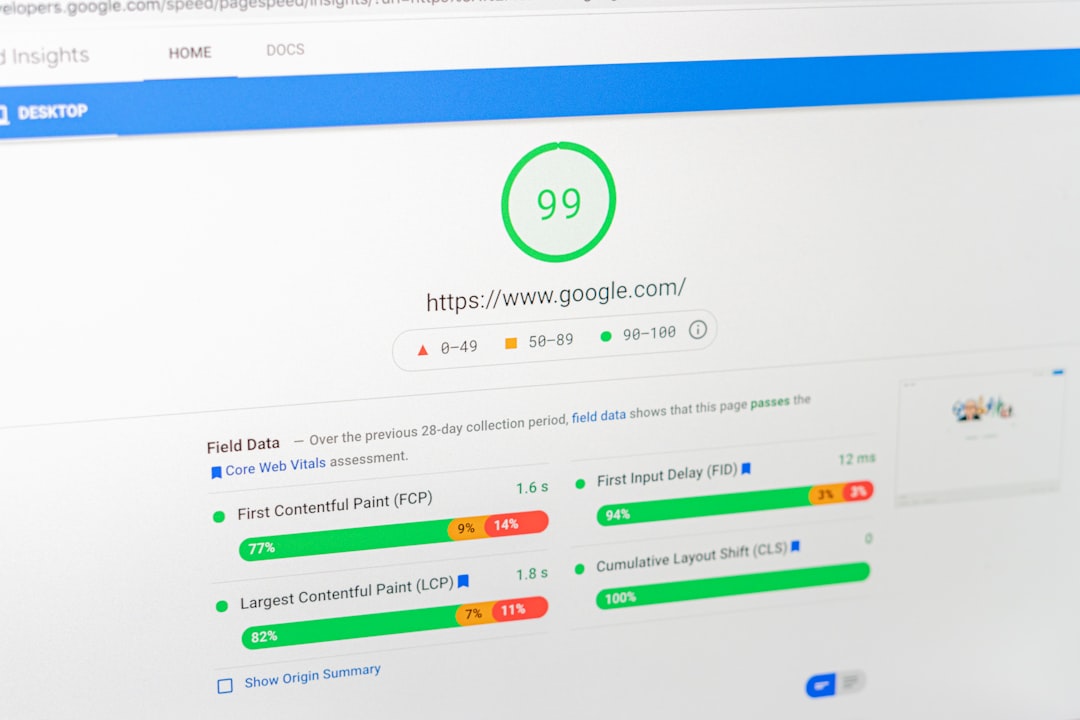
Performance matters because slow, unstable, or laggy pages frustrate users. Google’s Core Web Vitals include loading speed, responsiveness, and layout stability, so your goal is a fast, usable site, not a perfect synthetic score.
Start with the homepage, a key service page, a blog post, and if relevant, a product or category page. Heavy page builders, oversized images, too many scripts, and weak caching usually create more damage than one missing plugin setting. Review large images before upload, reduce unnecessary plugins, and make sure your caching layer is working consistently.
Use a simple checklist in priority order
The fastest way to waste time in SEO is to fix low-impact settings before the basics are stable. This sequence keeps the work practical and stops the checklist from turning into busywork.
| Priority | What to check | Why it matters |
|---|---|---|
| 1 | Indexability and noindex rules | Pages cannot rank if they are blocked or excluded incorrectly |
| 2 | Canonical URLs and redirects | Prevents duplicate URL confusion and split signals |
| 3 | Title tags and page intent | Improves clarity, relevance, and click potential |
| 4 | Internal linking | Supports discovery, hierarchy, and conversions |
| 5 | Speed and template performance | Improves usability across important page types |
| 6 | Content structure | Makes pages easier to understand and scan |
| 7 | Schema and sitemap hygiene | Supports cleaner technical signals |
What to stop doing
Stop treating SEO plugin scores as the goal. Stop adding tags for every slight keyword variation. Stop installing overlapping optimization plugins. Stop publishing thin pages just to target one extra phrase. Those habits create noise, not momentum.
A stronger approach is to audit the pages that already matter: service pages, top blog posts, category pages, and URLs already getting impressions. That is usually where the clearest gains are hiding.
When to get a second set of eyes
If you have worked through this checklist and rankings are still flat, the issue is usually not effort. It is prioritization. WordPress SEO Expert can review the site and pinpoint whether the bottleneck is technical SEO, on-page signals, weak internal linking, or a content mismatch.
Book a free SEO consultation with WordPress SEO Expert if you want a clear fix-this-first roadmap instead of another generic checklist. We will help you identify what is actually holding the site back and what can wait.

















