

Low rankings usually come from a scattered plan, not one missing plugin. A strong WordPress SEO setup starts with crawlability, indexation, page intent, internal linking, and performance. If your site is publishing regularly but rankings are flat, the problem is usually a stack of smaller issues working together.
There is no single perfect WordPress SEO formula for every site. Service businesses, blogs, and WooCommerce stores run into different problems, which is why broad checklists often create more confusion than clarity. This guide focuses on the fixes that usually matter first, and where site owners waste time chasing plugin scores instead of results.
If you are working through a recent launch or redesign, start with a WordPress SEO checklist for new websites before changing titles or publishing more content. If you want the shorter version of what still matters this year, our WordPress SEO best practices for 2026 article pairs well with this guide.
What WordPress SEO really means
WordPress SEO means making it easy for search engines to crawl the right pages, understand what each page is about, and see clear signals about which URLs deserve to rank. It is not about getting every plugin light to turn green.
WordPress gives you a solid base, but the final outcome depends on your theme, plugin stack, URL structure, content quality, internal links, and technical settings. Most underperforming sites do not have one catastrophic flaw. They have several medium-sized issues like weak titles, duplicate archive pages, slow templates, thin service content, and orphaned pages that never get enough internal support.
Start with indexability before anything else
If Google cannot crawl or index the right pages, nothing else matters yet. Before rewriting content or buying tools, make sure your important pages are accessible, indexable, linked internally, and included in the correct XML sitemap.
Start by checking the reading setting that discourages search engines, page-level noindex rules, robots directives, canonical tags, and whether your main pages return normal 200 status responses. This is especially important after migrations, redesigns, or plugin changes. We see many sites lose traction not because content got worse, but because one technical setting quietly blocked important URLs.
| Priority | What to check first | Why it matters |
|---|---|---|
| 1 | Search engine visibility and noindex settings | Blocked pages cannot rank |
| 2 | Canonical tags and redirects | Prevents duplicate URL signals |
| 3 | Title tags and page intent | Improves relevance and click potential |
| 4 | Internal linking | Helps discovery and page importance |
| 5 | Speed and template performance | Improves usability and crawl efficiency |
| 6 | Content structure and depth | Helps match search intent more clearly |
Use one SEO plugin, not a pile of them
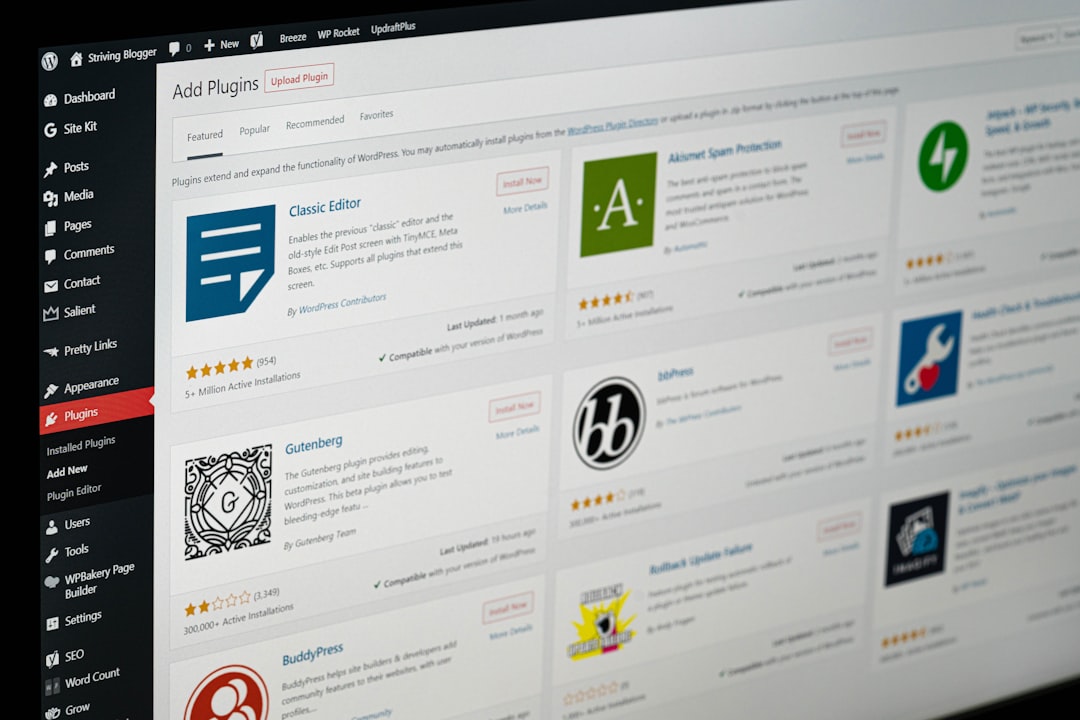
One well-configured SEO plugin is usually enough. Running overlapping plugins often creates conflicting canonicals, duplicate schema, multiple sitemap outputs, and inconsistent metadata that make troubleshooting harder.
Whether you use Yoast, Rank Math, SEOPress, or another solid option, the goal is a clean setup. Configure title templates, meta defaults, sitemaps, social sharing defaults, archive indexing rules, and basic schema. Then stop adding overlapping features unless there is a clear reason. More tools rarely fix a weak SEO process.
Titles and meta descriptions still carry weight
Your title tag is still one of the clearest on-page signals you control. A useful title helps search engines understand the page and helps real people decide whether your result matches what they need.
Weak titles tend to be stuffed, repetitive, or too vague. Stronger titles are specific, concise, and tied to the actual page topic. Meta descriptions are not the same thing as rankings, but they can improve click-through when they match search intent and set a clear expectation.
| Weak version | Stronger version |
|---|---|
| SEO Services | SEO Company | SEO Expert | WordPress SEO Services for Small Businesses |
| Blog | WordPress SEO Tips for Service Businesses |
| Plumber Services Dallas Texas Plumbing | Emergency Plumbing Services in Dallas |
Internal linking is where many WordPress sites stall
Internal links help search engines discover pages, understand topic relationships, and judge which pages matter most on your site. They also help users take the next logical step instead of bouncing after one page.
Link broad educational posts to service pages, connect related articles to each other, and make sure important commercial pages are not isolated. Orphaned pages often underperform even when the content is decent. If you are not sure how to structure those connections, review your strongest pages first and look for natural paths to deeper topics.
If you have already launched but traffic still feels stuck, WordPress SEO Expert can help identify whether weak architecture or thin page signals are holding things back. A second set of eyes often catches issues that are easy to miss inside the dashboard.
WordPress performance matters, but not as a vanity score
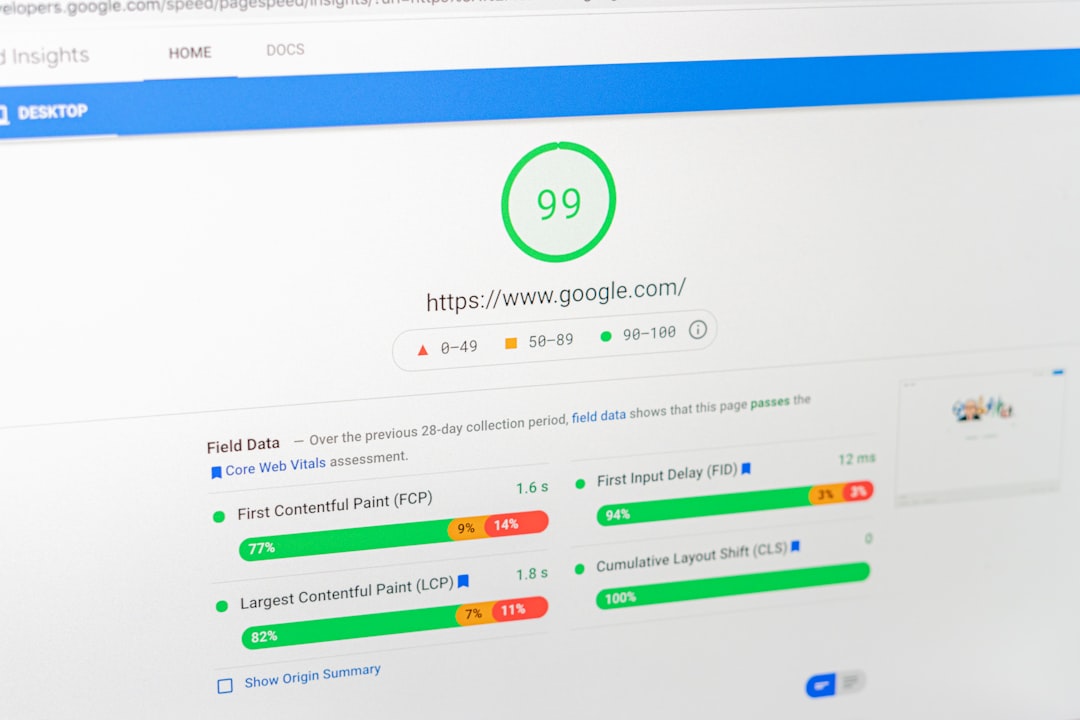
Site speed matters because slow pages frustrate users and can make important templates harder to use. The practical goal is not a perfect test score. The goal is a site that loads predictably, stays stable, and responds quickly on real devices.
Common WordPress performance problems include oversized images, heavy page builders, too many third-party scripts, unused plugins, poor caching, and WooCommerce features loading everywhere. A better process is to test the homepage, top service pages, blog posts, category pages, and product templates separately. One fast page does not mean the whole site is healthy.
Image compression, caching, script cleanup, and font reduction usually matter more than chasing tiny gains. If your site is technically usable and your important templates are consistent, that is a better outcome than obsessing over a fluctuating lab score.
Content structure affects rankings more than most owners expect
Search-friendly content is easier to scan, easier to understand, and easier to match with intent. One clear H1, useful subheadings, shorter paragraphs, and focused page sections usually perform better than padded copy.
Many WordPress sites publish several thin pages where one stronger page would do a better job. Others target slight keyword variations with near-duplicate posts that end up competing with each other. In most cases, a smaller number of more useful pages is easier to rank and easier to maintain.
WooCommerce needs tighter SEO control
WooCommerce can perform well in search, but it creates more crawl waste and duplication risks than a basic service site. Product filters, faceted navigation, tag archives, duplicate category paths, and parameter URLs can all create index bloat if left unmanaged.
Focus first on category quality, canonical discipline, clean internal linking, and keeping low-value URLs out of the index when appropriate. Product SEO usually improves when site structure, crawl control, and category content are handled together rather than as separate tasks.
What to stop doing
Stop treating plugin scores as the goal. A green score does not mean the page deserves to rank, and a yellow score does not always mean something is broken.
Also stop stacking multiple optimization plugins, mass-creating thin tag pages, publishing slight keyword variations as separate posts, and assuming WordPress is fully optimized out of the box. These habits create clutter and conflicting signals more often than they create results.
A practical WordPress SEO plan
The best plan is usually shorter than people expect. Check indexability, fix duplication, improve titles on important pages, strengthen internal links, clean up performance bottlenecks, and then evaluate whether the content itself truly matches search intent.
This sequence is what keeps site owners from wasting weeks on low-impact tasks. If you want a more diagnostic process, compare your setup against our pre-launch WordPress SEO checklist and our WordPress SEO best practices guide to spot obvious gaps faster.
When outside help makes sense
If you have been publishing consistently, updating plugins, and still not seeing meaningful progress, the issue is usually prioritization rather than effort. You may be working on the wrong pages, the wrong signals, or the wrong order.
WordPress SEO Expert can help diagnose what is actually holding the site back before you make more changes. If you want a second set of eyes, book a free SEO consultation with WordPress SEO Expert and we will help you separate high-impact fixes from plugin noise.
If rankings dropped after a redesign, migration, or technical change, contact WordPress SEO Expert today to schedule a consultation. We can review indexation, canonicals, redirects, internal linking, and template issues before you spend more time guessing.

















