

Low rankings usually come from a scattered plan, not one missing plugin. A practical WordPress SEO strategy for small businesses starts with clear keyword targets, clean site structure, pages that match search intent, and steady measurement in Google Search Console. That foundation is what turns SEO from guesswork into a repeatable growth channel.
Small businesses do not need hundreds of pages or a complicated stack. They need the right pages, the right technical setup, and content that helps real customers take the next step. Google’s own guidance emphasizes helpful, reliable, people-first content, which is why your strategy should focus on solving customer problems before chasing rankings. If you need support putting that plan in place, WordPress SEO Expert can help you turn the basics into a workable roadmap.
What a small business SEO strategy should include
A strong strategy has five parts: keyword targeting, page structure, on-page optimization, technical health, and performance tracking. When one of those is missing, small business sites often publish content without building real search visibility.
Start by mapping one primary topic to each important page. Your homepage should target your broad core service. Service pages should target specific buyer-intent searches. Blog posts should answer questions that support those services. This is the same logic behind solid keyword research services: every page needs a clear purpose, not a pile of overlapping keywords.
That page-to-keyword map also prevents cannibalization. If three pages all try to rank for the same phrase, Google gets mixed signals about which one matters most. A cleaner structure gives each page a better chance to earn visibility.
Step 1: Build your strategy around search intent
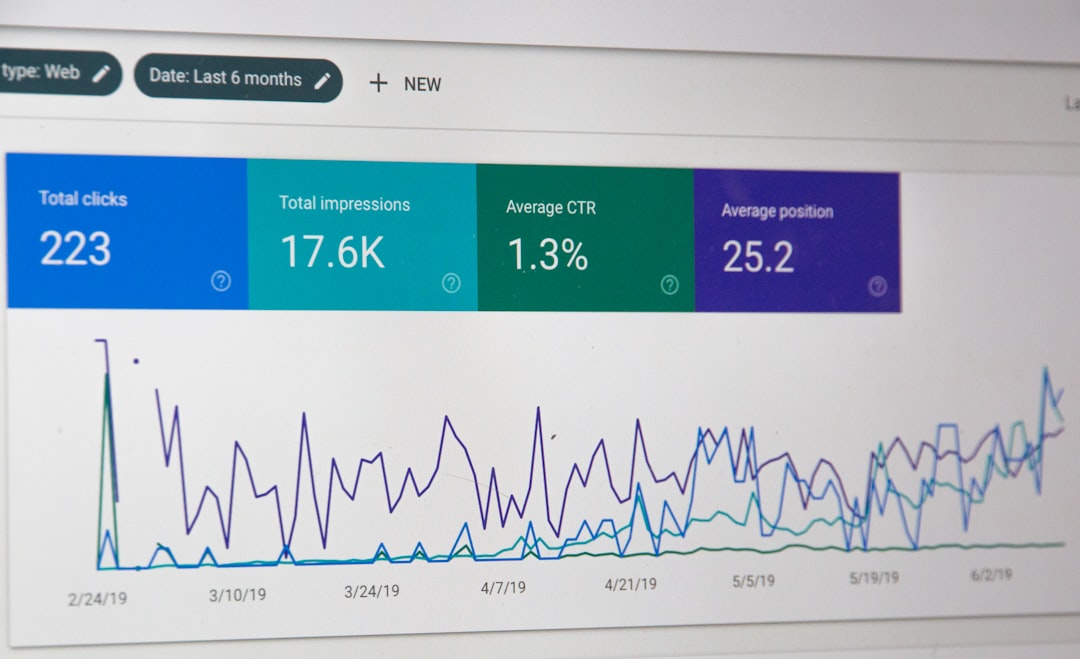
The fastest way to waste time in SEO is to target terms that do not match what searchers want. Small business sites usually perform better when they focus first on commercial and local-intent keywords, then support them with educational content.
In practice, that means separating keywords into three groups. First, money pages such as service, category, or location pages. Second, trust-building pages such as case studies, about pages, and FAQs. Third, blog content that answers questions buyers ask before they contact you. Google’s SEO documentation recommends creating helpful content for people rather than publishing pages only to attract clicks, so intent should guide what you publish and where you publish it.
A local accountant, for example, should prioritize pages like tax preparation services, bookkeeping for small business, and city-specific service pages before writing broad blog posts. A WooCommerce store should focus on category and product page optimization before adding top-of-funnel articles.
Step 2: Fix your site structure before publishing more content

Many small business WordPress sites have enough content already. The real issue is that the content is buried, poorly linked, or competing with stronger pages on the same site. Structure often matters more than volume.
Your key pages should be reachable in a few clicks from the homepage. Navigation should reflect your main services or product categories. Internal links should use descriptive anchor text so users and search engines can understand where the destination page fits. Google specifically notes that internal link structure and relevant anchor text help its systems understand site sections and shortcuts.
This is also where technical SEO services become important. Orphan pages, duplicate archives, weak canonicals, broken redirects, and thin tag pages can dilute authority across a small site. Fixing those issues often improves the performance of pages you already have.
Step 3: Get the on-page basics right on every core page
On-page SEO still matters, but only when it supports a good page. The goal is not to repeat a keyword. The goal is to make the page obviously relevant, easy to scan, and useful enough that a visitor stops searching.
For each important page, make sure you have one clear H1, a focused title tag, a useful meta description, descriptive subheadings, and copy that answers the next obvious customer questions. Include proof where appropriate, such as service process details, pricing approach, turnaround expectations, or who the service is best for. Small businesses often skip these details and wonder why visitors bounce.
Image alt text, clean URLs, and schema can help, but they are supporting elements. The page itself still has to satisfy intent. If someone lands on your service page, they should understand what you do, who it is for, how to take action, and why your offer is credible without hunting for the answer.
Step 4: Keep WordPress technically healthy
Technical SEO for a small business site does not need to be complicated, but it does need to be clean. Crawl waste, noindex mistakes, slow templates, and plugin conflicts can quietly hold back strong content.
WordPress includes a Site Health area under Tools that checks whether your site is up to date, secure, and running well. That makes it a good starting point for owners who are unsure where technical issues may be hiding. Review your index settings, XML sitemap behavior, redirect rules, image sizes, mobile layout, and page speed bottlenecks. If those checks reveal deeper issues, WordPress SEO Expert can help you work through the technical fixes without guessing.
Be especially careful with SEO plugins, caching plugins, and page builders. They can be useful, but too many overlapping tools often create duplicate features, inconsistent metadata, or unnecessary code bloat. One clean setup is usually better than a stack of plugins all trying to solve the same problem.
Step 5: Track the right metrics in Search Console
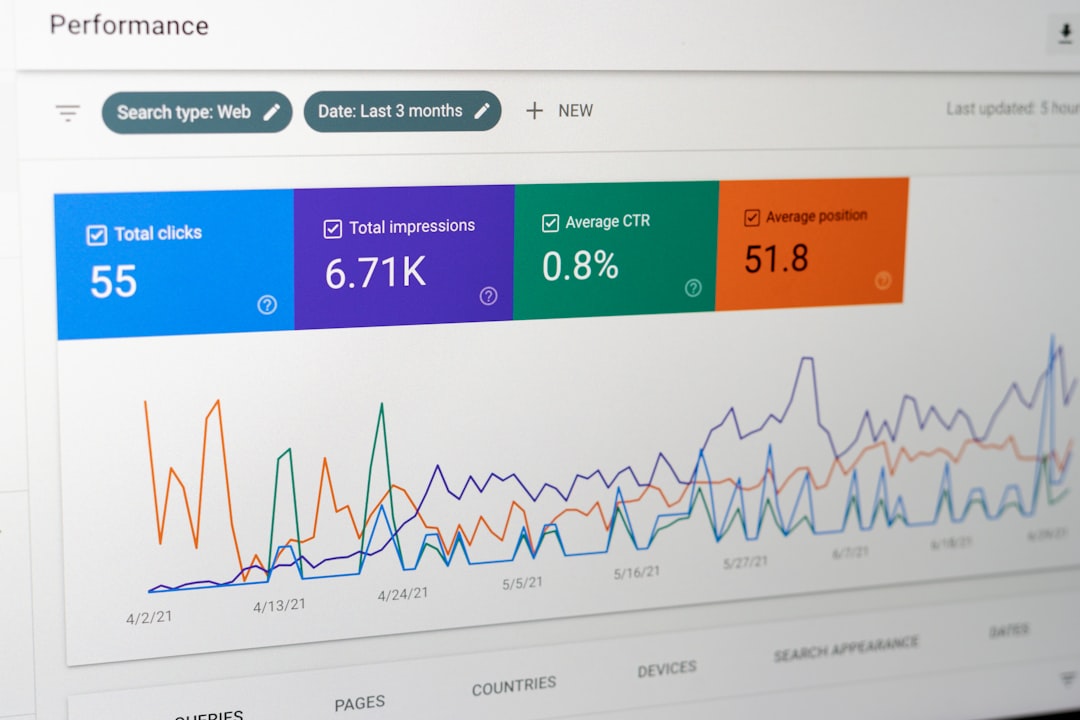
If you are not checking Search Console, you are missing the clearest SEO feedback Google gives you for free. The Performance report shows clicks, impressions, average CTR, and average position, which makes it the best starting point for small business SEO decisions.
Use those metrics in context. Rising impressions with flat clicks can mean your titles and descriptions need work. Strong position for the wrong query can reveal an intent mismatch. Low CTR on a high-impression page can mean the snippet is not compelling enough or the page does not match the search language people use. Google’s documentation also notes that Search Console reports top queries and pages, which helps you see where to improve rather than relying on assumptions.
A simple monthly review is enough for many small businesses. Look at your top pages, the queries driving impressions, pages slipping in average position, and pages with low CTR. Then update pages with the highest upside first.
A simple SEO roadmap for small business sites
The easiest way to stay consistent is to follow a short operating plan. Most small businesses do better with a simple 90-day roadmap than a long strategy document they never use.
| Priority | What to do |
|---|---|
| Month 1 | Audit existing pages, map keywords, clean up site structure, fix obvious technical issues. |
| Month 2 | Rewrite core service or category pages, improve titles and internal links, strengthen calls to action. |
| Month 3 | Publish supporting blog content, review Search Console data, refresh pages with high impressions and low CTR. |
This kind of sequence works because it fixes the foundation before adding more content. Publishing weekly blog posts on a site with weak service pages and technical issues usually spreads effort too thin.
Common mistakes small businesses make with WordPress SEO
Most WordPress SEO problems are not advanced. They come from inconsistent execution, unclear targeting, and plugin-driven shortcuts that never became a real strategy.
Common issues include targeting broad keywords too early, creating multiple pages for nearly identical services, ignoring internal links, publishing thin content, and treating SEO plugins as the strategy itself. Another frequent mistake is measuring success only by rank tracking instead of leads, clicks, and page-level performance trends.
The fix is usually straightforward: simplify, consolidate, and prioritize. One strong page for a service is usually better than four weak variations. One useful article that supports a service page is better than ten shallow posts written for volume.
When to get outside help
You should consider help when you know SEO matters but cannot tell what is actually holding the site back. That is especially true if traffic has stalled, leads have dropped, or your site has grown messy after redesigns, plugin changes, or years of unplanned content.
WordPress SEO Expert works with small businesses that need a practical strategy, not generic advice. We can help with keyword targeting, technical cleanup, content planning, and page-level optimization so your site has a realistic chance to earn more qualified traffic. If you are experiencing these issues, our team at WordPress SEO Expert can help.
Final takeaway
A WordPress SEO strategy for small businesses should be simple enough to execute and specific enough to guide decisions. Focus on search intent, page purpose, technical cleanliness, and measurable improvements. That is what makes SEO sustainable instead of overwhelming.
If you want a second set of eyes on your WordPress site, contact WordPress SEO Expert today to schedule a consultation. We will help you identify the pages, fixes, and opportunities most likely to move the needle first.

















Pingback: WordPress SEO Tips Questions Answered
Pingback: Advanced WordPress SEO Strategies