
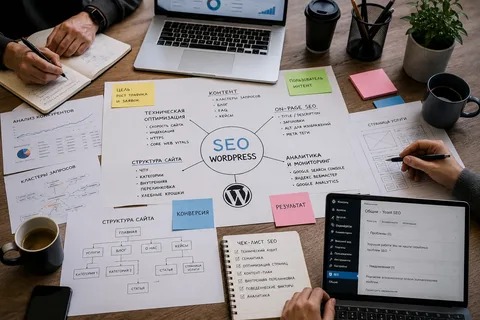
WordPress website SEO can sound technical, especially when you come across terms such as indexing, canonical URLs, backlinks, schema, crawling, and metadata.
But the basic idea is simple: make your website easy for search engines to understand and useful for people to use.
Once you understand that foundation, the individual SEO tasks become much easier to organize.
What Does WordPress SEO Actually Mean?
WordPress website SEO is the process of improving a WordPress website so search engines can discover, understand, and potentially rank its pages for relevant searches.
It involves several areas:
- Website structure
- Content
- Keywords
- Page titles
- Internal links
- Technical SEO
- Mobile usability
- Performance
- External links
No single setting controls your entire SEO performance.
Think About What Your Customer Searches
Suppose you run a business that provides website design services.
Your potential customers might search for:
- WordPress website design
- Business website development
- WordPress website services
- Website redesign
These searches give you ideas for pages and content.
The important part is understanding what the person wants when they search.
Create a Page for a Clear Purpose
Every important page should have a specific purpose.
A service page should explain a service. A product page should explain a product. A guide should answer an informational question.
Avoid creating multiple pages that say essentially the same thing just to target slightly different keywords.
Use Keywords Naturally
Keywords help you understand what your audience searches for, but they should not control every sentence.
Use your main topic naturally in places such as:
- Page title
- Main heading
- Introduction
- Relevant subheadings
- Body content
- URL where appropriate
Include related terminology naturally as you explain the topic.
Make Content Easy to Read

Good SEO content should also be good website content.
Use:
- Short paragraphs
- Clear headings
- Bullet points
- Examples
- Tables when useful
- Relevant images
Readers should be able to quickly find the information they need.
Understand Internal Links
Internal links are links between pages on the same website.
Imagine you publish a guide about WordPress SEO and another article about website speed. If the speed article supports the main guide, linking the two pages creates a useful connection.
Internal links help users navigate and give search engines more information about your website structure.
Keep Your Website Technically Accessible
Search engines need to access your important pages.
Basic technical checks include:
- XML sitemap
- Robots.txt
- Indexing settings
- Canonical URLs
- Redirects
- Broken links
Google Search Console can help you identify certain problems.
Make the Website Fast
A website should load efficiently and respond well when users interact with it.
Large images, unnecessary plugins, heavy scripts, and poor hosting can contribute to slow performance.
Start by identifying the biggest issues rather than making dozens of technical changes at once.
Make It Mobile-Friendly
Your website should work properly on phones and tablets.
Check whether users can easily:
- Read content
- Open menus
- Tap buttons
- Complete forms
- View images
- Navigate between pages
Mobile usability is part of creating a good overall website experience.
Backlinks Can Support Visibility
A backlink is a link from another website to yours.
Relevant and trustworthy links can support a website’s authority and discovery.
Rather than trying to obtain links in bulk, focus on earning mentions through useful content, industry resources, digital PR, partnerships, and genuine outreach.
SEO Is Ongoing
A common misunderstanding is that SEO is something you complete once.
In reality, websites change. Content becomes outdated. New competitors appear. Search behavior evolves. Technical problems can develop.
Regularly review important pages and update your strategy based on real data.
Use the Right Tools
A simple SEO toolkit might include:
| Tool | Main Use |
|---|---|
| Google Search Console | Search performance and indexing |
| Google Analytics | Website traffic and behavior |
| Keyword research tools | Topic and keyword research |
| SEO plugins | WordPress optimization |
| Crawlers | Technical audits |
| Performance tools | Speed analysis |
Tools provide information, but you still need to interpret that information correctly.
When Professional Help Can Help
Basic WordPress SEO can be learned and managed by website owners. However, larger websites or competitive industries may require more advanced technical and strategic work.
A WordPress SEO consultant can help with audits, keyword research, content planning, technical improvements, internal linking, and performance tracking.
The simplest way to understand WordPress website SEO is to think of it as making your website clearer, more useful, easier to access, and better aligned with what your audience is searching for. Everything else builds on that foundation.

















