

Low rankings usually come from a scattered plan, not one missing plugin. WordPress search engine optimization works best when you fix the issues that block visibility before you chase plugin scores, publish more posts, or rewrite pages that are already close to ranking.
Most site owners do not have one catastrophic problem. They have a stack of smaller issues that compound over time: weak titles, thin internal linking, overlapping plugins, crawl waste, and pages that do not match what the searcher actually wants. If you want a strong baseline first, review our WordPress SEO best practices and compare your setup against the fundamentals.
What is WordPress SEO?
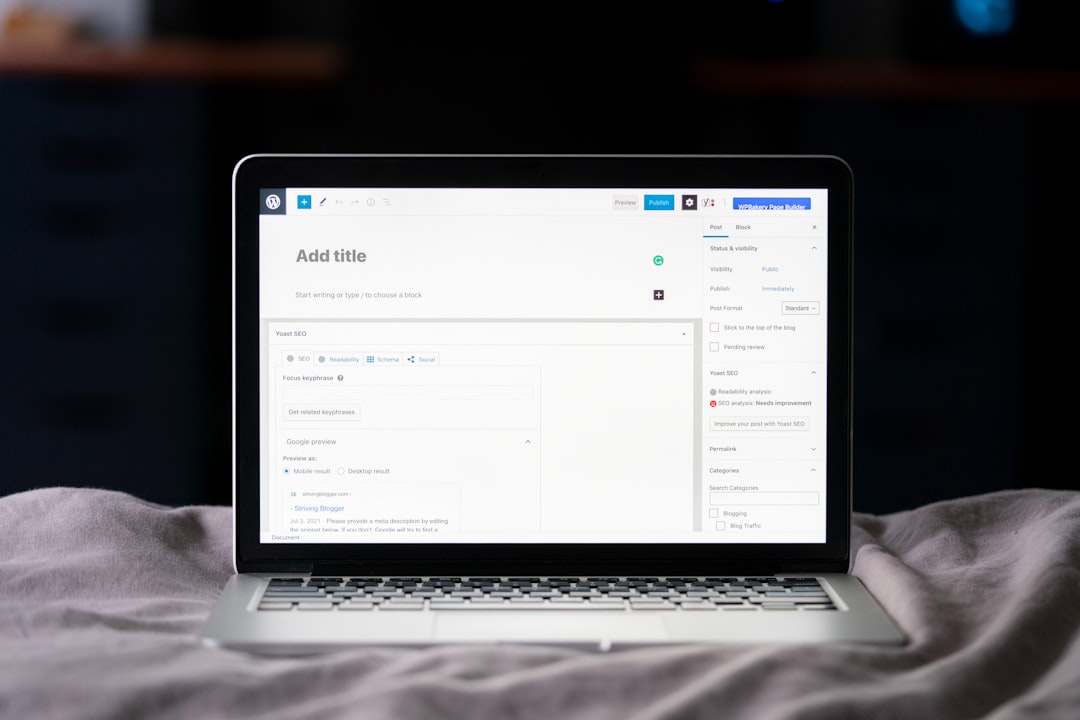
WordPress SEO is the process of making your site easier for search engines to crawl, understand, and trust. That includes technical settings, page structure, titles, internal links, site speed, and content quality, not just whatever your SEO plugin highlights in green.
WordPress gives you a solid starting point, but it does not optimize your site by default. Themes, plugins, category archives, tag pages, filter URLs, and template decisions can all create search problems if nobody checks how they affect indexability and page quality. That is why one clean setup usually beats a complicated stack of tools.
What matters most in WordPress SEO?
The most important parts of WordPress search engine optimization are crawlability, index control, page intent, internal linking, and clear titles. If Google cannot reach the right pages or understand which URL should rank, everything else underperforms.
Start by checking whether your important pages are indexable, linked from other crawlable pages, and free from duplicate URL confusion. After that, tighten your page titles and headings so they clearly describe the content. Google recommends concise, descriptive titles and warns against keyword stuffing and repetitive boilerplate, which is why title cleanup often produces better results than adding more plugin features. If your current setup feels crowded, our comparison of Yoast SEO vs Rank Math can help you simplify it.
Use one SEO plugin, not several
One well-configured SEO plugin is enough. Running overlapping plugins often creates duplicate metadata, conflicting canonicals, and competing sitemap outputs that make troubleshooting harder than it needs to be.
The goal is not to collect features. The goal is to control titles, meta descriptions, schema, archive indexing rules, and XML sitemaps cleanly. A green light in an SEO plugin does not mean the page deserves to rank. If the page is thin, misaligned with search intent, or buried in weak site architecture, plugin scores will not save it.
Titles and descriptions still matter
Titles and descriptions are still worth your attention because they shape relevance and click behavior. They should explain the page clearly, stay concise, and avoid repetitive keyword patterns that read like templates instead of useful summaries.
Google says it may use your meta description when it better summarizes the page, but snippets can also be generated from on-page content depending on the search. That means your best move is simple: write a helpful title, write a useful description, and make sure the page itself delivers on both promises.
| Weak title | Stronger title |
|---|---|
| SEO Services | SEO Company | SEO Expert | WordPress SEO Services for Small Businesses |
| Blog | WordPress SEO Tips for Service Businesses |
| WordPress SEO, Best WordPress SEO, SEO WordPress | WordPress Search Engine Optimization: What Matters Most |
Internal linking is a bigger deal than most site owners think

Internal links help search engines discover pages, understand site structure, and see which pages matter most. They also help users find the next logical page instead of bouncing after reading one post.
Link related posts to service pages, connect supporting articles to broader cornerstone pages, and make sure your most valuable URLs are not isolated. Descriptive anchor text is usually better than vague phrases because it gives clearer context. If you publish often but your rankings stay flat, weak internal linking may be part of the problem. If you are not sure where your structure is leaking authority, WordPress SEO Expert can help.
Technical cleanup usually beats publishing more thin content
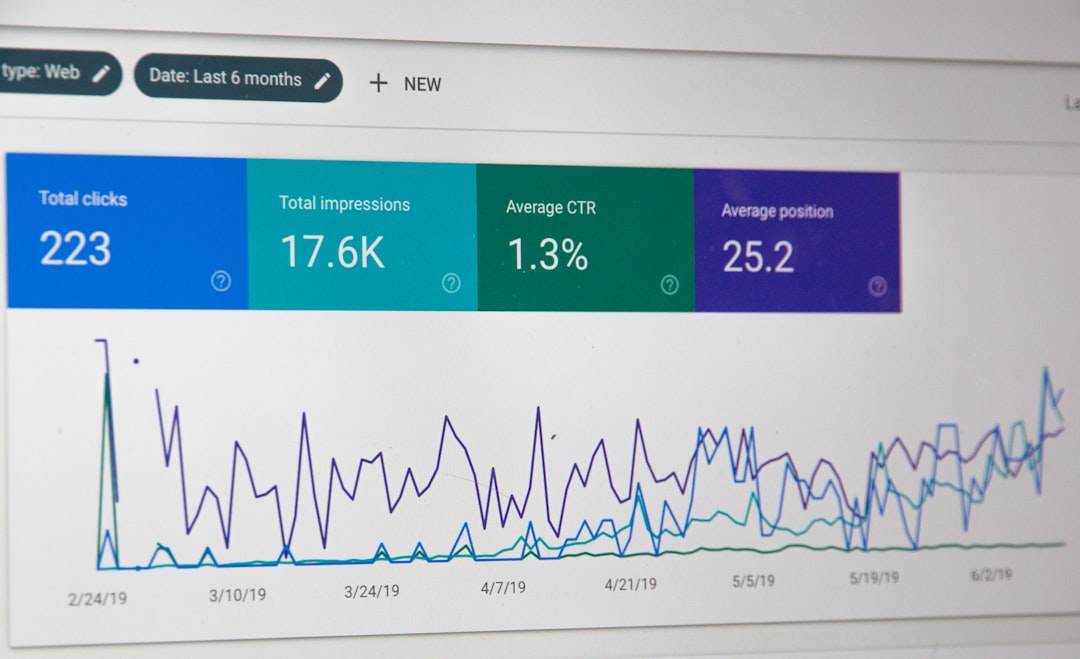
Technical SEO problems can suppress good pages for months. Canonical mistakes, redirect chains, noindex errors, orphan pages, and duplicate archives often do more damage than one underwritten paragraph ever will.
This is especially common after redesigns, theme changes, and plugin swaps. Before you publish another article, check whether your top pages return normal status codes, whether your canonicals point to the correct version, and whether archive pages add value or just create more crawl noise. Fix the issues that block visibility before the issues that polish visibility.
Content should match intent, not just keywords
Search visibility improves when each page solves a specific problem clearly. That usually means fewer, stronger pages with tighter intent instead of multiple near-duplicates aimed at slight keyword variations.
Google recommends people-first content that is created to help users, not pages built mainly to capture search traffic. In practice, that means writing pages that answer the search directly, using headings that reflect real questions, and cutting sections that only exist to satisfy an SEO checklist. You do not need a perfect score. The goal is a site that loads cleanly and is easy to use.
A simple WordPress SEO priority order
If you feel overwhelmed, work in sequence. The right order is to fix visibility blockers first, then strengthen relevance, then improve polish. That keeps you from wasting time on details that will not matter until the foundation is stable.
| Priority | What to check first | Why it matters |
|---|---|---|
| 1 | Indexing and crawl access | Pages cannot rank if search engines cannot reach or index them. |
| 2 | Canonicals and redirects | Prevents duplicate URL confusion and diluted signals. |
| 3 | Titles and page intent | Improves clarity, relevance, and click potential. |
| 4 | Internal linking | Strengthens discovery and page hierarchy. |
| 5 | Speed and template performance | Supports usability and page experience. |
| 6 | Content depth and structure | Helps pages satisfy the search more completely. |
If your traffic is stuck and you want a second set of eyes before changing titles, plugins, or site structure, WordPress SEO Expert can help. Book a free SEO consultation. No pitch, no pressure. Just an honest look at what your site actually needs and whether your current setup is part of the solution or part of the problem.
What to stop doing
Stop chasing plugin scores, stacking overlapping tools, and publishing thin variations of the same page. Those habits create clutter, not momentum, and they often hide the real problems.
A better approach is to simplify. Keep one plugin. Use distinct titles. Consolidate overlapping content. Strengthen internal links. Review your archive settings. Then measure what changes on your highest-value pages before you touch the rest of the site.
The best next step
The best next move is usually a focused audit of the pages closest to producing leads, sales, or page-one rankings. You do not need a full rewrite to make progress. You need to know what is actually holding the site back.
Contact WordPress SEO Expert today to schedule a consultation. We will help you identify whether the real issue is technical SEO, weak on-page signals, poor internal linking, or content overlap so you can fix the right things first.

















