

Most WordPress SEO problems are not caused by one missing setting. They usually come from a workflow problem: technical issues, weak page targeting, and scattered content updates happening in the wrong order. A green light in an SEO plugin does not mean the page deserves to rank.
A better workflow starts with diagnosis, then moves through technical cleanup, on-page fixes, content priorities, and ongoing measurement. That order matters because titles, copy edits, and schema cannot carry a site that has indexing problems, duplicate signals, or weak internal links.
What a WordPress SEO services workflow should look like
A strong workflow fixes the issues that block visibility before the issues that polish visibility. That means starting with crawlability, indexing, plugin conflicts, and site structure before spending hours rewriting copy or chasing plugin scores.
For most WordPress sites, the right sequence is simple: audit the setup, clean up technical conflicts, improve titles and internal links, strengthen important pages, then measure what changes. If you need the wider baseline first, review our practical guide for DIY WordPress site owners and our guide to fixing WordPress SEO setup problems.
Step 1: Start with a diagnostic audit
The first step is to identify what is actually suppressing visibility. Most site owners do not need more tools. They need a clear read on whether the real problem is indexing, duplication, weak targeting, thin content, slow templates, or confusing plugin output.
This is where WordPress SEO Expert begins. We review how the site is being crawled, which pages are indexable, how titles are being generated, whether archive pages are creating clutter, and whether internal links support the pages that matter most. The goal is clarity, not a giant checklist.
Step 2: Clean up technical blockers first

Technical cleanup should happen before broader content work. If search engines cannot crawl your links, index your key pages, or understand which URL version is primary, later improvements will be weaker than they should be.
Google recommends crawlable HTML links and descriptive anchor text, which is why buried pages and JavaScript-heavy navigation can become real SEO problems. Google also recommends descriptive, concise title text and warns against keyword stuffing and repeated boilerplate in title elements. Structured data should reflect visible page content rather than act as a shortcut around weak pages.
In practical terms, this stage usually includes checking indexing controls, XML sitemaps, canonical tags, redirects, archive settings, and plugin overlap. One well-configured SEO plugin is enough. Running overlapping plugins often creates duplicate metadata, conflicting canonicals, and competing sitemap outputs.
Step 3: Fix the pages closest to revenue

Once the technical foundation is stable, the next priority is your most important commercial pages. Home, service, category, and high-intent landing pages should be updated before older blog posts that are unlikely to drive leads or sales.
This work usually includes rewriting vague titles, tightening headings, clarifying search intent, improving internal links, and making sure each page targets one clear need. Google says unique page titles and unique meta descriptions help users understand what each page offers, which is why template cleanup matters on WordPress sites with repetitive metadata.
| Weak title | Stronger title |
|---|---|
| SEO Services | SEO Company | SEO Expert | WordPress SEO Services for Small Businesses |
| Blog | WordPress SEO Tips for Service Businesses |
| Home | WordPress SEO Consultant for Growing Websites |
Step 4: Strengthen site structure and internal links
Internal links are often the fastest improvement after technical cleanup. They help search engines discover important pages, understand topic relationships, and see which sections of the site deserve more weight.
A good workflow adds contextual links from informational posts to service pages, connects related posts to each other, and checks for orphan pages that only exist in the sitemap. If your current setup feels cluttered, our WordPress SEO setup problems guide can help you spot the patterns that usually weaken internal structure.
Step 5: Build content around clear intent
Content should be planned around search intent, not published randomly. One strong page with a clear purpose usually outperforms several overlapping posts that target slight keyword variations and compete with each other.
That means mapping service pages to transactional intent, blog posts to informational intent, and supporting pages to real questions your audience asks before they contact you. Helpful content is built to benefit people first, not just to manipulate rankings, which makes consolidation more valuable than volume on most WordPress sites.
If you are experiencing these symptoms, our team at WordPress SEO Expert can help. We can sort out whether the real issue is indexing, duplication, weak targeting, or plugin clutter before you spend more time publishing into a messy structure.
Step 6: Measure results and adjust monthly

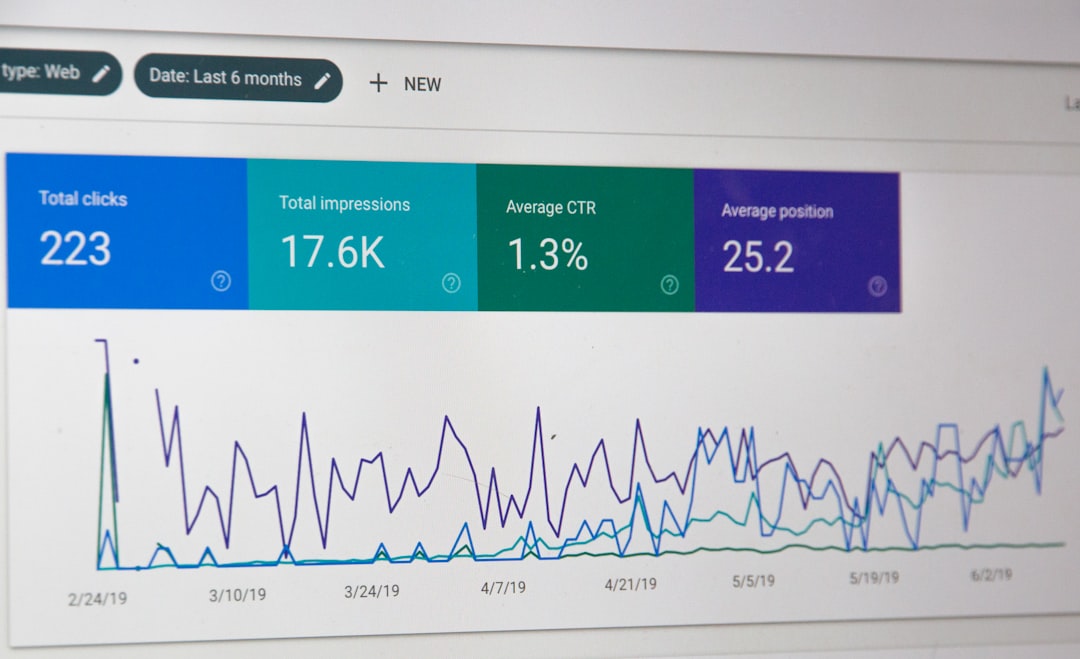
SEO work needs a review cycle, not a one-time setup. After the main fixes are in place, performance should be tracked monthly so you can see which pages are gaining impressions, where click-through is weak, and which URLs still struggle with indexing or relevance.
This stage usually includes reviewing Google Search Console, checking pages with rising impressions but low clicks, and improving pages already close to page one. The goal is not a perfect score. The goal is a site that loads cleanly, is easy to use, and sends consistent signals about which pages matter most.
A practical workflow table for service teams
If you want a simple operating model, use a phased workflow. Each phase should answer one question before you move to the next, so you do not waste effort polishing pages that still have deeper technical problems.
| Phase | Main focus | Primary goal |
|---|---|---|
| Audit | Indexing, crawlability, plugin overlap | Find what is blocking visibility |
| Technical cleanup | Canonicals, redirects, archive control, sitemap review | Stabilize sitewide signals |
| Page optimization | Titles, headings, internal links, intent alignment | Improve key commercial pages |
| Content development | Supporting posts and topic clusters | Expand relevant coverage without duplication |
| Reporting | Search Console review and prioritization | Decide what to improve next |
When to bring in professional WordPress SEO help
If rankings are flat after months of effort, the issue is often prioritization rather than effort. A professional workflow helps you stop guessing, simplify the plugin stack, and focus on the pages and fixes that actually change visibility.
WordPress SEO Expert works best when the problem is not obvious from inside the site. We help site owners and in-house teams separate technical blockers from content problems, then build a plan that matches the site you actually have.
Book a free SEO consultation with WordPress SEO Expert. No pitch, no pressure. Just an honest look at what your site actually needs and whether your current setup is part of the solution or part of the problem.
Contact WordPress SEO Expert today to schedule a consultation if you want a cleaner workflow for your WordPress website and a clearer order of operations for SEO improvements.

















