

Low rankings usually come from a scattered plan, not one missing plugin. A solid WordPress SEO setup is less about chasing plugin scores and more about configuring the basics correctly so search engines can crawl, understand, and prioritize the right pages.
This guide walks through the WordPress SEO settings that matter first, what to leave alone, and where site owners usually create conflicts. If you want a broader baseline first, review our WordPress SEO best practices and our comparison of Yoast SEO vs Rank Math before changing your current setup.
Start with one plugin, not three
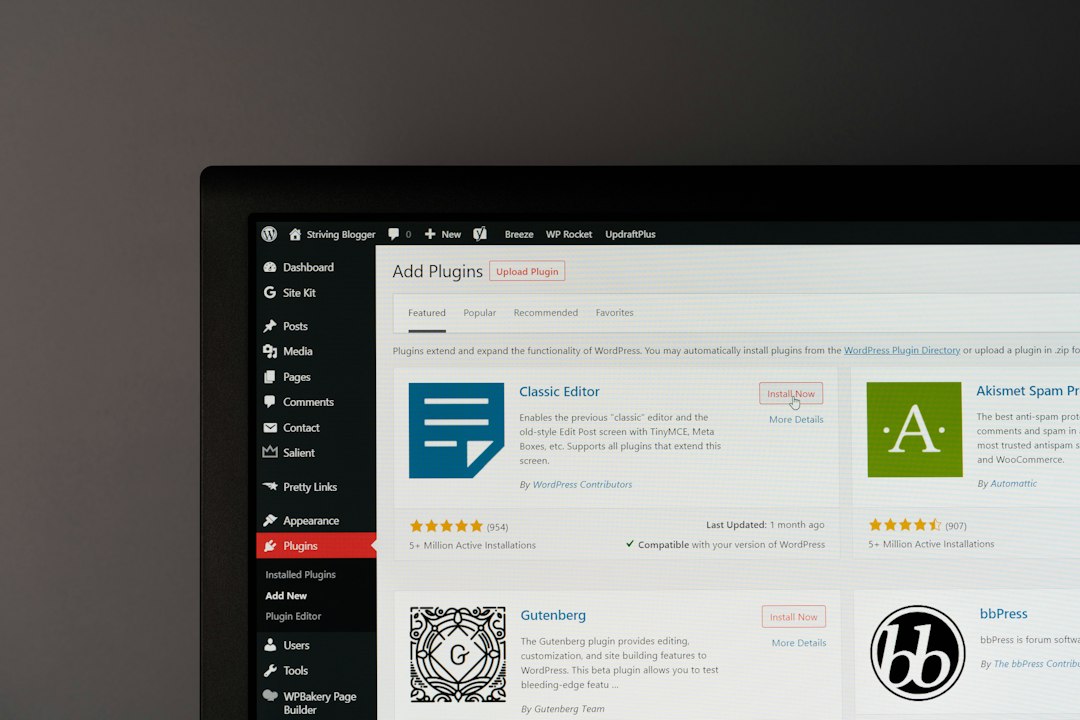
The first configuration rule is simple: use one SEO plugin and configure it well. Running overlapping SEO plugins often creates duplicate metadata, conflicting canonicals, and competing sitemap outputs that are harder to diagnose than the original problem.
For most sites, one well-configured plugin is enough. Whether you use Yoast, Rank Math, or another established option, the core job is the same: control titles, meta descriptions, indexing rules, sitemaps, schema, and canonical output without creating overlap.
Configure crawl and index settings first

If important pages are blocked, noindexed, or orphaned, everything else underperforms. Fix the issues that block visibility before the issues that polish visibility.
Start by checking that your main service pages, product categories, and priority blog posts are indexable. Make sure the site is not using a sitewide noindex setting, key pages return a normal status code, and your most important URLs are included in your XML sitemap if they should be indexed. Google explains that crawlable links should use standard HTML anchor elements with href attributes and descriptive anchor text so Google can discover and understand linked pages more reliably.
What to review in this step
Check the Reading settings in WordPress, your SEO plugin’s post type and taxonomy indexing settings, robots meta output on important templates, and whether thin archives should be indexed or excluded. If your site recently launched or migrated, review redirects and canonicals before publishing anything new.
Set title templates that stay specific
Your title setup should create unique, readable titles by default. The goal is not to cram every keyword variation into the title tag. The goal is to help users and search engines understand exactly what the page is about.
Google recommends descriptive, concise title text and warns against keyword stuffing and repetitive boilerplate across pages. That means your default templates should be tight, your important pages should usually get custom titles, and your titles should not repeat the same phrase several times just to satisfy a plugin score.
| Page Type | Safer Title Pattern |
|---|---|
| Homepage | Primary service or value proposition | Brand name |
| Service page | Specific service for specific audience | Brand name |
| Blog post | Direct problem or question-based title |
| Category page | Category topic with plain-language descriptor |
A weak template usually produces vague pages like Home, Blog, or Service | Company Name. A stronger setup makes each page distinct without sounding robotic.
Use meta descriptions as click support
Meta descriptions help when they summarize the page clearly, but they are not a direct ranking shortcut. Write them to improve relevance and click quality, not to force more keywords into the snippet.
Google says snippets are usually generated from page content, but it may use the meta description when that description better summarizes the page. In practice, that means every important page should have a useful, specific description, while lower-value archives can often rely on sensible defaults.
Clean up canonicals before adding more pages
Canonical mistakes quietly dilute rankings. If several URLs show similar or overlapping content, search engines can struggle to decide which version should rank.
Review common WordPress duplication sources such as tag archives, attachment pages, URL parameters, search result pages, and inconsistent trailing slash behavior. Your canonical tags should point to the preferred version of the page, and internal links should also use that preferred version consistently.
This matters even more on WooCommerce sites, where category filters, product variations, and pagination can multiply low-value URLs quickly. Most site owners do not have one catastrophic problem. They have a stack of smaller issues that compound over time.
If you are seeing traffic loss after a redesign, migration, or plugin switch, WordPress SEO Expert can help.
Configure schema carefully
Schema should clarify page meaning, not decorate every page with every available markup type. A clean setup uses the schema types that actually match the visible content on the page.
Google’s structured data guidelines say markup should reflect visible content and should not be misleading. That is why broad plugin defaults sometimes need adjustment. If a page is a service page, configure it like a service page. If it is an article, keep the article markup accurate. Avoid layering conflicting schema from multiple plugins or page builders.
Keep archives and taxonomies under control
Not every archive deserves to be indexed. Index the pages that help users discover distinct content. Noindex or simplify the archives that mostly repeat what already exists elsewhere.
For many small business sites, category archives can stay indexed if they are curated and useful, while tag archives often create thin duplication. Author archives may add value on publisher sites but add little on a single-author business site. The right configuration depends on whether the archive offers something unique.
Build internal links into the configuration plan
Internal links are part of SEO configuration because they shape crawl paths and page priority. A technically clean site still underperforms if key pages are buried, isolated, or linked with vague anchor text.
Google recommends descriptive, concise anchor text that helps users and search engines understand the destination. Link related posts to service pages, connect supporting blog posts to broader topic hubs, and make sure important pages are reachable without relying only on sitemaps. If your plugin settings look fine but visibility is still flat, review architecture and internal linking next.
A practical configuration order
The best setup sequence is the one that removes risk first. Do not start with schema tweaks or readability scores if indexing, redirects, and canonical signals are still messy.
| Priority | What to Configure | Why It Comes First |
|---|---|---|
| 1 | Indexing and crawl settings | Pages cannot rank if they are blocked or excluded |
| 2 | Redirects and canonicals | Prevents duplication and signal dilution |
| 3 | Title templates and custom page titles | Improves clarity and click potential |
| 4 | Meta descriptions | Supports better snippets on key pages |
| 5 | Sitemap settings | Helps search engines discover the right URLs |
| 6 | Schema defaults | Adds cleaner context once the basics are correct |
| 7 | Archive and taxonomy rules | Reduces thin or repetitive indexable pages |
| 8 | Internal link refinement | Strengthens hierarchy and topic relationships |
What to stop doing
Stop measuring success by whether your plugin shows a green light. A green light in an SEO plugin does not mean the page deserves to rank. It usually means the plugin found the keyword where it expected to find it.
Also stop publishing thin variations of the same topic, indexing every taxonomy by default, and stacking plugins that output overlapping metadata. You do not need a perfect score. The goal is a site that loads cleanly, is easy to crawl, and is easy for visitors to use.
The best next step
If your rankings are flat, the next step is not usually more content. It is a focused review of the pages and settings that already influence visibility. Start with your highest-value pages and confirm they are indexable, uniquely titled, internally linked, and free from duplicate URL confusion.
If you are not sure whether your current plugin configuration is helping or quietly hurting you, WordPress SEO Expert can help. Book a free SEO consultation. No pitch, no pressure. Just an honest look at what your site actually needs and whether your current setup is part of the solution or part of the problem.
Contact WordPress SEO Expert today to schedule a consultation.

















