

Low rankings usually come from a scattered plan, not one missing plugin. Most WordPress sites that stall in search are dealing with a stack of smaller issues: weak title tags, thin internal linking, duplicate URLs, and plugin settings that look fine on the surface but quietly work against visibility.
This is the practical version of WordPress SEO for 2026. The goal is not to chase plugin scores or publish more thin content. The goal is to fix the issues that block visibility before the issues that polish visibility, then build a setup you can maintain without constant second-guessing.
If you want a broader baseline first, review our WordPress SEO best practices and our comparison of Yoast SEO vs Rank Math before changing plugin settings sitewide.
Start with crawling and indexing

If search engines cannot reliably crawl your important pages or understand which URLs should be indexed, everything else underperforms. Check crawlability, indexing rules, and internal access before rewriting copy or adding more tools.
Google recommends making links crawlable by using standard HTML anchor elements with href attributes, and it also recommends descriptive anchor text so users and search engines can better understand linked pages. Google also advises making sure pages can be reached from other findable pages on the site. That is why orphan pages, hidden service pages, and isolated product categories often struggle even when the content itself is decent.
In WordPress, start by checking whether important pages are accidentally set to noindex, blocked from crawling in practice by poor linking, or buried so deep in the site structure that they receive little internal support. Service pages, top blog posts, category pages, and high-margin product pages should all be easy to reach through normal site navigation or contextual links.
Use one SEO plugin and configure it well
One well-configured SEO plugin is enough. Running overlapping plugins often creates duplicate metadata, conflicting canonicals, and competing sitemap outputs that make troubleshooting harder than it needs to be.
This is where many DIY site owners lose time. They install a plugin, import another plugin, add a schema plugin, then layer in a redirects plugin that overlaps with both. The result is not a more optimized site. It is a noisier site with more chances for conflicting output. Pick one primary SEO plugin, configure the fundamentals, and keep the setup lean.
If you are still deciding which plugin fits your workflow, our Yoast SEO vs Rank Math comparison can help you avoid switching later.
Write titles for humans, not plugin scores
Your title tag remains one of the clearest on-page signals you control. The best titles are descriptive, concise, distinct from other pages, and written to match what the page actually delivers.
Google recommends descriptive, concise title text and specifically warns against keyword stuffing and repetitive boilerplate in title elements. That matters because many WordPress sites still use titles that repeat broad terms across every page or cram in variations that make the result look spammy instead of useful.
| Weak title | Stronger title |
|---|---|
| SEO Services | SEO Company | SEO Expert | WordPress SEO Services for Small Businesses |
| Blog | WordPress SEO Tips for Service Businesses |
| Best SEO Plugin, SEO Plugin, WordPress SEO Plugin | How to Choose a WordPress SEO Plugin |
A green light in an SEO plugin does not mean the page deserves to rank. If the title is awkward, repetitive, or vague, change it even if the plugin says it is fine.
Keep meta descriptions useful and specific
Meta descriptions are best treated as click support, not as a ranking shortcut. When they clearly summarize the page, they can help searchers understand why your result is worth opening.
Google explains that snippets are often created from on-page content, but it may use the meta description when that description better summarizes the page. For WordPress sites, that means your key pages deserve custom descriptions that reflect the page benefit, not a recycled template stuffed with keywords.
Focus first on home, service, category, and top-performing blog pages. If you do not have time to write descriptions for every low-value archive, prioritize the URLs that already earn impressions or directly support leads and sales.
Fix duplicate URLs before publishing more content
Duplicate and near-duplicate URLs waste attention, dilute signals, and make it harder for search engines to understand which version of a page should rank. Cleaning this up is usually a better investment than publishing another thin post.
Common WordPress duplication problems include tag archives with little value, attachment pages, search result pages, parameter-based URLs, inconsistent trailing slash behavior, and WooCommerce filter combinations that generate endless crawl paths. Google recommends simple, descriptive URL structures, which aligns with a cleaner WordPress architecture and fewer competing URL versions.
Pick a primary version of each important page, link to that version consistently, and redirect or noindex low-value variants where appropriate. If your site has been through a redesign or migration, review redirects and canonicals before assuming the traffic drop is a content problem.
If you are experiencing these symptoms, our team at WordPress SEO Expert can help.
Build internal links with intent

Internal links help search engines discover pages, understand topic relationships, and judge which pages matter most. They also help visitors move logically from information to action instead of bouncing after one pageview.
Google recommends anchor text that is descriptive, concise, and relevant to the linked page. In practice, that means linking naturally from blog posts to service pages, from broad guides to narrower supporting pages, and between related articles where the next step is obvious.
Most small business sites do not need hundreds of internal links. They need a clearer structure. Link your high-value pages from pages that already attract attention. Reduce orphan content. Make sure your navigation, footer, and in-content links reinforce the same hierarchy instead of scattering authority randomly.
Keep your structure simple
A simple site structure is easier to crawl, easier to maintain, and easier for visitors to understand. Important pages should not require a scavenger hunt.
For service businesses, keep core pages close to the main navigation and avoid burying them under unnecessary parent pages. For blogs, use a small number of meaningful categories instead of sprawling tag systems. For WooCommerce, review category architecture, filters, and faceted navigation so useful pages stay prominent while low-value combinations do not multiply endlessly.
Improve speed without chasing perfect scores
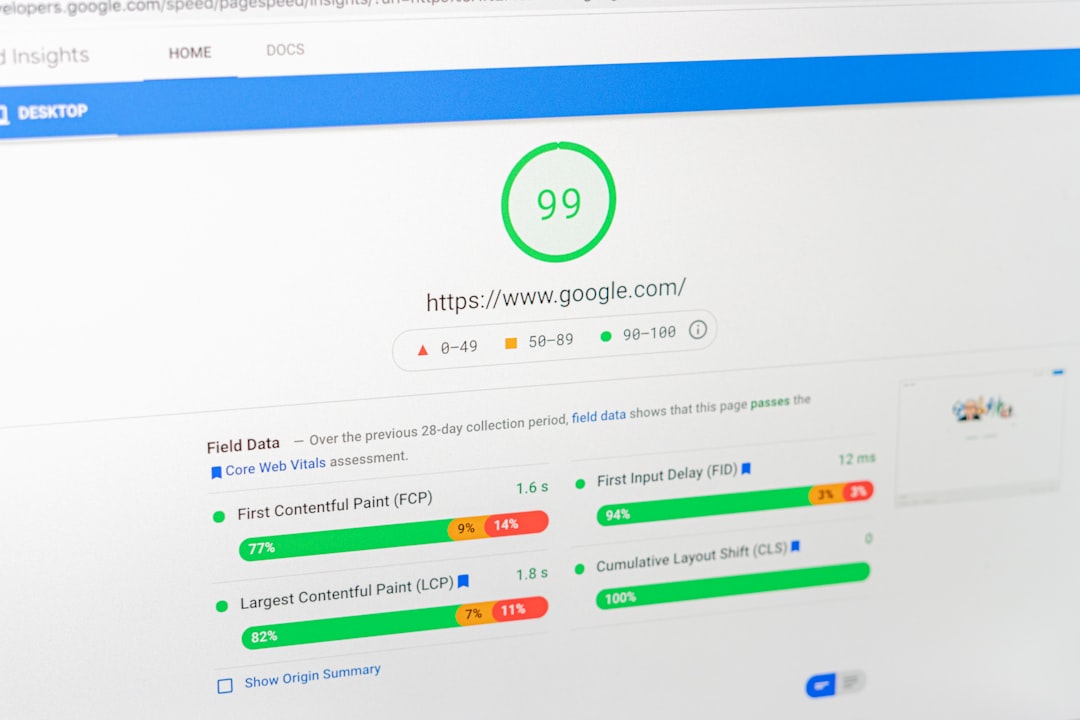
Page speed matters when slow templates frustrate users or make the site feel broken. The target is a clean, stable experience on your most important pages, not a perfect performance screenshot.
Start with template-level testing. Service pages, product pages, blog posts, and the homepage often perform differently. Check image weight, script bloat, caching, unused plugins, and page builder overhead. If a page is slow because of design choices or third-party scripts, no SEO plugin will fix that for you.
You do not need a perfect score. The goal is a site that loads cleanly and is easy to use.
Use schema to clarify, not to compensate
Structured data can help search engines better understand a page, but it is not a shortcut around weak content, weak architecture, or poor indexing control. Use the schema types that match what users can actually see on the page.
For most WordPress sites, that means keeping schema clean and relevant rather than turning on every available option in a plugin dashboard. If your site outputs overlapping schema from multiple plugins or themes, simplify it before adding more markup. Clean technical signals beat bloated technical signals.
Publish fewer, stronger pages
Most WordPress sites benefit more from consolidation than expansion. A few stronger pages with clearer search intent usually outperform a cluster of thin posts targeting slight keyword variations.
Google recommends focusing on helpful, reliable, people-first content created to benefit users rather than content made primarily to manipulate rankings. That is the right lens for 2026. If a page exists only to target a variation you could cover inside a stronger parent page, consolidate it. If an article repeats what you already said elsewhere, merge and improve it.
What to fix first
Prioritization matters more than volume. Fix the issues that block visibility before the issues that polish visibility, then move from sitewide problems to page-level improvements.
| Priority | What to check first | Why it matters |
|---|---|---|
| 1 | Indexing rules and crawl access | Pages cannot rank if they are not reachable or indexable. |
| 2 | Canonicals and redirects | Prevents duplicate URL confusion and wasted signals. |
| 3 | Title tags and page intent | Improves relevance and click potential. |
| 4 | Internal linking | Strengthens discovery and page hierarchy. |
| 5 | Template speed issues | Improves usability on the pages that matter most. |
| 6 | Content consolidation | Reduces overlap and strengthens core pages. |
| 7 | Schema and sitemap cleanup | Supports clearer technical signals. |
What to stop doing in 2026
Stop treating plugin traffic lights as the goal. Stop stacking overlapping SEO plugins. Stop publishing city-page clones, thin keyword variations, and archive pages that add crawl noise without adding value.
Most site owners do not have one catastrophic problem. They have a stack of smaller issues that compound over time. The fix is usually simpler than it looks: cleaner architecture, fewer duplicate signals, better titles, stronger internal links, and more disciplined publishing.
The best next step
The right next move is usually a focused review of the pages that already matter, not a sitewide rewrite. Start with pages tied to leads, sales, and existing impressions, then remove the friction that keeps them from performing better.
If you are not sure whether your current plugin configuration is helping or quietly hurting you, WordPress SEO Expert can help. We will help you identify whether the real bottleneck is crawlability, duplication, internal linking, weak titles, or a setup that has become more complicated than useful.
Book a free SEO consultation. No pitch, no pressure. Just an honest look at what your site actually needs and whether your current setup is part of the solution or part of the problem.
Contact WordPress SEO Expert today to schedule a consultation.

















