
WordPress SEO works best when you follow a clear order. Most flat rankings come from scattered fixes, conflicting settings, and pages that send mixed signals, not from one missing plugin or one bad score inside an SEO tool.
This step-by-step WordPress SEO guide shows what to fix first, what can wait, and how to build a cleaner setup without turning your site into a plugin pile. A green light in an SEO plugin does not mean the page deserves to rank.
Step 1: Confirm Search Engines Can See Your Site
Start with visibility settings before you touch titles or content. If search engines cannot crawl or index the right pages, every later SEO improvement will underperform no matter how polished the page looks.
Check that your site is not discouraging search engines in WordPress settings. Then review your XML sitemap, make sure key pages are indexable, and confirm that important URLs are linked from crawlable menus or body content. If you need a more detailed diagnostic order, review this WordPress SEO audit walkthrough.
Step 2: Use One SEO Plugin Only
One well-configured SEO plugin is enough. Running overlapping plugins often creates duplicate metadata, conflicting canonicals, and competing sitemap outputs that make troubleshooting much harder than it needs to be.
If your site has changed hands or gone through redesigns, this is one of the first things to clean up. Keep one primary SEO plugin, remove the overlapping ones, and simplify the setup before you adjust anything else. If your configuration already feels messy, this guide to fixing WordPress SEO setup problems can help you sort out the biggest conflicts first.
Step 3: Fix Title Tags on Your Important Pages
Title tags are one of the clearest relevance signals you control, so fix them early. Focus on distinct, descriptive titles for your homepage, primary service pages, key category pages, and posts already getting impressions.
Weak titles usually sound generic or stuffed. Stronger titles describe the page clearly and match the searcher’s intent without repeating variations that do not add meaning.
| Weak title | Stronger title |
|---|---|
| SEO Services | SEO Company | SEO Expert | WordPress SEO Services for Small Businesses |
| Blog | WordPress SEO Tips for Service Businesses |
| Home | WordPress SEO Consultant for Growing Sites |
Do not waste time rewriting every page at once. Fix the pages that already matter, then expand outward.
Step 4: Clean Up Headings and Page Structure
Each page should make its topic obvious within seconds. A single H1, clear H2 sections, and a logical structure help both users and search engines understand what the page is really about.
Your H1 should describe the main topic of the page. Use H2s for major sections and H3s only when a subsection truly needs one. Do not use headings just to make text look bigger. If the structure feels forced, the page usually needs a clearer outline, not more formatting.
Step 5: Write Better Meta Descriptions
Meta descriptions support clicks, not rankings. They help searchers decide whether your result looks useful, which makes them worth improving on the pages that bring in the most impressions.
Write unique descriptions for your top pages instead of using one generic template across the site. Keep them clear, specific, and closely matched to the page content. Think of them as a short explanation of why that page is the right next click.
Step 6: Strengthen Internal Links
Internal links help search engines discover pages, understand topic relationships, and identify which pages matter most. They also help readers move naturally from broad information to the page where they can take action.
Link relevant blog posts to service pages, connect related articles to each other, and make sure no important page depends only on a sitemap for discovery. A practical model is to connect broad guides with more specific support pieces. For example, this practical WordPress SEO guide for DIY site owners pairs well with focused setup and audit content.
If your rankings are flat and you are not sure whether the real problem is indexing, duplication, weak targeting, or plugin clutter, WordPress SEO Expert can help.
Step 7: Remove Duplicate and Low-Value Pages
Most WordPress sites accumulate duplicate or thin pages over time. Archive pages, attachment pages, old tags, and overlapping articles can dilute signals and make the site harder to crawl cleanly.
Review tag archives, author archives, date archives, and any thin pages created by themes or plugins. Keep pages that serve a real purpose. Noindex or remove the ones that create clutter without helping users. Most site owners do not have one catastrophic problem. They have a stack of smaller issues that compound over time.
Step 8: Improve Speed Without Chasing Perfect Scores
Speed matters when a site feels heavy, unstable, or frustrating to use. The goal is not a perfect lab score. The goal is a site that loads cleanly, is easy to use, and supports the pages that drive business results.
Start with image compression, caching, unused plugin cleanup, and template-level testing. Homepages, blog posts, and service pages often perform differently, so test more than one template before deciding the site is fixed. Simple improvements applied consistently usually beat complicated performance tweaks that create new conflicts.
Step 9: Match Content to Search Intent

Good SEO content answers the reason behind the search, not just the phrase itself. If a page targets the wrong intent, stronger optimization will only make the mismatch more obvious.
Give each important page one main purpose. A service page should help a ready buyer understand the offer and take action. A blog post should answer a question clearly and lead naturally to the next step. If two pages chase the same topic in nearly the same way, consolidate them instead of forcing both to rank.
Step 10: Track Results Before Making More Changes
Measure what changed before adding more fixes. Without tracking, it becomes impossible to tell whether rankings improved because of better indexing, stronger titles, cleaner internal links, or something unrelated.
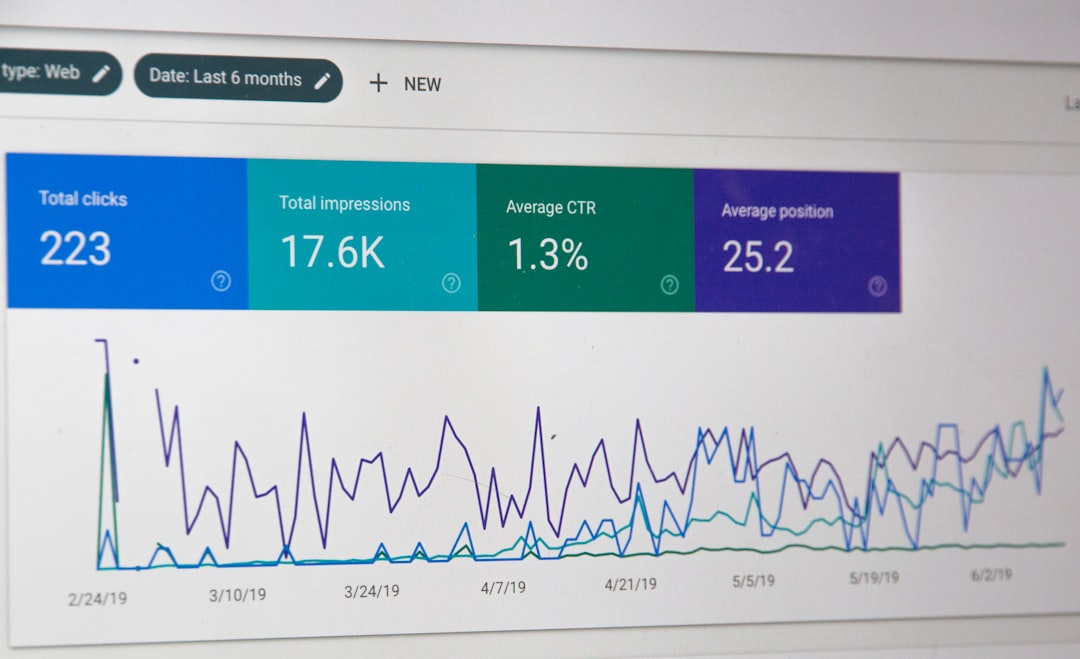
Review impressions, clicks, indexed pages, and the queries tied to your important URLs. Watch for pages sitting just outside stronger visibility, then improve those first. If you need help turning that data into next actions, this guide to tracking WordPress SEO results is a useful next step.
A Simple Order to Follow
Fix the issues that block visibility before the issues that polish visibility. That order prevents wasted effort and keeps you from polishing pages that still have bigger technical or structural problems underneath.
| Priority | What to fix | Why it comes first |
|---|---|---|
| 1 | Indexing and crawl access | Pages cannot rank if search engines cannot reach them properly |
| 2 | SEO plugin conflicts | Conflicting outputs can affect titles, canonicals, and sitemaps sitewide |
| 3 | Duplicate and low-value URLs | Cleaner indexation improves focus and reduces wasted crawl activity |
| 4 | Title tags and headings | These improve topical clarity and click potential |
| 5 | Internal linking | Stronger links reinforce hierarchy and support key pages |
| 6 | Speed and page experience | These improve usability after the main SEO signals are stable |
| 7 | Content expansion | New content works better when the foundation is already clean |
When to Get Help
If you have already installed the tools, written content, and adjusted settings but traffic is still flat, the problem is usually prioritization, not effort. A clear audit often reveals whether your next move should be technical cleanup, page targeting, internal linking, or consolidation.
WordPress SEO Expert can help you figure out what to fix first without pushing more features or more plugin clutter. Book a free SEO consultation. No pitch, no pressure. Just an honest look at what your site actually needs and whether your current setup is part of the solution or part of the problem.
Contact WordPress SEO Expert today to schedule a consultation if you want a practical plan that brings your WordPress SEO work into the right order.

















