
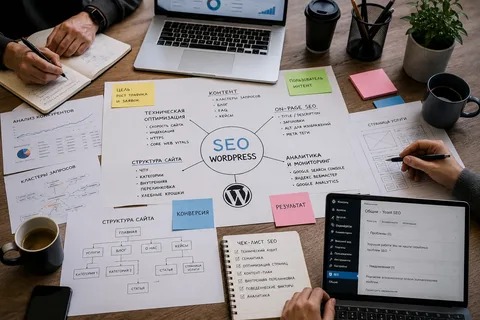
Proper configuration is an important part of WordPress SEO. Small settings can affect how pages are displayed, crawled, indexed, and connected throughout a website.
A WordPress SEO agency can review these settings during the initial setup and continue monitoring them as the website changes.
Configure WordPress Basics

Start with the basic website settings.
Check:
- Website title
- Site URL
- HTTPS
- Time and language settings
- Permalink structure
- Search engine visibility
Make sure the preferred website version consistently uses HTTPS and that unnecessary duplicate versions are not being promoted.
Configure Permalinks
Use readable URLs that describe the page.
For example:
Good:
/wordpress-seo-consultant/
Less descriptive:
/page?id=47
Avoid changing established URLs without a reason. If a URL must change, use an appropriate redirect so users and search engines can reach the new location.
Configure SEO Plugin Settings
An SEO plugin can centralize many optimization controls.
Depending on the plugin, settings may include:
- Titles
- Meta descriptions
- XML sitemap
- Canonical URLs
- Breadcrumbs
- Social metadata
- Indexing controls
Do not enable every available feature automatically. Configure only the functions that are appropriate for the website.
Configure Titles and Meta Descriptions
Create templates for different types of pages where useful.
For example:
Service Page:
[Service] | [Brand Name]
Blog Post:
[Article Topic] | [Brand Name]
Templates save time, but important pages should still be reviewed individually.
Configure Indexing Carefully
Not every WordPress-generated page needs to appear in search results.
Depending on the website, categories, tags, archives, author pages, and other automatically generated URLs may require review.
The goal is not to reduce the number of indexed pages simply for the sake of it. The goal is to ensure that useful pages are available to search engines while unnecessary or duplicate pages are handled appropriately.
Configure XML Sitemaps
Check that the sitemap:
- Exists
- Loads correctly
- Contains important URLs
- Updates when content changes
- Does not unnecessarily include excluded pages
The sitemap should support your site’s actual structure.
Review Canonical URLs
Canonical tags can help indicate the preferred version of a page when similar URLs exist.
They are especially useful when websites have:
- Duplicate variations
- URL parameters
- Similar pages
- Multiple versions of content
Canonical configuration should reflect the actual preferred URL rather than being added automatically without review.
Configure Image Settings
Images should support both usability and performance.
Review:
- Image dimensions
- File size
- File names
- Alt text
- Image formats
Alt text should describe meaningful images for accessibility and context. Decorative images generally do not need descriptive keyword-heavy alt text.
Configure Social Sharing Information
Social metadata can control how pages appear when shared on platforms.
Important pages should have:
- Suitable titles
- Descriptions
- Appropriate images
This does not replace SEO, but it can improve how shared content is presented.
Configure Breadcrumbs
Breadcrumbs can help users understand where they are within the website.
For example:
Home → SEO Services → WordPress SEO
They are particularly useful for websites with multiple categories, products, or service levels.
Check Mobile and Performance Settings

Configuration should also consider user experience.
Review:
- Responsive layout
- Image loading
- Caching
- Unnecessary scripts
- Plugin performance
- Mobile navigation
Avoid changing performance settings without testing the website afterward.
Document Important Changes
SEO configuration becomes easier to manage when major changes are documented.
Record:
- What was changed
- Why it was changed
- When it was changed
- Which pages were affected
This is particularly useful for websites managed by several people.
Review Configuration Regularly
A website is not static. New plugins, themes, pages, redesigns, and migrations can change SEO settings.
A WordPress SEO agency can include configuration checks in regular SEO audits to catch problems before they affect important pages.
A good configuration should make the website easier to crawl, understand, navigate, and maintain while keeping the focus on real users and business goals.

















