
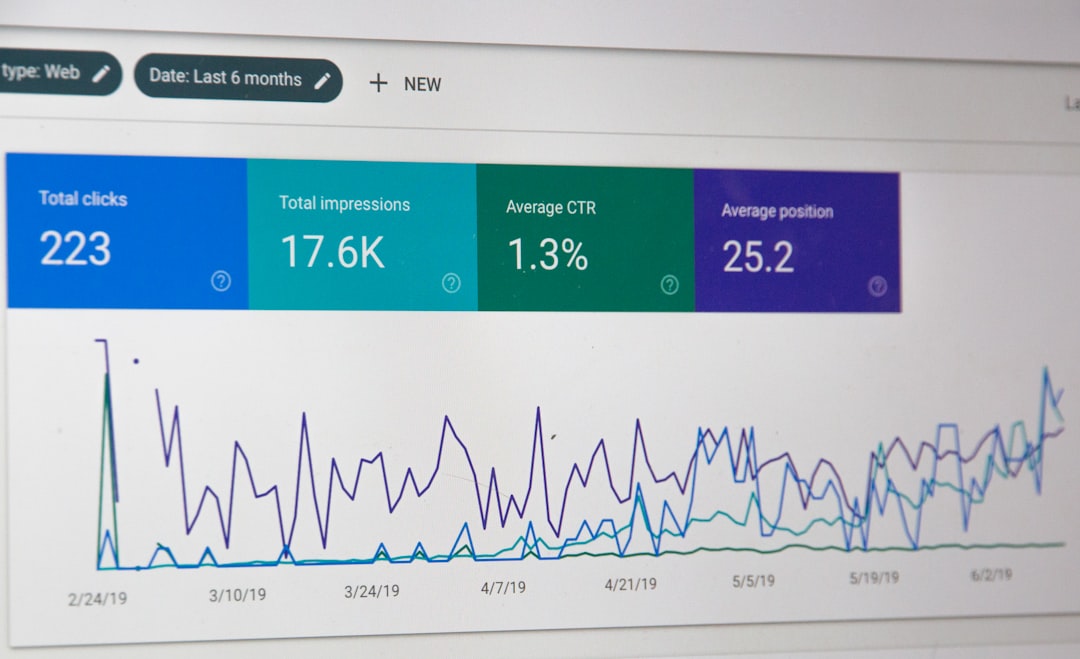
Scattered signals usually cause flat rankings more than one missing setting. A WordPress SEO audit works when you check visibility blockers first, duplication second, and on-page polish last. Fix the issues that block visibility before the issues that polish visibility.
Most site owners do not have one catastrophic problem. They have a stack of smaller issues that compound over time. A green light in an SEO plugin does not mean the page deserves to rank. One well-configured SEO plugin is enough, and overlapping plugins often create duplicate metadata, conflicting canonicals, and competing sitemap outputs.
If you want a broader starting point before you audit individual pages, review our practical WordPress SEO guide for DIY site owners and our WordPress SEO setup audit walkthrough.
What should a WordPress SEO audit check first?

Start with whether search engines can reach, crawl, and index the pages that matter. If important pages are blocked, noindexed, orphaned, or missing from your internal link structure, everything else can wait.
Begin inside WordPress by checking Reading settings, your SEO plugin indexing controls, and page-level settings on service pages, category pages, and key posts. Then inspect the live URLs. Look for accidental noindex tags, pages with weak internal linking, broken status codes, and sitemap gaps. Google recommends descriptive, concise titles for pages and crawlable links with descriptive anchor text, which reinforces why technical access and clean linking come before snippet polishing.
How to audit your WordPress SEO step by step
A useful audit follows a fixed sequence. That keeps you from wasting time rewriting titles on pages that still have indexing conflicts, duplicate URLs, or weak internal signals.
1. Check indexing and crawl access
Confirm that your important pages can be discovered and indexed. Pages cannot rank if search engines cannot reach them through normal crawlable links or if the page is set to noindex.
Check your homepage, main service pages, primary category pages, and your best posts. Make sure each one returns normally, is linked from at least one relevant page, and is not accidentally excluded by theme settings, plugin settings, or template rules. If a key page only exists in the sitemap but is hard to reach through the site, your architecture is already weakening it.
2. Remove plugin conflicts
Many WordPress SEO problems come from too many overlapping tools, not too few. The cleanest setup usually has one primary SEO plugin, one sitemap source, and one clear owner for metadata output.
Review which tool controls title tags, meta descriptions, canonicals, schema, redirects, and XML sitemaps. If two plugins are trying to manage the same signals, simplify the stack first. One well-configured SEO plugin is enough for most WordPress sites, and it is far easier to audit one system than three partially overlapping ones.
3. Audit title tags and page intent
Titles should clearly describe the page and match what the searcher expects to find. Weak titles are one of the fastest problems to spot during an audit because vague, repeated, or stuffed patterns stand out quickly.
Google recommends writing descriptive, concise title text and avoiding repeated boilerplate and keyword stuffing. If several pages could trade title tags without changing their meaning, the issue is not minor. It usually means the pages are too generic, too overlapping, or both.
| Weak title | Stronger title |
|---|---|
| SEO Services | SEO Company | SEO Expert | WordPress SEO Services for Small Businesses |
| Blog | WordPress SEO Tips for Service Businesses |
| Local SEO | Local SEO for WordPress Service Sites |
4. Review canonicals, redirects, and duplicate URLs
Duplicate URL paths dilute signals and make audits harder than they need to be. The goal is to decide which version of a page is primary, then make your canonicals, redirects, and internal links support that choice consistently.
Common WordPress duplication issues include attachment pages, tag archives, trailing slash inconsistencies, parameter URLs, filtered WooCommerce URLs, and migrated pages with old addresses still live. This is where many redesign-related ranking drops begin. If traffic fell after a migration, review redirects before anything else.
5. Check internal linking

Internal linking often explains why decent pages stay weak. If a page is buried, isolated, or only linked through menus and archives, search engines get a weaker signal that it matters.
Look for your revenue pages first. Service pages, product categories, and commercial pages should receive contextual links from related articles and supporting pages. Use descriptive anchor text, not generic phrases. If you need a broader framework for this, our WordPress SEO guide for DIY owners explains how internal links support structure and intent together.
If you are seeing flat rankings and are not sure whether the real problem is indexing, duplication, weak targeting, or plugin clutter, WordPress SEO Expert can help. We can review which pages deserve stronger internal support and which pages should be consolidated instead of expanded.
6. Test the templates that affect the most pages
Audit templates, not just single URLs. A category template, product template, or service page template can carry one mistake across dozens or hundreds of pages.
Review headings, breadcrumb output, default indexation rules, schema output, mobile usability, and performance on each major template. Google’s structured data guidance also stresses that markup should match the visible page content, so do not enable broad schema types that the page does not actually support.
What issues matter most in a WordPress SEO audit?
The most important issues are the ones that block visibility at scale. A site-wide archive problem or template-level noindex rule matters more than a dozen minor copy edits on low-value pages.
| Priority | What to audit | Why it comes first |
|---|---|---|
| 1 | Indexing rules and crawl access | Pages cannot rank if they cannot be crawled or indexed. |
| 2 | Canonicals and redirects | These prevent duplicate URL confusion and preserve signals. |
| 3 | Titles and page intent | These improve relevance and click potential. |
| 4 | Internal linking | Links strengthen discovery, hierarchy, and topical relationships. |
| 5 | Template performance and usability | These reduce friction for both visitors and crawlers. |
| 6 | Schema and sitemap hygiene | These support clearer technical signals after the basics are clean. |
What should you stop doing during the audit?
Stop treating plugin scores as the finish line. The purpose of the audit is to understand whether the site is technically clean, structurally understandable, and aligned with search intent, not whether a checklist widget turns green.
Also stop publishing new posts to compensate for unresolved technical confusion. If thin archives, duplicate URLs, weak internal links, or indexing errors are already dragging the site down, publishing more content often adds more clutter instead of fixing the cause.
The best next step after a WordPress SEO audit
The best next step is a short action plan organized by impact. Start with the pages closest to revenue, the templates affecting the most URLs, and the issues that block visibility across the site.
You do not need a perfect score. The goal is a site that loads cleanly, is easy to use, and sends consistent signals about which pages matter most. If your audit uncovered uncertainty rather than clarity, WordPress SEO Expert can help you sort technical problems from content problems before you change anything major.
Book a free SEO consultation with WordPress SEO Expert. No pitch, no pressure. Just an honest look at what your site actually needs and whether your current setup is part of the solution or part of the problem.
Contact WordPress SEO Expert today to schedule a consultation and get a clearer plan for what to fix first on your WordPress site.

















