
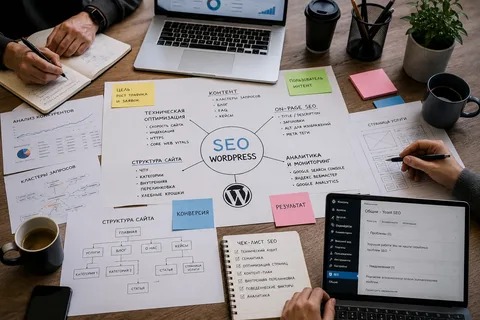
A WordPress website can experience SEO problems for many different reasons. Sometimes the issue is technical, while other times the problem comes from weak content, poor keyword targeting, or a lack of consistent optimization.
The first step is identifying the actual cause instead of making random changes. Once the problem is understood, a focused solution can be applied.
Issue 1: Poor Keyword Targeting
Some websites target keywords that are too broad, too competitive, or unrelated to what their customers need.
Solution
Review keyword intent and relevance. Choose terms that match the services, products, and questions your audience actually searches for.
A specific keyword with clear commercial intent may be more useful than a broad keyword that attracts unrelated visitors.
Issue 2: Thin or Unhelpful Content
Pages with very little useful information may struggle to provide value to visitors.
Solution
Improve the page rather than simply adding words. Explain the topic clearly, answer important questions, add useful examples, and organize the information with logical headings.
The goal should be usefulness, not reaching an arbitrary word count.
Issue 3: Keyword Stuffing
Repeating the same keyword excessively can make content sound unnatural.
Solution
Write for people first. Use the main topic naturally and include related terms only when they genuinely fit the subject.
Good SEO content should be readable without feeling like keywords were inserted into every paragraph.
Issue 4: Weak Internal Linking
Important pages can become difficult to discover when the website has very few internal links.
Solution
Review related pages and add useful internal links where they help visitors.
For example, an educational blog can link to a relevant service page, while a service page can link to a detailed guide.
Issue 5: Technical Problems
Indexing errors, broken links, redirect issues, and other technical problems can affect how a website is crawled and understood.
Solution
Use Google Search Console and a reliable site crawler to identify issues.
Prioritize problems affecting important pages rather than trying to fix every warning immediately.
Issue 6: Slow Website Performance

Large images, unnecessary scripts, excessive plugins, and poorly optimized resources can contribute to slower pages.
Solution
Review page performance and identify the main causes. Compress suitable images, remove unnecessary resources, review plugin usage, and work with appropriate caching or performance solutions.
Avoid installing multiple optimization plugins without checking for conflicts.
Issue 7: Poor Mobile Experience
A website may look good on a desktop but become difficult to use on smaller screens.
Solution
Test important pages on mobile devices.
Check menus, buttons, forms, text size, images, spacing, and overall navigation. Visitors should be able to interact with the website comfortably without excessive zooming or scrolling.
Issue 8: Duplicate or Overlapping Pages
Creating multiple pages around nearly identical topics can make the website unnecessarily complicated.
Solution
Review similar pages and determine whether they have distinct purposes. Where appropriate, consolidate overlapping content or clearly differentiate the pages based on search intent.
Issue 9: Ignoring Search Performance Data
Some businesses continue using the same strategy without checking whether it is producing results.
Solution
Monitor Google Search Console and analytics data.
Look at:
| Signal | Possible Action |
|---|---|
| High impressions, low clicks | Review search-result presentation |
| Falling traffic | Investigate affected pages |
| Low conversions | Review content and calls to action |
| Indexing problems | Investigate technical settings |
| Strong page with weak internal links | Add relevant links |
Data can help identify where optimization should be focused.
Issue 10: Expecting Immediate Results
SEO generally takes time. Making changes today does not mean rankings will immediately change tomorrow.
Solution
Set realistic monitoring periods and focus on trends. Continue improving the website while measuring progress.
A WordPress SEO consultant can also help diagnose complex issues and create a prioritized action plan.
Build a More Reliable SEO Process
Most SEO problems become easier to manage when the website follows a consistent process:
Audit → Identify → Prioritize → Fix → Monitor
This prevents businesses from making random changes and helps them understand which improvements are actually needed.
A strong WordPress SEO strategy is not about avoiding every possible problem. It is about identifying issues early, solving them properly, and continuously improving the website for both search engines and users.

















