
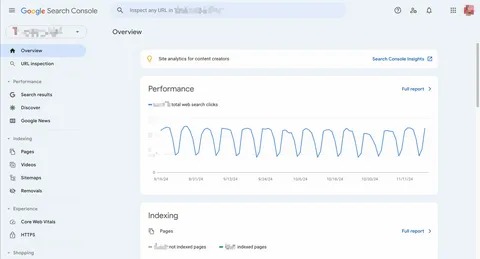
A WordPress SEO audit is a structured review of a website to identify problems and opportunities that may affect its organic search performance. It looks beyond keywords and examines technical SEO, content, website structure, internal links, mobile experience, page speed, and search performance.
For a WordPress SEO Consultant, an audit is often the first practical step before making major SEO changes. Without understanding the current condition of a website, it is easy to spend time fixing minor issues while more important problems remain unresolved.
This guide explains how to approach a WordPress SEO audit step by step.
What Is a WordPress SEO Audit?
A WordPress SEO audit evaluates how well a website is prepared for search engines and users.
A complete audit can include:
- Technical SEO
- Indexing
- Keyword targeting
- Page titles
- Headings
- Content quality
- Internal linking
- URLs
- Images
- Page speed
- Mobile usability
- Structured data
- Search performance
The purpose is not to change everything. The purpose is to find the problems that matter and create a practical plan for addressing them.
1. Understand the Website First
Before checking technical settings, understand the website itself.
Look at:
- What the business offers
- Who the target audience is
- Main products or services
- Important website pages
- Geographic target
- Main competitors
- Primary business goals
For example, an ecommerce website will require a different SEO audit from a local service business.
Understanding the website first helps ensure that the audit is based on actual business needs rather than a generic checklist.
2. Check Website Indexing

One of the first technical checks should be whether important pages can be discovered and indexed by search engines.
Google Search Console can provide useful information about indexing.
Check for:
- Important pages that are not indexed
- Server errors
- Crawled but currently not indexed pages
- Redirect problems
- Sitemap issues
- Unexpected exclusions
Also review whether pages that should not appear in search results are being handled appropriately.
The goal is not to get every URL indexed. The goal is to make sure valuable content is accessible to search engines.
3. Review WordPress Visibility Settings
WordPress has a setting that can discourage search engines from indexing the website.
A consultant should verify that the website has not accidentally been configured to discourage search engine crawling.
This is especially important when a website has moved from development to production.
A simple setting can have a major impact if it prevents search engines from accessing the site’s content.
4. Analyze Keyword Targeting
Review the main keywords and topics associated with important pages.
Ask:
- Does each page have a clear topic?
- Is the keyword relevant to the page?
- Does the content match search intent?
- Are multiple pages targeting the same intent?
- Are there important topics the website is missing?
A useful keyword strategy should connect search demand with actual business services, products, and audience needs.
Avoid forcing a keyword onto a page when it does not naturally fit.
5. Check Page Titles and Headings
Page titles should clearly describe the content.
During the audit, look for:
- Missing titles
- Duplicate titles
- Extremely long titles
- Unclear titles
- Keyword stuffing
Then review headings.
Important pages should have a logical content structure using appropriate H2 and H3 headings where necessary.
A page should be easy to scan and understand.
6. Evaluate Content Quality
Content is a major part of an SEO audit.
Review whether important pages provide enough useful information for their intended audience.
Look for:
- Thin content
- Outdated information
- Duplicate sections
- Weak introductions
- Missing answers
- Poor formatting
- Search intent mismatch
- Unnecessary repetition
Do not judge content only by word count. A shorter page can be useful when it answers a simple question clearly, while a complex topic may require more detailed coverage.
7. Review Internal Linking
Internal links connect different pages on the website.
During an audit, identify whether important pages are properly connected to related content.
For example:
Blog post → Related guide → Service page
This structure can help users discover additional information and can help search engines understand the relationship between pages.
Also check for:
- Broken internal links
- Orphan pages
- Excessive links
- Irrelevant anchor text
Internal linking should support the website’s structure rather than being added randomly.
8. Check URL Structure
Review whether URLs are clear and descriptive.
A useful URL might look like:
/wordpress-seo-consultant/
Instead of an unclear or unnecessarily complicated address.
However, do not change existing URLs simply because they could look better.
An established URL may already have traffic, backlinks, and search visibility. If a change is genuinely necessary, redirects should be planned carefully.
9. Find Broken Links and Redirect Problems
Broken links can create poor user experiences and make website maintenance more difficult.
During the audit, look for:
- 404 pages
- Broken internal links
- Incorrect redirects
- Redirect chains
- Redirect loops
- Links pointing to outdated URLs
A crawling tool such as Screaming Frog can be useful for identifying these issues on larger websites.
Once problems are found, prioritize the ones affecting important pages.
10. Review Canonical URLs
Canonical URLs help indicate the preferred version of a page when similar or duplicate URLs exist.
A consultant should check whether important pages have appropriate canonical settings and whether canonical tags accidentally point to the wrong pages.
This is particularly useful for websites that have:
- Product variations
- Filtered URLs
- Duplicate pages
- Tracking parameters
- Multiple URL versions
Canonicalization should be reviewed as part of the broader technical SEO audit.
11. Check XML Sitemap and Robots.txt
An XML sitemap helps search engines discover important URLs.
Review whether the sitemap:
- Exists
- Contains relevant URLs
- Can be accessed
- Is submitted through Search Console when appropriate
Also review the robots.txt file.
Make sure important areas of the website are not unintentionally blocked.
A small technical mistake can prevent search engines from accessing content that should be discoverable.
12. Audit Page Speed and Core Web Vitals

Website performance should also be reviewed.
Use appropriate tools to identify problems involving:
- Large images
- Slow server response
- Excessive scripts
- Unoptimized resources
- Layout shifts
- Poor responsiveness
Core Web Vitals provide useful measurements related to loading, responsiveness, and visual stability.
The objective should be to improve the actual user experience rather than simply chase a numerical score.
13. Check Mobile Experience
Review important pages on mobile devices.
Check:
- Text readability
- Navigation
- Buttons
- Forms
- Images
- Pop-ups
- Page layout
- Loading performance
A page that looks good on a desktop may still have usability problems on smaller screens.
Mobile usability should therefore be treated as an important part of the SEO audit.
14. Review Image SEO
Images should also be included in the audit.
Check whether important images have:
- Appropriate file sizes
- Suitable dimensions
- Descriptive filenames
- Useful alt text where appropriate
Large image files can contribute to slower pages.
Alt text should describe the image when it provides meaningful information. It should not be filled with repeated keywords.
15. Check SEO Plugins
Review which SEO plugins are installed and how they are configured.
Make sure multiple plugins are not trying to control the same SEO functions.
Check relevant settings for:
- Titles
- Meta descriptions
- XML sitemap
- Canonical URLs
- Robots directives
- Structured data
An SEO plugin is a tool, not a replacement for an overall SEO strategy.
16. Review Search Performance
Google Search Console can help connect the technical audit with actual search performance.
Review:
- Clicks
- Impressions
- Queries
- Average position
- Click-through rate
- Top pages
This information can reveal opportunities.
For example, a page receiving many impressions but relatively few clicks may deserve a review of its title and search-result presentation.
17. Create an SEO Priority List
After completing the audit, do not try to fix everything at once.
Organize findings by priority.
| Priority | Example Issue | Action |
|---|---|---|
| High | Important page not indexed | Investigate immediately |
| High | Major technical error | Fix promptly |
| Medium | Weak internal linking | Improve relevant links |
| Medium | Outdated content | Review and update |
| Low | Minor formatting issue | Address later |
This makes the audit useful as an action plan rather than simply a long list of problems.
Common WordPress SEO Audit Mistakes
Avoid these common mistakes:
- Auditing only keywords
- Ignoring technical SEO
- Changing URLs unnecessarily
- Installing multiple SEO plugins
- Focusing only on homepage SEO
- Ignoring mobile users
- Treating word count as the main measure of content quality
- Making too many changes simultaneously
- Failing to document changes
- Expecting immediate ranking improvements
An effective audit should look at the complete website.
When Should You Hire a WordPress SEO Consultant?
A professional consultant can be helpful when a website has complicated technical problems, declining organic traffic, indexing issues, or a large amount of content.
A consultant can combine technical findings with search performance data and business goals to create a more focused action plan.
This is particularly useful when it is unclear whether the main issue comes from content, technical SEO, website structure, or search intent.
Final Thoughts
A WordPress SEO audit provides a clear picture of how a website is performing and where improvements may be needed.
A proper audit should cover indexing, keywords, content, internal links, URLs, technical SEO, speed, mobile experience, images, plugins, and search performance.
The most useful audit is not necessarily the one with the longest list of issues. It is the one that identifies the most important problems and turns them into practical next steps.
Regular audits can also help keep a WordPress website healthy as its content, structure, and business goals change.
Frequently Asked Questions
How often should a WordPress SEO audit be performed?
A website can be monitored continuously, while a complete audit can be performed periodically or after major changes to the website.
What tools can be used for a WordPress SEO audit?
Google Search Console, Google Analytics, PageSpeed Insights, Screaming Frog, and WordPress SEO plugins can all provide useful information for different parts of an audit.
Can an SEO audit guarantee higher rankings?
No. An audit identifies problems and opportunities, but rankings depend on many factors, including competition, content relevance, technical accessibility, links, and search behavior.
Should every SEO problem be fixed immediately?
Not necessarily. Problems should be prioritized according to their importance, potential impact, and relationship to the website’s goals.
What is the first thing to check in an SEO audit?
Start by understanding the website and checking whether important pages can be accessed and indexed properly. From there, move into content, keywords, technical SEO, structure, and performance.

















