
Getting organic traffic to a WordPress website is not simply about publishing more blog posts or adding keywords to every page. Search engines need to understand what your website offers, while visitors need clear, useful, and trustworthy information.
A WordPress SEO Expert approaches organic growth by looking at the complete website. This includes keyword research, content, technical SEO, internal linking, website structure, mobile experience, page speed, and search performance.
If your website is receiving little organic traffic, the solution is usually not one single SEO trick. A structured approach can help identify what is limiting visibility and where improvements should be made.
Start With an SEO Audit
Before making major changes, understand the current condition of the website.
An SEO audit can reveal problems that may be preventing pages from performing properly. Important areas include:
- Search engine indexing
- Website structure
- Page titles and headings
- Keyword targeting
- Internal links
- Broken links
- Redirects
- Mobile usability
- Page speed
- Image optimization
- Content quality
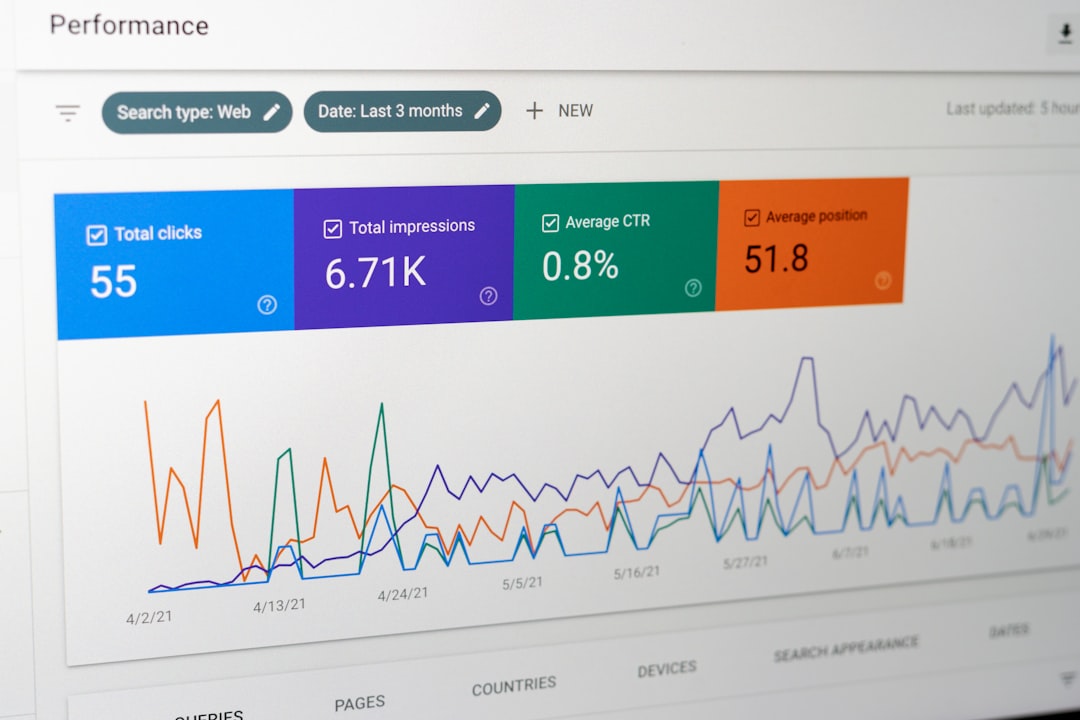
Google Search Console is particularly useful for reviewing indexing and search performance.
The purpose of an audit is not to create a long list of technical problems. It is to identify the changes that can have the most practical impact.
Target the Right Keywords
Organic traffic starts with understanding what your audience searches for.
Keyword research should consider more than search volume. A useful keyword should be relevant to your business and match the purpose of the page.
For example, a company offering WordPress SEO services might target informational searches such as:
- What is WordPress SEO?
- How to improve WordPress SEO
- WordPress SEO checklist
It could also target commercial searches such as:
- WordPress SEO services
- WordPress SEO expert
- WordPress SEO consultant
These keywords represent different stages of the search journey and may require different types of content.
Create Pages Around Clear Search Intent

One common SEO problem is creating a page without understanding what the searcher actually wants.
Someone searching for “WordPress SEO tips” may want practical information. Someone searching for “WordPress SEO services” may be looking for a professional provider.
Your content should satisfy the reason behind the search.
A useful way to plan content is:
| Search Intent | Suitable Content |
|---|---|
| Informational | Guide or blog |
| Commercial | Service comparison or detailed service page |
| Transactional | Product or service page |
| Navigational | Brand or specific website page |
Matching content with search intent makes the website more useful and prevents pages from targeting keywords without a clear purpose.
Improve Existing Pages
Publishing new content is not always the best way to increase organic traffic.
An existing page may already have impressions, clicks, backlinks, or rankings for several related searches. Improving that page can be more practical than starting from zero.
Review older pages and look for:
- Outdated information
- Weak introductions
- Missing sections
- Poor headings
- Missing internal links
- Unclear explanations
- Irrelevant content
- Better keyword opportunities
For example, an old article ranking on the second or third page of Google may have potential for improvement if it does not fully answer the searcher’s question.
Build a Strong Internal Linking Structure
Internal links help connect related pages across your website.
Imagine a WordPress SEO website with separate pages for technical SEO, local SEO, ecommerce SEO, and SEO audits. Relevant blog posts can link to these service pages where appropriate.
This creates a clearer relationship between informational and commercial content.
Good internal links should:
- Be relevant to the surrounding content
- Help users discover another useful page
- Use natural anchor text
- Connect related topics
- Avoid excessive linking
Internal linking is especially useful for larger WordPress websites where important pages can otherwise become difficult to discover.
Improve Your Website Structure
A clean website structure makes navigation easier for both visitors and search engines.
Important pages should not be buried several clicks deep without a reason.
A simple structure might look like:
Homepage → Services → Individual Service Pages → Supporting Blog Content
For example:
Homepage → WordPress SEO Services → Technical SEO
Then relevant technical SEO articles can link back to the service page when appropriate.
This creates a logical content structure instead of a collection of unrelated pages.
Make Your WordPress Website Faster
Website performance can affect user experience and is an important part of modern SEO.
Common causes of WordPress performance problems include:
- Oversized images
- Too many unnecessary plugins
- Poor hosting
- Unoptimized themes
- Excessive scripts
- Unused website resources
Use performance testing tools to identify specific problems instead of installing multiple optimization plugins without understanding what they do.
Improving performance should be approached carefully because aggressive optimization settings can sometimes create display or functionality problems.
Focus on Mobile SEO

Many visitors access websites from mobile devices, so your website should provide a smooth mobile experience.
Check whether:
- Text is easy to read
- Buttons are easy to tap
- Navigation works properly
- Images fit the screen
- Forms are usable
- Important content is visible
- Pages load efficiently
A website that looks excellent on a desktop but becomes difficult to use on mobile can lose potential visitors.
Optimize Titles and Headings
Page titles help communicate the topic of a page.
A good title should be clear, descriptive, and relevant to the actual content.
Headings should then organize the information into logical sections.
Avoid repeating the same keyword unnaturally throughout every heading. Search engines and users benefit more from clear organization than keyword repetition.
For example, instead of:
WordPress SEO Expert | WordPress SEO Expert Services | WordPress SEO Expert Guide
use a natural structure such as:
WordPress SEO Services
How WordPress SEO Improves Organic Visibility
Common WordPress SEO Problems
This makes the page easier to read while keeping its topic clear.
Use Images Carefully
Images can improve the user experience, but large and poorly optimized images can slow down a WordPress website.
Before uploading an image, consider whether it is actually useful for the page.
For important images:
- Use an appropriate file size
- Choose suitable dimensions
- Compress large files
- Use descriptive file names
- Add useful alt text when appropriate
Alt text should describe the image rather than being used as a place to insert keywords.
Use Google Search Console to Find Opportunities
Google Search Console can provide valuable information about how your website appears in Google Search.
You can review:
- Search queries
- Clicks
- Impressions
- Click-through rate
- Average position
- Indexed pages
- Indexing problems
Suppose a page receives many impressions but relatively few clicks. Its title or search appearance may need review.
Similarly, if a page is receiving impressions for relevant searches but has a low average position, improving its content and overall page quality may be worth investigating.
Avoid Chasing Every SEO Trend
SEO changes over time, but constantly changing your strategy based on every new trend can create unnecessary work.
Focus on fundamentals:
- Helpful content
- Clear website structure
- Relevant keywords
- Strong internal linking
- Mobile usability
- Good page performance
- Search engine accessibility
- Regular performance monitoring
These areas provide a more stable foundation than trying to manipulate rankings with shortcuts.
Common Mistakes That Limit Organic Traffic
Several mistakes can slow down SEO progress.
Publishing Without Keyword Research
Writing articles without understanding what your audience searches for can result in content that receives little search demand.
Keyword Stuffing
Repeating a keyword excessively can make content difficult to read and does not create a better user experience.
Ignoring Existing Content
Older pages may contain valuable ranking opportunities that are overlooked because all attention is placed on new articles.
Blocking Search Engines
Incorrect WordPress visibility settings, noindex directives, or robots.txt mistakes can prevent pages from being discovered or indexed.
Changing Everything at Once
If you change titles, URLs, content, internal links, plugins, and technical settings simultaneously, it becomes difficult to determine which change affected performance.
Make changes systematically and monitor the results.
When Should You Work With a WordPress SEO Expert?
Professional SEO assistance can be useful when your website has persistent traffic problems or when you are unsure where to begin.
An expert can review the website, identify technical and content issues, prioritize the work, and create an SEO strategy based on the website’s goals.
This can be particularly helpful for:
- Business websites
- Ecommerce stores
- Local businesses
- Service websites
- Large WordPress websites
- Websites with declining organic traffic
The focus should be on solving actual website problems rather than applying the same checklist to every site.
Final Thoughts
Increasing organic traffic requires more than publishing content and adding keywords. A successful WordPress SEO approach considers the entire website, from technical accessibility and page speed to search intent, content quality, internal links, and mobile usability.
Start with an audit, identify the most important problems, and improve the website step by step. Track your results through tools such as Google Search Console and continue improving pages based on real search performance.
When SEO work is organized around useful content and a technically sound WordPress website, organic traffic has a stronger foundation for sustainable growth.
Frequently Asked Questions
How can I increase organic traffic on WordPress?
Start with an SEO audit, improve keyword targeting, optimize important pages, strengthen internal links, improve technical SEO, and monitor search performance.
How long does it take to increase organic traffic?
There is no fixed timeline. Results depend on competition, website history, content quality, technical condition, and the amount of SEO work being performed.
Should I publish more blogs for SEO?
New content can help when it serves a real search need. However, improving existing pages can sometimes be more useful than continuously publishing new articles.
Is internal linking important for organic traffic?
Yes. Relevant internal links help users discover related content and help search engines understand relationships between pages.
Can a WordPress SEO Expert improve my website traffic?
An expert can identify technical, content, and structural issues and develop a strategy to improve organic search visibility. However, no SEO professional can guarantee specific rankings or traffic levels.

















