

Low rankings usually come from a scattered plan, not one missing plugin. WordPress search engine optimization works best when you fix the pages that matter most, clean up technical issues, and measure progress in Google Search Console instead of chasing plugin scores.
Most site owners do not have one catastrophic SEO problem. They have a stack of smaller issues that compound over time: unclear page targeting, weak internal links, bloated templates, duplicate content, and titles that do not earn clicks. That is why a site can publish regularly and still stay stuck.
WordPress SEO Expert helps businesses turn that mess into a prioritized plan. In this guide, we will show you what to fix first, what can wait, and how to build a WordPress SEO setup that is easier to maintain over time.
What WordPress SEO actually includes
WordPress SEO is not one setting or one plugin. It includes keyword targeting, site structure, on-page optimization, crawl and index control, page speed, internal linking, and performance tracking.
WordPress gives you a flexible foundation, but flexibility cuts both ways. You can create clean, search-friendly pages, or you can accidentally generate thin archives, duplicate URLs, and unnecessary plugin bloat. The difference usually comes down to how well the site is structured and maintained.
If your rankings are flat, start by looking at the whole system. A better title tag will not fix a page with mismatched intent. A faster server will not rescue weak service pages. A plugin green light will not replace a real SEO plan.
Start with search intent, not plugins
The first job in WordPress search engine optimization is matching each important page to a clear search intent. When multiple pages chase the same phrase, or when a blog post targets a keyword better suited to a service page, rankings often stall.
Map one primary topic to each core page. Your homepage should target your broadest core offering. Service pages should target buyer-intent searches. Blog posts should support those pages by answering related questions. If you want a more detailed planning framework, review our WordPress SEO strategy for small business.
This step also prevents cannibalization. If two or three pages all send similar signals to Google, none of them may perform as well as one stronger consolidated page.
Fix site structure before publishing more content
Many WordPress sites do not need more pages right away. They need a cleaner structure so search engines and users can understand which pages matter most.
Your key pages should be reachable in a few clicks from the homepage. Navigation should reflect your main services, categories, or locations. Internal links should connect related pages with descriptive anchor text. Google specifically says that anchor text on internal links helps people and Google understand your site more easily.
Look for orphan pages, thin tag archives, broken redirects, duplicate categories, and old URLs that still attract impressions but no longer fit the site structure. Those are common reasons strong pages underperform on WordPress.
Get the on-page basics right
On-page SEO still matters, but only when the page already deserves to rank. The goal is not to repeat the keyword. The goal is to make the page clear, useful, and obviously relevant to the searcher.
Each important page should have one clear H1, a descriptive title tag, a useful meta description, and subheadings that answer the next obvious questions. Google recommends titles that are unique, clear, concise, and accurate to the page. That sounds simple, but it is where many WordPress pages go wrong.
Weak title: SEO Services | SEO Company | SEO Expert.
Stronger title: WordPress SEO Services for Small Businesses.
Good on-page SEO also means giving the reader enough to act. Explain what the service is, who it is for, how it works, and what the next step should be. Thin pages with generic copy rarely perform well, even if the technical settings are correct.
Choose one clean SEO plugin setup
There is no single best SEO plugin for WordPress. There is a best one for your specific setup. The mistake is stacking multiple plugins that overlap, create conflicting metadata, or output duplicate features.
For most sites, one well-configured SEO plugin is enough. Use it to control titles, meta descriptions, XML sitemaps, canonical tags, and social sharing metadata. Then leave the rest of the strategy to your pages, structure, and measurement.
If you are unsure whether your current setup is helping or hurting, compare the plugin output on a few core pages and make sure you are not generating duplicate titles, duplicate meta descriptions, or unnecessary noindex settings.
Technical SEO fixes that usually matter first

Most WordPress SEO problems are not advanced. They come from basic technical issues that quietly weaken the whole site: slow templates, crawl waste, indexing mistakes, and unnecessary duplication.
| Area | What to check first | Why it matters |
|---|---|---|
| Indexing | Make sure important pages are indexable and not blocked by plugin or site settings | A strong page cannot rank if search engines cannot index it |
| Site structure | Check menus, breadcrumbs, internal links, and orphan pages | Helps search engines understand page importance and relationships |
| Duplicates | Review archives, tag pages, parameter URLs, and overlapping service pages | Reduces mixed signals and wasted crawl attention |
| Performance | Audit image size, caching, scripts, and mobile templates | Improves usability and removes technical friction |
| Redirects | Clean up broken links and outdated redirected URLs | Preserves link equity and improves crawling efficiency |
These checks usually deliver more value than adding another plugin or publishing three more blog posts. If the technical base is messy, content growth often amplifies the mess.
Speed deserves special attention because it often overlaps with broader technical SEO. If your site loads slowly, start with our guide on how to improve WordPress site speed for SEO for practical fixes and realistic stopping points.
Use Google Search Console as your main feedback loop
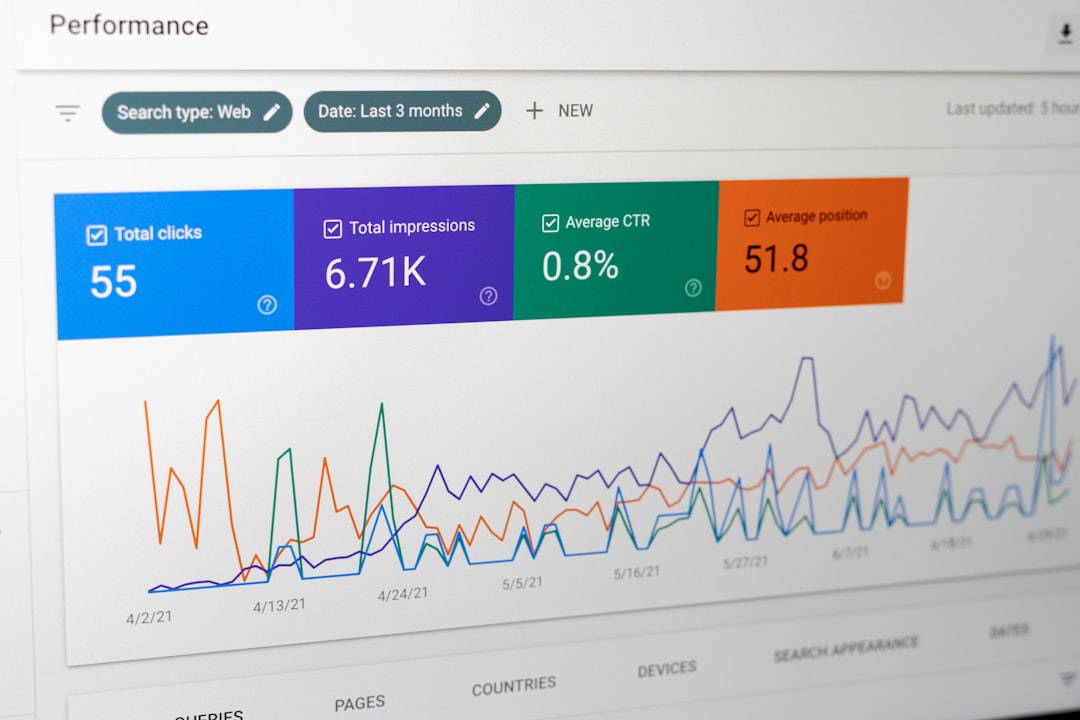
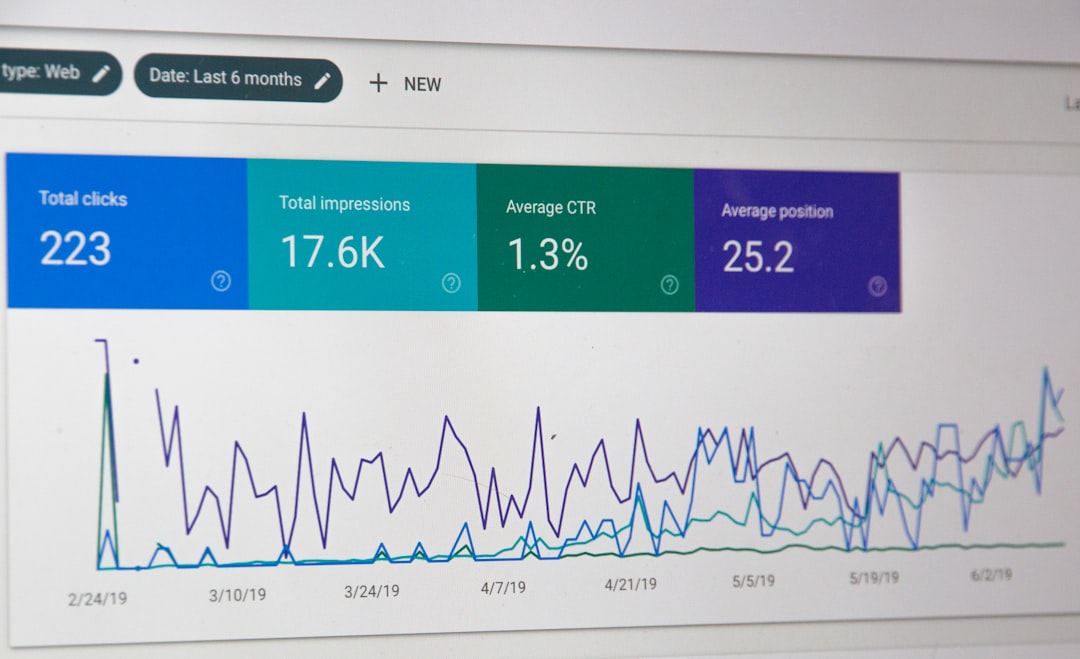
If you are not checking Search Console, you are missing the clearest SEO feedback Google gives you for free. The Performance report shows clicks, impressions, average CTR, and average position, which makes it the best place to spot pages with upside.
Use that data in context. Rising impressions with flat clicks often point to weak titles or descriptions. Good average position with poor conversions can signal an intent mismatch. Falling impressions on one section of the site can reveal a technical issue, internal linking problem, or stronger competition.
A monthly review is enough for many small businesses. Check your top pages, the queries driving impressions, pages with low CTR, and pages that lost traction after a redesign or plugin change. Then fix the highest-leverage pages first.
A simple WordPress SEO priority order
The fastest way to waste time is treating every SEO task as equally urgent. Most sites improve faster when they follow a short priority order instead of a giant checklist.
| Priority | What to do |
|---|---|
| 1 | Fix indexing, crawl, and obvious technical blockers |
| 2 | Map clear keywords and intent to your core pages |
| 3 | Improve title tags, headings, copy, and calls to action on money pages |
| 4 | Strengthen internal linking between service, category, and blog pages |
| 5 | Publish supporting content only after the main pages are solid |
This sequence works because it fixes the foundation before adding volume. Publishing more content on a messy site often creates more overlap, more weak pages, and more reporting noise.
If you are not sure which issue deserves attention first, our team at WordPress SEO Expert can help you sort the technical problems from the content problems before you change anything major.
Common WordPress SEO mistakes
The same mistakes show up again and again: targeting broad keywords too early, publishing thin posts for volume, leaving category and tag archives unmanaged, ignoring internal links, and treating plugin scores as the goal.
Another common mistake is trying to fix a ranking problem with content alone after a redesign, migration, or template change. In those cases, the underlying issue is often technical or structural, not a lack of blog posts.
The fix is usually simpler than it looks: consolidate overlapping pages, improve the strongest existing assets, clean up the site structure, and use real search data to decide what to update next.
Final takeaway
WordPress search engine optimization is most effective when it is practical, prioritized, and tied to real page-level problems. The sites that improve are rarely the ones doing the most. They are the ones fixing the right things in the right order.
If your site has been stuck despite steady effort, request a free WordPress SEO audit from WordPress SEO Expert. We will help you identify what is actually holding rankings back and where to focus first.

















