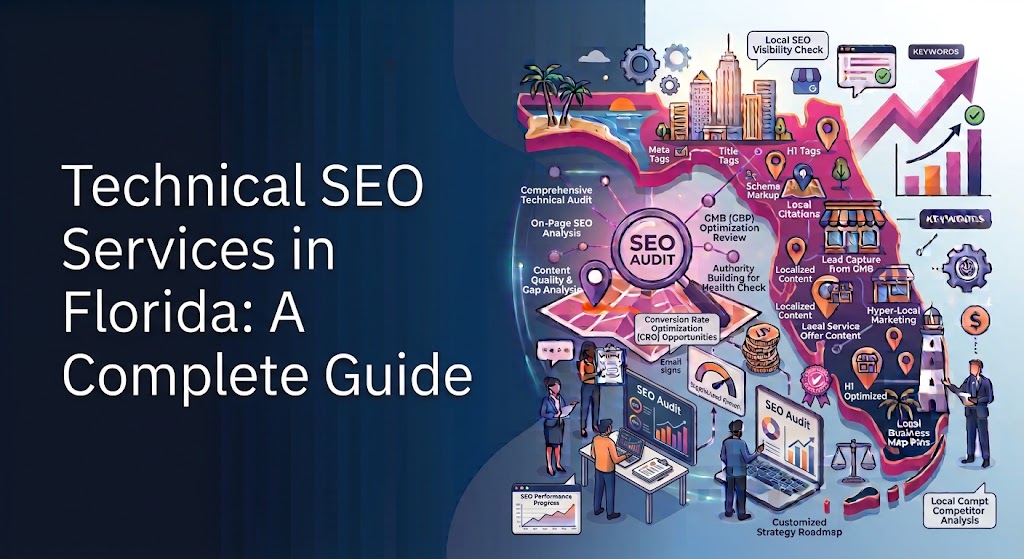
Introduction to Technical SEO Services in Florida
🌐 Search engine optimization is more than choosing the right keywords and publishing high-quality content. A website also needs a strong technical foundation so search engines can crawl its pages, understand its structure, and index its content correctly. For businesses competing in Florida’s diverse digital marketplace, technical SEO services can help identify website problems that prevent important pages from reaching potential customers.
Florida is home to businesses across industries such as real estate, tourism, healthcare, hospitality, home improvement, retail, and professional services. Whether a company operates in Miami, Orlando, Tampa, Jacksonville, Fort Lauderdale, or a smaller community, its website must deliver a fast, secure, and accessible experience. Technical SEO helps businesses improve these essential website characteristics while supporting their broader organic search strategy.
📈 A technically optimized website gives search engines clearer signals about its content and structure. It can also provide visitors with faster loading times, easier navigation, and fewer frustrating errors. Although technical improvements cannot guarantee specific rankings, they can remove barriers that make it harder for a website to compete in search results.
This complete guide explains what technical SEO involves, why it matters for Florida businesses, and how website owners can identify and resolve common technical issues. It also explores crawling, indexing, website architecture, security, mobile optimization, and other essential elements that contribute to sustainable search visibility.
What Is Technical SEO and Why Does It Matter?
Technical SEO is the process of improving a website’s infrastructure so search engines can discover, crawl, render, and index its content efficiently. It focuses on the technical elements that influence how a website functions and how search engines access its pages. Unlike content SEO, which emphasizes information quality and search intent, technical SEO concentrates on the systems supporting that content.
Important technical SEO activities include improving website speed, fixing crawl errors, managing duplicate URLs, configuring XML sitemaps, implementing canonical tags, and maintaining a logical site structure. Other tasks may involve JavaScript rendering, mobile usability, HTTPS security, and structured data. The exact priorities depend on the website’s platform, size, configuration, and existing problems.
For Florida businesses, these improvements can be especially valuable when potential customers rely on search engines to find nearby services, compare products, or research companies before making purchasing decisions. A poorly configured website may prevent important service pages from appearing in search results even when the business offers relevant information.
Technical SEO also supports website growth. As a company adds new locations, services, blog articles, product categories, or landing pages, its website becomes more complex. A well-planned technical foundation helps search engines navigate this expanding content without wasting resources on unnecessary or duplicate URLs.
Key Components of Technical SEO
Several interconnected elements form the foundation of an effective technical SEO strategy.
- 🔎 Crawling and indexing: Ensuring search engines can access important pages and understand which URLs should appear in search results.
- ⚡ Website performance: Improving loading speed, responsiveness, and visual stability to create a better user experience.
- 📱 Mobile optimization: Making sure the website works effectively on smartphones and tablets.
- 🔒 Website security: Using HTTPS and maintaining a secure website environment.
- 🧭 Website architecture: Organizing pages into logical categories with clear internal links.
- 🛠️ Error management: Identifying broken links, redirect problems, server errors, and other technical obstacles.
- 🧩 Structured data: Adding supported schema markup to help search engines interpret specific information.
- 📊 Technical monitoring: Using analytical tools and regular audits to detect problems and measure improvements.
These components work together rather than independently. For example, improving internal links may help search engines discover important pages, while resolving duplicate URL problems can clarify which version of a page should be indexed. A comprehensive technical SEO approach evaluates how these elements interact across the entire website.
How Technical SEO Supports Search Engine Rankings
Search engines need to discover and process website content before they can consider it for relevant search results. Technical SEO helps facilitate this process by making pages accessible, understandable, and appropriately structured. When important content cannot be crawled or indexed, even excellent writing may struggle to attract organic search traffic.
However, technical SEO is not a shortcut to guaranteed first-page rankings. Search performance also depends on relevance, content quality, competition, website reputation, search intent, and other factors. Technical improvements create a stronger foundation for these broader ranking efforts.
Improving Crawlability
Crawlability refers to how easily search engine crawlers can access and navigate a website’s pages. Search engines discover URLs through links, sitemaps, and other signals, then crawl selected pages to gather information about their content. Problems such as accidental blocking, broken internal links, server failures, or complicated navigation can interfere with this process.
A technical SEO specialist examines how crawlers interact with the website and identifies pages that are difficult to discover. Solutions may include correcting robots.txt directives, improving internal linking, resolving server errors, and removing unnecessary URL variations from the site’s crawl paths.
For example, a Florida home renovation company may have separate pages for kitchen remodeling, bathroom renovations, and roofing services. If these pages are buried deep within the website or disconnected from the main navigation, search engines may have more difficulty discovering their importance. A clearer internal linking structure can improve access to these valuable pages.
Supporting Proper Indexing
Indexing occurs when a search engine processes a page and determines that it is suitable for inclusion in its searchable index. Not every crawled URL will necessarily be indexed. Search engines evaluate factors such as content quality, duplication, accessibility, and whether the page provides distinct value.
Technical SEO helps website owners identify pages that are unintentionally excluded from indexing. Common causes include incorrect noindex directives, canonical tags pointing to unrelated URLs, redirect chains, and conflicting indexing instructions.
For instance, a Florida tourism business might publish useful guides about attractions, seasonal activities, and local experiences. If important articles accidentally contain noindex tags, those articles may not appear in Google search results. Correcting the configuration can make eligible pages available for indexing, although inclusion is not guaranteed.
Strengthening Website Usability
Technical SEO also contributes to a smoother visitor experience. Pages that load reliably, display correctly on mobile devices, and allow users to navigate easily can help visitors find information without unnecessary friction.
Google uses page experience signals, including Core Web Vitals, as part of its broader ranking systems, but good performance alone does not guarantee high rankings. Businesses should therefore treat usability as both an SEO consideration and a practical way to serve customers more effectively.
Common Technical SEO Challenges for Florida Businesses
Florida businesses operate in a competitive market where website performance and search visibility can influence customer acquisition. Yet many companies launch websites without regularly checking their technical health. Over time, software updates, new plugins, redesigns, and additional content can introduce problems that remain unnoticed until traffic or leads decline.
Identifying the underlying cause is more effective than making random changes. A technical audit can distinguish between indexing issues, slow page performance, incorrect redirects, duplicate content, and other problems that may appear similar from the outside.
Slow Website Loading Times
A slow website can frustrate visitors and make important information harder to access. Large images, excessive scripts, unoptimized code, poor hosting performance, and unnecessary third-party tools are common contributors to slow loading.
This challenge can affect businesses that rely on visual content, including hotels, restaurants, property agencies, and online stores. High-resolution photographs may improve presentation, but oversized files can increase page load time, particularly for visitors using slower mobile connections.
Technical SEO improvements may include compressing images, serving appropriately sized media, reducing unnecessary JavaScript, enabling effective caching, and reviewing server performance. The best solution depends on measurements rather than assumptions about which element is responsible.
Indexing and Duplicate Content Problems
Websites sometimes create multiple URLs for substantially similar content. Tracking parameters, filter combinations, trailing slash variations, and inconsistent URL formats can contribute to duplication. Although search engines can often identify related pages, unnecessary variations may complicate crawling and indexing.
Florida e-commerce stores can encounter this problem when shoppers filter products by color, size, price, or category. Without a deliberate URL and indexing strategy, these features may generate many low-value URLs that consume crawling resources.
A technical specialist can review URL patterns, canonical tags, internal links, and indexing directives to help search engines identify preferred page versions. Canonicalization should be implemented carefully because a canonical tag is a signal, not an absolute command that guarantees a particular URL will be selected.
Mobile Usability Issues
Many customers research businesses on smartphones before contacting a service provider or visiting a physical location. If a website displays tiny text, overlapping elements, difficult menus, or poorly positioned contact buttons, visitors may struggle to use it.
Mobile usability issues can originate from outdated themes, fixed-width layouts, oversized images, intrusive pop-ups, or poorly implemented responsive design. Testing representative pages across different screen sizes helps reveal problems that may not be visible on a desktop computer.
Businesses should prioritize responsive layouts, readable text, accessible navigation, and convenient contact options. These changes can improve usability while helping the website present its important content consistently across devices.
Broken Links and Redirect Errors
Broken links lead visitors or crawlers to unavailable pages, while poorly configured redirects can send users through unnecessary steps or to irrelevant destinations. These problems often appear after a website redesign, URL change, discontinued service, or product removal.
For example, a Florida dental practice may update its service URLs but leave old links in blog articles and navigation menus. Visitors who follow those links may encounter errors or unnecessary redirects, making it harder to reach the relevant service information.
A structured maintenance process should identify broken internal links, replace outdated destinations, and use appropriate permanent redirects when URLs genuinely change. Redirects should lead to the most relevant available replacement rather than automatically sending every removed page to the homepage.
Website Crawling and Search Engine Accessibility
Website crawling is a fundamental stage of search engine discovery. Search engines use automated crawlers to request URLs, follow links, and collect information about website content. Although search engines determine which URLs to crawl and how frequently to revisit them, website owners can improve the conditions that make crawling more efficient.
For a Florida business website, accessibility begins with reliable server responses, functional internal links, and a sensible navigation structure. Search engines should be able to reach important service pages, product categories, location pages, and informational articles without encountering unnecessary barriers.
How Search Engine Crawling Works
A search engine can discover a URL through an internal link, an external link, a submitted sitemap, or other known sources. It may then request that URL and examine the response returned by the server. Depending on the page and its resources, the search engine may process additional files to understand the rendered content.
Crawling does not mean that a page will automatically be indexed. A page can be accessible to a crawler but still remain outside the index because of duplication, low perceived value, indexing directives, or other selection processes.
Website owners should therefore distinguish between crawlability and indexability. Crawlability concerns whether search engines can access a URL, while indexability concerns whether a page can be considered for inclusion in search results.
Optimizing Robots.txt Configuration
The robots.txt file provides instructions to compliant crawlers about which areas of a website they should avoid crawling. It is typically placed at the root of a domain and can help control crawler access to selected URL paths.
Incorrect configuration can create serious problems. If robots.txt blocks an important service directory, search engines may be unable to crawl its pages and process their content normally. Blocking a URL in robots.txt also does not guarantee that the URL will disappear from search results.
Before changing robots.txt, businesses should identify which paths need crawling and which can reasonably be restricted. The file should not be used as a substitute for appropriate noindex directives, access controls, or a broader indexing strategy.
Reducing Unnecessary Crawl Activity
Large websites may generate many URLs that offer little unique search value. Examples include endless filter combinations, tracking parameters, session identifiers, and automatically generated pages. If search engines spend considerable time revisiting these URLs, discovering useful content may become less efficient.
A technical SEO audit can identify patterns that generate unnecessary URLs and evaluate whether they should be consolidated, canonicalized, blocked from crawling, or managed through other appropriate methods. The correct approach depends on how the URLs function and whether their content needs to be available to search engines.
Smaller business websites should also maintain efficient crawl paths, but they do not necessarily need complex crawl budget management. The priority is to ensure that important pages are discoverable, linked appropriately, and free from avoidable technical barriers.
Website Indexing and Indexability Optimization
Indexing determines whether a page can be included in a search engine’s searchable database. For businesses seeking organic visibility in Florida, proper indexing helps ensure that eligible service pages, location pages, product pages, and useful articles have the opportunity to appear in relevant searches.
A website may contain hundreds of published URLs, but not all of them deserve to be indexed. Effective optimization focuses on making valuable, distinct pages accessible while avoiding unnecessary duplication and low-value URL generation.
Identifying Indexing Problems
Google Search Console provides useful information about how Google discovers and processes website URLs. Its Page indexing report can reveal examples of pages that are indexed, excluded, redirected, blocked, or affected by other conditions. The exact classifications and reporting details may change as Google updates its systems.
A specialist should compare indexing reports with the website’s intended page inventory. If an important service page is missing from the index, the investigation should examine its HTTP status, robots directives, canonical tag, internal links, content, and sitemap inclusion.
For example, a plumbing company in Tampa may publish a page dedicated to water heater installation. If that page is accidentally marked noindex or points its canonical tag to a general plumbing page, Google may not index the intended URL. Identifying and correcting the actual cause is more effective than repeatedly submitting the same URL without resolving the problem.
Managing Noindex Directives
A noindex directive tells search engines that a page should not be included in their index when the directive is accessible and processed. It can be useful for pages that do not need organic search visibility, such as certain internal utility pages or carefully selected duplicate URLs.
Problems arise when noindex directives are applied too broadly or remain in place after a website launch. A staging environment, for example, may use indexing restrictions that should be reviewed before the production website becomes publicly available.
Technical SEO specialists should inspect both page-level directives and relevant HTTP headers. Changes should be tested on the affected URLs and verified through available search engine reporting tools rather than assumed to work immediately.
Improving Indexable Content Quality
Technical configuration is only part of the indexing process. Search engines may choose not to index pages that provide little unique value, duplicate existing content, or fail to satisfy a clear search need.
Businesses should review whether each important page serves a distinct purpose. A Florida property company, for example, should avoid publishing dozens of nearly identical location pages that merely replace one city name with another. Useful location pages should provide meaningful local information, relevant services, and genuine differences that help visitors make decisions.
A sound indexing strategy combines correct technical signals with useful content and strong internal linking. Together, these elements help search engines understand which pages matter most and how those pages relate to the rest of the website.

XML Sitemaps and Robots.txt Configuration
🗺️ XML sitemaps and robots.txt files serve different but complementary purposes in technical SEO. An XML sitemap helps search engines discover URLs that a website considers important, while robots.txt provides instructions to compliant crawlers about which URL paths they should avoid crawling. Correctly configuring both can improve website management and support efficient search engine discovery.
For Florida businesses with multiple service pages, location pages, product categories, or blog articles, these files can become especially useful as the website grows. However, neither file guarantees that search engines will crawl or index every listed page. Their effectiveness depends on the website’s broader technical configuration and the quality of its content.
Creating an Effective XML Sitemap
An XML sitemap lists important URLs that a website wants search engines to discover. A well-maintained sitemap should generally include canonical, indexable pages that return successful HTTP responses. It should exclude URLs that redirect, return errors, or should not appear in search results.
A Florida real estate agency might include its main property search page, service pages, relevant community guides, and valuable blog posts in its sitemap. If the business frequently publishes new listings or market reports, automated sitemap generation can help keep the file updated as eligible pages change.
Large websites can use multiple sitemap files organized by content type, such as products, articles, or location pages. A sitemap index can reference these individual files when necessary. Website owners should also ensure that the sitemap is accessible and that its declared URLs use consistent preferred URL formats.
Configuring Robots.txt Correctly
The robots.txt file is useful for managing crawler access to parts of a website that do not need routine crawling. For example, a website may choose to discourage crawling of certain internal search result paths or URL patterns that generate many low-value variations.
However, robots.txt should not be treated as a security mechanism because it does not prevent users or unauthorized visitors from accessing a resource. Sensitive information requires proper authentication and access controls.
Before publishing changes, website owners should test the file carefully. Accidentally blocking the entire website or an important directory can interfere with search engine access. Regular reviews after website migrations, platform updates, and redesigns help prevent these mistakes from persisting.
Website Architecture and URL Structure
Website architecture describes how pages are organized and connected through navigation and internal links. A logical structure helps visitors find information while giving search engines clearer signals about the relationships between pages. Good architecture is particularly important for businesses offering several services or operating across multiple Florida locations.
A website should organize related content into meaningful categories rather than placing every page at the same level or creating unnecessarily complicated navigation. Visitors should be able to understand where they are, how to find related information, and how to move toward an appropriate action.
Building a Logical Site Hierarchy
A typical service business might organize its website around the following structure:
- Homepage: Introduces the company and provides access to its main services.
- Main service pages: Explain the company’s primary offerings.
- Supporting service pages: Address specific needs within each service category.
- Location pages: Provide useful information for the communities genuinely served.
- Educational content: Answers common questions and supports informed decisions.
- Contact pages: Explain how customers can request information, book an appointment, or obtain a quote.
For example, a Florida HVAC company could have a central air conditioning service page with separate pages for installation, maintenance, and repair. These supporting pages should link naturally to the main service page and other relevant resources where appropriate.
A clear hierarchy also helps businesses avoid creating isolated pages that receive few internal links. Important pages should be accessible through useful navigation, category pages, contextual links, or other appropriate website pathways.
Creating Search-Friendly URLs
Descriptive URLs help people understand the subject of a page before opening it. A URL such as /air-conditioning-repair/ is generally easier to interpret than one containing a long sequence of unexplained parameters.
Businesses should use consistent URL conventions, avoid unnecessary complexity, and maintain a stable structure whenever possible. Keywords can appear naturally in URLs, but adding excessive terms does not provide a reliable ranking advantage.
If a URL must change, the old address should normally redirect to the most relevant replacement when one exists. Internal links, canonical tags, and sitemap entries should also be updated to reflect the preferred URL. These steps reduce confusion and help preserve useful signals associated with the previous address.
Strengthening Internal Linking
Internal links connect pages within the same website and help users discover related information. They also help search engines identify relationships between content and find pages that might otherwise be difficult to discover.
A Florida law firm, for instance, might connect its family law service page to useful articles explaining relevant legal processes. Those articles can link back to the service page when the connection genuinely helps readers understand their options.
Anchor text should describe the destination naturally rather than repeat the same exact-match keyword excessively. Internal links should serve a clear navigational or informational purpose, and important pages should not depend entirely on a single obscure route for discovery.
HTTPS Security and Website Protection
🔒 Website security is an essential part of maintaining a reliable online presence. HTTPS encrypts information exchanged between a visitor’s browser and the website, helping protect data from interception or modification during transmission. It also provides a more trustworthy browsing experience, particularly when visitors submit forms, create accounts, or make purchases.
Websites without properly configured HTTPS may display browser security warnings or create unnecessary concerns for prospective customers. For businesses in healthcare, professional services, real estate, and e-commerce, a secure website is an important part of maintaining customer confidence.
Implementing HTTPS Correctly
HTTPS requires a valid SSL/TLS certificate configured for the relevant domain. Website owners should ensure that the certificate covers the required hostnames and remains valid over time.
Moving a website from HTTP to HTTPS requires more than purchasing a certificate. All preferred URLs should use HTTPS, HTTP versions should redirect appropriately, and internal links, canonical tags, sitemap entries, and relevant configuration settings should be reviewed.
Mixed content is another common issue. It occurs when an HTTPS page loads certain resources, such as images or scripts, through insecure HTTP connections. These resources should be updated to secure versions where available so that the page can function correctly without avoidable security warnings.
Preventing Redirect and Security Configuration Issues
A common configuration mistake occurs when different versions of a domain remain accessible without a clear preferred version. For example, HTTP, HTTPS, and alternative hostname versions may respond separately rather than consistently redirecting to the intended canonical destination.
A technical SEO audit should examine these versions and confirm that the preferred destination works correctly. Redirects should be direct where practical, and important pages should not become trapped in redirect loops.
Businesses should also keep their website software, themes, and plugins updated, use appropriate account security measures, and monitor for unauthorized changes. While these activities extend beyond SEO alone, they help maintain website reliability and protect the online experience customers expect.
Website Speed Optimization and Core Web Vitals
⚡ Website performance affects how quickly visitors can access content and interact with a page. Slow loading can frustrate potential customers, especially when they are comparing services, looking for contact details, or using a website on a mobile connection. Technical SEO services therefore examine both measurable performance and the practical experience users receive.
Core Web Vitals are a set of user experience metrics used by Google to assess loading performance, responsiveness, and visual stability. They provide useful diagnostic information, although meeting every benchmark does not guarantee higher rankings or increased conversions.
Understanding Core Web Vitals
The three primary Core Web Vitals measure different aspects of page experience.
- Largest Contentful Paint (LCP): Measures how quickly the largest visible content element loads. A good result is generally 2.5 seconds or less.
- Interaction to Next Paint (INP): Measures responsiveness across user interactions. A good result is generally 200 milliseconds or less.
- Cumulative Layout Shift (CLS): Measures unexpected visual movement during loading. A good result is generally 0.1 or less.
These benchmarks are generally assessed at the 75th percentile of page visits, with mobile and desktop experiences evaluated separately where applicable. Actual performance can vary across pages, devices, network conditions, and visitor behavior.
A page may load its main heading quickly but still respond slowly when a user opens a menu or submits a form. Similarly, advertisements, images without reserved dimensions, and dynamically inserted content can cause visible elements to shift unexpectedly. Effective optimization examines the underlying causes rather than focusing on a single overall score.
Improving Loading Performance
Several practical changes can improve website speed, depending on the issues identified during testing.
- Compress and resize images to match their display dimensions.
- Use modern image formats when suitable and supported.
- Reduce unnecessary JavaScript and CSS.
- Defer nonessential scripts where appropriate.
- Enable effective browser caching and compression.
- Review hosting performance and server response times.
- Load below-the-fold images efficiently without delaying important visible content.
- Reserve space for images, advertisements, and other elements that might otherwise shift the page layout.
- Review third-party widgets, tracking scripts, and embedded media.
A Florida hotel website, for example, might display large photographs of guest rooms and outdoor facilities. Optimizing these images can reduce loading time without sacrificing the visual quality needed to showcase the property.
Measuring Performance Accurately
Google PageSpeed Insights provides laboratory measurements and, when available, real-user field data. Lighthouse can help diagnose performance issues in controlled tests, while Chrome DevTools supports deeper debugging. Search Console may also provide Core Web Vitals reports for groups of URLs when sufficient data is available.
Laboratory tests are useful for reproducing problems, but field data reflects actual visitor experiences across a wider range of conditions. Businesses should use both types of evidence when possible.
Performance improvements should be prioritized according to their impact on users and the importance of affected pages. Improving the main service pages and conversion paths may offer more practical value than spending substantial resources optimizing low-traffic pages with limited business importance.
Mobile-First Indexing and Responsive Website Design
📱 Mobile-first indexing means Google primarily uses the mobile version of a website’s content for indexing. Businesses should therefore ensure that their mobile pages contain the important information, links, and structured data available on their desktop counterparts.
This matters to Florida companies because customers often search for local services while commuting, traveling, shopping, or handling daily tasks. A potential customer may search for a restaurant, repair service, hotel, or nearby professional directly from a smartphone and expect to find essential information quickly.
Creating a Responsive Website
Responsive design allows a website’s layout to adapt to different screen sizes. Rather than maintaining entirely separate desktop and mobile experiences without a clear strategy, businesses commonly use flexible layouts, scalable images, and CSS media queries to support a range of devices.
A responsive website should maintain readable text, appropriately sized controls, usable menus, and clear page hierarchy. Visitors should not need to zoom repeatedly, scroll horizontally, or struggle to locate important information.
Contact forms deserve particular attention. Excessive fields, confusing validation messages, or controls that are difficult to tap can discourage visitors from completing inquiries. Simplifying forms and testing them on real devices can improve usability.
Maintaining Mobile Content Consistency
The mobile version of a website should preserve important text, internal links, headings, metadata, and structured data where applicable. Hiding substantial content from mobile users can create differences between what visitors see and what search engines process.
Images should scale correctly, while navigation should make important sections easy to discover. Businesses should also verify that mobile pages are not unintentionally blocked by robots directives or dependent on interactions that search engines cannot reliably process.
Testing Mobile Usability
A comprehensive review should examine representative page types, including the homepage, service pages, contact forms, location pages, and blog articles. Testing should include common smartphone screen sizes and, where practical, different browsers.
Teams should look for overlapping content, slow interactions, intrusive pop-ups, inaccessible navigation, and layout problems. Analytics and user feedback can help reveal issues that automated testing may not capture.
Mobile optimization is not simply a design preference. It helps businesses present their services clearly and makes it easier for potential customers to take the next step, whether that means calling a business, submitting a form, booking an appointment, or completing a purchase.

Fixing Broken Links, Redirects, and Crawl Errors
🛠️ Broken links and redirect errors can interfere with website navigation and search engine crawling. They commonly appear after website redesigns, content updates, deleted pages, domain changes, or changes to a content management system. Technical SEO services help identify these issues and determine which fixes will provide the greatest benefit.
A broken internal link may lead visitors to a page that no longer exists, while a poorly configured redirect can send them through unnecessary steps. These issues are particularly important for businesses that depend on service pages, booking forms, product listings, and local landing pages to generate leads.
Identifying and Resolving Broken Links
Broken links often lead to HTTP 404 errors, although other server responses can indicate different problems. A 404 response means that the requested resource was not found, but it is not automatically an SEO problem. The important question is whether the missing URL is linked from useful pages, receives relevant traffic, or has a suitable replacement.
A technical audit can identify broken internal links, outdated navigation items, missing images, and links pointing to unavailable external resources. Website owners should correct internal links at their source whenever possible rather than relying on redirects to compensate for every outdated reference.
For example, a Florida landscaping company may discontinue a particular service but continue linking to its old service page from several blog posts. If a replacement service page covers the same customer need, a relevant redirect and updated internal links may provide a better experience.
Managing Redirects Properly
Redirects tell browsers and search engines that a URL leads somewhere else. A 301 redirect generally indicates a permanent move, while a 302 redirect generally indicates a temporary move. Selecting the appropriate redirect depends on the actual situation rather than an attempt to manipulate rankings.
Redirect chains occur when one URL redirects to another URL that redirects again. Redirect loops occur when URLs repeatedly send requests back and forth without reaching a final destination. Both can create accessibility problems and should be corrected where practical.
When a business changes its website structure, the migration plan should map old URLs to the closest relevant new destinations. Redirecting every removed page to the homepage is rarely an appropriate substitute for meaningful URL mapping.
Monitoring Crawl Errors
Crawl errors can result from server failures, inaccessible pages, incorrect redirects, blocked resources, or unreliable hosting. A technical SEO specialist should examine the affected URLs, identify recurring patterns, and determine whether the issue affects important pages or a large portion of the website.
Useful monitoring sources include Google Search Console, website crawling tools, server logs, and analytics reports. Resolving recurring errors and monitoring website health regularly can help prevent small technical issues from becoming larger operational problems.
Canonical Tags and Duplicate Content Management
Canonical tags help indicate which URL should be treated as the preferred version when multiple URLs contain identical or substantially similar content. They are particularly useful for websites that generate variations through tracking parameters, product filters, sorting options, or alternate URL formats.
Duplicate URLs are not automatically a violation of search engine guidelines. However, unmanaged duplication can complicate crawling, dilute clarity about preferred URLs, and cause search engines to select a different page than the business intended.
Implementing Canonical Tags Correctly
A canonical tag is usually placed in the HTML head of a page and identifies a preferred URL. Many websites use self-referencing canonical tags, which identify the current page as its preferred version when appropriate.
For example, a Florida online retailer may have a product URL with tracking parameters added to measure advertising performance. If the underlying product page is otherwise identical, the canonical tag can indicate the clean product URL as the preferred version.
Canonical tags should point to relevant, accessible URLs that represent the same or substantially similar content. Pointing unrelated pages to a single canonical destination can confuse search engines and may cause valuable pages to be excluded from the index.
Managing Duplicate Content Across Locations
Local businesses sometimes publish several location pages with almost identical wording. A company serving Miami, Tampa, Orlando, and Jacksonville may need separate location pages, but each page should provide meaningful information about the specific service area.
Useful differences might include accurate office details, available services, local project examples, relevant customer questions, and genuine differences in service coverage. Simply replacing city names in an identical template is unlikely to provide substantial value to visitors.
Canonicalization should not be used to hide the fact that multiple pages offer little unique information. Businesses should improve, consolidate, or remove low-value pages when appropriate, while preserving useful content and relevant search intent.
Structured Data and Schema Markup
🧩 Structured data provides additional context about the information on a webpage using a standardized vocabulary, commonly Schema.org. When implemented correctly, supported structured data can help search engines interpret information such as business details, products, articles, events, and eligible reviews.
Structured data does not guarantee rich results or higher rankings. Search engines decide whether to display enhanced search features based on their own systems, eligibility requirements, and the content available.
Choosing Appropriate Schema Types
The schema type should reflect the actual subject and purpose of the page. A Florida restaurant might use appropriate Restaurant or LocalBusiness markup, while an online retailer may implement Product markup on eligible product pages.
Common structured data opportunities include:
- Organization: Provides information about a company or organization.
- LocalBusiness: Describes relevant details about a local business.
- Article: Identifies an article and its associated information.
- Product: Describes a product and supported product details.
- BreadcrumbList: Represents a page’s position within a website hierarchy.
- Event: Describes a genuine event with relevant event information.
Businesses should only include information that accurately reflects the visible page content and satisfies the relevant search engine guidelines. Adding unsupported, misleading, or fabricated details can create eligibility issues.
Validating Structured Data
JSON-LD is a commonly used format for adding structured data to webpages. After implementation, website owners should test the markup with Google’s Rich Results Test when the relevant result type is supported, and use Schema.org’s validation tools to check general vocabulary and syntax.
Validation should cover required properties, recommended properties, formatting, and consistency between structured data and visible content. A product page, for example, should not contain invented pricing, ratings, or availability information.
Structured data should also be reviewed after website updates. Changes to product templates, business information, or content management systems can accidentally remove or alter markup, so periodic testing is a useful part of technical SEO maintenance.
JavaScript SEO and Website Rendering
Modern websites often rely on JavaScript to display content, load products, operate navigation, or provide interactive features. Although search engines can process many JavaScript-based websites, rendering may involve additional steps, and not every implementation is equally accessible.
Problems arise when essential content depends on scripts that fail, require unavailable resources, or do not expose meaningful links and information to search engines. These issues can affect single-page applications, dynamic product listings, and websites that load their main content after the initial page response.
Making Important Content Accessible
A technical SEO audit should compare the initial HTML response with the rendered page. This helps determine whether important headings, text, links, metadata, and structured data are available when search engines process the page.
Server-side rendering, static rendering, or other suitable rendering approaches may improve access to essential content, depending on the website’s architecture. However, businesses do not need to rebuild every JavaScript website if the existing implementation already works reliably.
Navigation links should use crawlable HTML link elements where appropriate, and important content should not depend entirely on complex user interactions. The objective is to make essential information accessible without sacrificing useful functionality.
Testing JavaScript-Based Websites
Google Search Console’s URL Inspection tool can help website owners examine how Google sees an individual page. Browser developer tools and website crawlers can also reveal blocked scripts, failed requests, missing metadata, and differences between source HTML and rendered content.
A Florida e-commerce business should test representative category and product pages, especially when product details are inserted dynamically. If the main product information is absent from the rendered output or inaccessible due to technical errors, the implementation may require attention.
JavaScript SEO should be treated as a collaboration between developers and SEO specialists. Changes must preserve website functionality while making important content and navigation accessible to users and search engines.
Image Optimization and Media Performance
Images are essential for businesses that depend on visual presentation, including Florida hotels, real estate agencies, restaurants, retail stores, and home improvement companies. However, large image files can slow page loading, increase data usage, and negatively affect the experience of visitors using mobile connections.
Image optimization balances visual quality with efficient delivery. It also helps search engines understand relevant visual content when images have appropriate context, filenames, and alternative text.
Compressing Images and Choosing Formats
Modern image formats such as WebP and AVIF can reduce file sizes compared with some traditional formats while maintaining suitable visual quality. The best format depends on the image, required compatibility, and available delivery infrastructure.
Images should be resized to match their display dimensions rather than serving unnecessarily large files to small screens. Responsive image techniques can allow browsers to select a suitable image size for the visitor’s device.
Businesses should also use lazy loading for appropriate below-the-fold images. The main image that establishes the visible page content may need different treatment because delaying its loading could harm the user experience and LCP performance.
Writing Useful Alternative Text
Alternative text describes the meaningful content or function of an image for visitors who cannot see it and for assistive technologies. It can also help search engines interpret images in context.
A Florida real estate website might describe an image as “Modern waterfront home in Fort Lauderdale with a private pool” when that description accurately reflects the photograph. Decorative images that provide no additional information can often use empty alternative text so screen readers do not announce unnecessary details.
Alternative text should be descriptive and accurate rather than overloaded with repeated keywords. Captions, surrounding text, and descriptive filenames can provide additional context where appropriate.
International and Multilingual Technical SEO
Some Florida businesses serve customers who speak different languages or operate across multiple countries. In these situations, technical SEO must account for language variations, regional targeting, and the relationships between translated pages.
A multilingual website should make it easy for users to access the appropriate language version while helping search engines understand how the pages relate to one another. Simply translating a few headings while leaving most content unchanged may not provide a useful experience for international visitors.
Implementing Hreflang Correctly
The hreflang attribute helps indicate the intended language and, where relevant, regional audience for alternate versions of a page. It can help search engines serve a suitable language version when multiple localized pages exist.
Implementation requires consistency. Alternate language versions should reference the relevant counterparts correctly, including appropriate return references, and use valid language and region codes where needed.
For example, a company serving English-speaking and Spanish-speaking customers in Florida might maintain corresponding service pages in both languages. Each page should contain genuinely useful information in its intended language rather than functioning as a superficial translation.
Managing Multilingual URL Structures
Businesses can organize translated pages through subdirectories, subdomains, or separate country-specific domains. Each option has technical and operational considerations, so the best choice depends on the company’s existing website, resources, and long-term strategy.
The website should provide clear language navigation, consistent canonical tags, and appropriate indexing signals. Canonical tags should not mistakenly direct every translated page to a single-language version when each translation is intended to serve a distinct audience.
Technical SEO for Local Florida Businesses
📍 Local businesses need technically sound websites that help search engines understand their services, locations, and relevant pages. Technical SEO supports local search visibility by improving crawlability, mobile usability, page structure, and the accessibility of business information.
A business operating in Miami may compete with nearby providers for location-specific searches, while a company serving several Florida cities may need a carefully organized collection of service-area pages. In either case, the website should clearly communicate where the company operates and what it offers.
Optimizing Location Pages
Location pages should serve genuine customer needs rather than exist solely to target city names. Useful information may include office addresses, service availability, opening hours, directions, local project examples, and location-specific contact details.
Businesses should avoid creating large numbers of near-identical city pages when they lack meaningful differences. Each page should provide a clear reason for visitors to use it and should connect logically to relevant services and other website resources.
Maintaining Consistent Business Information
Accurate business information helps visitors understand how to contact or visit a company. The business name, address, phone number, and opening hours should be maintained consistently across the website and relevant business profiles.
Structured data can help communicate business details, but the markup must reflect accurate, visible information. Technical SEO teams should also verify that location pages return appropriate status codes and remain accessible to search engines.
Supporting Local Search Performance
Technical SEO works alongside Google Business Profile optimization, customer reviews, relevant local content, and other local SEO activities. A fast, well-organized website can provide a better destination for customers who discover a business through local search results.
Companies should monitor important location pages, test contact links, and ensure that mobile visitors can find directions or request services easily. These practical improvements support both discoverability and customer experience without promising specific local rankings.
Technical SEO for E-commerce Websites
E-commerce websites often have more complex technical requirements than smaller service websites. Product variations, filters, sorting parameters, pagination, discontinued items, and changing inventory can create thousands of URLs that need careful management.
For Florida retailers, an effective technical SEO strategy helps search engines discover valuable category and product pages while minimizing unnecessary duplication. It also supports customers who expect product pages to load quickly and provide accurate information.
Managing Product and Category URLs
Category pages organize products into meaningful groups and can serve as important entry points for organic search traffic. Product pages should contain unique information that helps shoppers understand the item, its features, and its availability.
Filtering and sorting features require careful planning because they can generate large numbers of URL variations. Businesses should determine which combinations offer distinct search value and which should be managed to reduce unnecessary crawling or indexing.
Handling Out-of-Stock and Discontinued Products
Temporary stock shortages do not necessarily require removing a product page. If a product is expected to return, maintaining the page with accurate availability information and suitable alternatives may be helpful for users.
Permanently discontinued products require a more considered approach. If a relevant replacement exists, a redirect may be appropriate; if the page has lasting informational value, it may remain useful; and if it has no meaningful purpose or replacement, returning an appropriate unavailable response may be preferable.
Improving E-commerce Performance
Product images, review widgets, recommendation engines, tracking scripts, and payment integrations can affect page performance. Technical audits should identify which elements are necessary and whether they delay important content or interfere with interaction.
Product structured data should accurately reflect the product, price, availability, and other supported details. Regular testing is particularly important when inventory systems and website templates update product information automatically.
Website Migrations and Redesign SEO
Website migrations can introduce significant technical SEO risks when URLs, platforms, domain names, or website structures change. A redesign may improve appearance and usability, but careless implementation can break existing links, remove useful content, or prevent important pages from being indexed.
Businesses planning a migration should treat SEO as part of the project from the beginning rather than a final check after launch. Preparation allows teams to identify existing performance, map URLs, test redirects, and preserve important website assets.
Planning Before Launch
A migration plan should document existing URLs, valuable landing pages, current organic traffic, important backlinks, metadata, canonical tags, and indexing directives. A crawl of the existing website can provide a useful baseline for comparison.
The team should prepare a redirect map for URLs that will change and verify that the new website preserves relevant content. Staging environments should remain appropriately restricted before launch, but those restrictions must be reviewed so they do not accidentally carry over to the public website.
Testing the New Website
Before launch, the team should test representative pages, internal links, navigation, structured data, mobile layouts, redirects, and XML sitemaps. Forms and contact features should also be checked because technical accessibility has little business value if customers cannot submit inquiries.
After launch, monitoring should focus on crawl errors, indexing changes, server responses, organic traffic, and conversion performance. Search engines may need time to process the new structure, so teams should investigate meaningful problems without reacting prematurely to every short-term fluctuation.
Preserving Long-Term Search Visibility
A successful migration requires coordination among developers, designers, content teams, and SEO specialists. Removing valuable content or changing many URL patterns without a clear reason can create unnecessary risks.
Businesses should keep accurate records of changes and establish a rollback or recovery plan for critical technical failures. Once the migration stabilizes, a follow-up audit can confirm that redirects, canonical tags, and indexing signals remain consistent.
Technical SEO Audits and Problem Prioritization
A technical SEO audit evaluates the website’s infrastructure, search accessibility, performance, and other technical factors that can affect organic visibility. It should produce actionable findings rather than a long list of warnings without context.
Not every technical issue deserves equal attention. A broken canonical tag on a major service page may be more urgent than a minor performance issue on a rarely visited informational page. Effective prioritization considers the issue’s severity, the number of pages affected, user impact, implementation effort, and business importance.
What a Technical SEO Audit Should Include
A comprehensive audit commonly examines:
- Crawlability and indexability of important URLs.
- XML sitemap accuracy and robots.txt configuration.
- HTTP status codes, redirects, and broken internal links.
- Canonical tags and duplicate URL patterns.
- Website architecture and internal linking.
- Mobile usability and responsive behavior.
- Core Web Vitals and loading performance.
- HTTPS configuration and insecure resources.
- Structured data validity and eligibility.
- JavaScript rendering and resource accessibility.
- Image optimization and alternative text.
- Migration-related problems and changes in indexed pages.
The scope should reflect the website’s size and complexity. A small professional services website may need a focused technical review, while a large e-commerce store may require extensive crawling, template-level analysis, and coordination with development teams.
Creating an Actionable Technical Roadmap
After identifying issues, the SEO specialist should group them by priority and explain their likely consequences. Recommendations should include the affected URLs or templates, the proposed solution, the responsible team, and a method for verifying completion.
For example, if a template introduces incorrect canonical tags across hundreds of product pages, fixing the template may resolve a widespread issue more efficiently than editing each page individually. The specialist should then recrawl the affected URLs and verify that the updated tags point to the intended destinations.
Ongoing audits help detect regressions caused by plugin updates, new templates, content changes, and website releases. Technical SEO is most effective when monitoring and maintenance become part of normal website operations.
Essential Technical SEO Tools and Performance Metrics
Technical SEO tools help website owners collect evidence, identify problems, and measure changes over time. No single tool provides a complete picture, so specialists often combine search engine reporting, website crawlers, browser diagnostics, analytics, and server information.
Useful Technical SEO Tools
The following tools support different parts of a technical SEO workflow.
| Tool | Primary purpose |
|---|---|
| Google Search Console | Monitoring indexing, search performance, and available Core Web Vitals reports |
| Google PageSpeed Insights | Evaluating page performance and available real-user metrics |
| Lighthouse | Auditing performance, accessibility, and selected technical characteristics |
| Screaming Frog SEO Spider | Crawling websites to identify broken links, redirects, metadata issues, and other technical problems |
| Chrome DevTools | Investigating rendering, network requests, scripts, and browser performance |
| Bing Webmaster Tools | Reviewing search performance and website diagnostics within Bing |
| Schema.org Validator | Checking structured data vocabulary and markup structure |
| Google Rich Results Test | Testing eligibility-related markup for supported Google rich results |
Tool selection should depend on the business’s needs, technical resources, and budget. Some tools offer free features, while advanced crawling, monitoring, or reporting may require paid subscriptions.
Measuring Meaningful Results
Useful metrics include the number of important pages indexed, crawl error patterns, organic impressions, clicks, click-through rates, organic sessions, conversions, and Core Web Vitals performance. Each metric answers a different question and should be interpreted in context.
An increase in indexed pages is not automatically a positive outcome if the additional pages are duplicates or offer little value. Similarly, a better PageSpeed score may not translate into more leads if the website’s service pages, offers, or contact process remain ineffective.
Businesses should establish a baseline before implementing major changes and compare results over a suitable period. Search performance can fluctuate because of competition, seasonality, algorithm changes, and other factors, so technical improvements should be evaluated alongside broader business conditions.
How Florida SEO Experts Develop a Technical SEO Strategy
An effective technical SEO strategy begins with understanding the business rather than applying the same checklist to every website. A local restaurant, a real estate company, and a statewide e-commerce retailer have different technical requirements, customer journeys, and search opportunities.
Discovery and Website Assessment
The first stage involves reviewing the website’s structure, platform, business goals, target audiences, and existing SEO performance. The specialist identifies important page types, major conversion paths, and any known problems following redesigns or software updates.
A baseline audit then establishes the current technical condition of the website. This may include crawl data, indexation reports, speed measurements, URL patterns, mobile checks, and an examination of the website’s most valuable landing pages.
Technical Fixes and Implementation
The next stage prioritizes the issues most likely to interfere with search access, page quality, or business performance. Critical accessibility problems generally receive attention before less consequential refinements.
Implementation may involve SEO specialists, developers, hosting providers, designers, or content managers. Clear documentation and testing help ensure that fixes solve the intended problem without creating new issues elsewhere.
Monitoring and Continuous Improvement
Technical SEO requires ongoing attention because websites change continuously. New pages, plugins, scripts, products, and platform updates can introduce problems even after an initial audit.
A maintenance plan should define how often the website is crawled, which performance reports are reviewed, who handles urgent problems, and how changes are validated. Regular reporting allows the business to connect technical improvements with search visibility and customer outcomes.
Common Technical SEO Mistakes to Avoid
Even well-established businesses can experience technical SEO problems when website changes are made without adequate testing. Avoiding common mistakes helps maintain reliable search accessibility and reduces unnecessary rework.
Blocking Important Pages
An incorrect robots.txt rule or accidental noindex directive can prevent important pages from appearing in search results. Businesses should review indexing settings after website launches, template changes, and major platform updates.
Ignoring Mobile Performance
A website that looks attractive on a desktop computer may still provide a poor smartphone experience. Testing mobile navigation, form completion, loading behavior, and content consistency helps reveal problems that desktop-only checks can miss.
Using Incorrect Canonical Tags
Canonical tags should identify a preferred version of duplicate or substantially similar content. Pointing unrelated service or product pages to the same URL can send confusing signals and may cause important pages to be excluded from the index.
Creating Unnecessary Redirect Chains
Repeated redirects can increase request time and complicate navigation. When URLs change, businesses should update internal links and direct old URLs to the most relevant final destinations whenever possible.
Focusing Only on Automated Scores
Automated tools are useful, but their warnings require interpretation. Businesses should prioritize issues according to real user impact, affected pages, technical evidence, and business value rather than attempting to achieve perfect scores on every report.
Neglecting Ongoing Monitoring
A technically healthy website can develop new problems after a plugin update, redesign, or content release. Routine monitoring and periodic audits help detect these issues before they have a sustained effect on important pages.
How Long Does Technical SEO Take to Show Results?
The time required to see results from technical SEO depends on the type of issue, the website’s size, the speed of implementation, and how frequently search engines revisit affected pages. There is no universal timeline that applies to every business.
Some improvements, such as correcting a broken internal link or fixing an incorrect redirect, can produce immediate practical benefits for visitors once implemented. Search visibility changes may take longer because search engines must recrawl affected URLs, process the changes, and reassess the relevant pages.
More complex projects, such as a large website migration, extensive URL consolidation, or a JavaScript rendering overhaul, may require several stages of implementation and verification. Businesses should avoid treating a particular number of days as a guarantee of ranking improvements.
Progress should be measured using appropriate indicators, including crawl accessibility, indexing status, performance metrics, organic traffic, and conversions. Technical SEO is an ongoing process, and long-term results depend on maintaining the website’s health while continuing to improve content and satisfy user needs.
Why Choose DealMate for Technical SEO Services in Florida?
Choosing a technical SEO provider requires more than comparing service prices or promises about rankings. Businesses should look for a clear audit process, transparent recommendations, sound technical knowledge, and a practical approach to implementation and reporting.
DealMate can be considered as an option for businesses seeking technical SEO support in Florida, but prospective clients should independently verify its service capabilities, relevant experience, and suitability for their specific needs before making a decision. A responsible provider should explain what work is included, how priorities are determined, and how progress will be measured.
A Structured Approach to Technical SEO
A reliable engagement should begin with a detailed assessment of the website’s technical condition. The audit should identify the issues affecting important pages, explain why those issues matter, and provide recommendations based on evidence rather than generic checklists.
Businesses should expect clear priorities, realistic implementation plans, and appropriate coordination with developers or other technical teams. Recommendations should account for the website’s platform, available resources, and business objectives.
Transparent Reporting and Communication
Useful technical SEO reporting explains what was discovered, what has been corrected, and what still requires attention. It should distinguish completed implementation from recommendations that are awaiting approval or development work.
Businesses should also receive understandable explanations of relevant metrics, indexing changes, website performance, and organic search trends. No provider can legitimately guarantee a specific Google ranking, and clients should be cautious about claims of guaranteed first-page placement.
Building a Sustainable SEO Foundation
Technical SEO should support a website that remains accessible, secure, and manageable as the business grows. A strong strategy combines initial problem resolution with ongoing monitoring, quality assurance, and sensible website maintenance.
Before hiring DealMate or any other provider, ask for a defined scope of work, examples of relevant experience, reporting expectations, implementation responsibilities, and a clear explanation of fees. This approach helps Florida businesses select a service that aligns with their technical requirements and long-term search goals.
Frequently Asked Questions About Technical SEO Services in Florida
What are technical SEO services?
Technical SEO services improve the website infrastructure that helps search engines discover, crawl, render, and index content. Common activities include resolving crawl errors, improving site speed, correcting canonical tags, and maintaining XML sitemaps. These services can also address mobile usability, HTTPS configuration, structured data, and JavaScript rendering. Their purpose is to remove technical barriers and establish a reliable foundation for organic search visibility.
Why is technical SEO important for Florida businesses?
Technical SEO helps Florida businesses make their important website pages accessible and usable for potential customers. It can identify problems that prevent service pages, product pages, or local landing pages from appearing in search results. Performance and mobile improvements can also make it easier for visitors to contact a company or complete a purchase. The value depends on the website’s existing problems, competition, and overall marketing strategy.
How much do technical SEO services cost in Florida?
The cost depends on the website’s size, technical complexity, platform, and the level of support required. A small business website may need a focused audit, while a large e-commerce website may require extensive crawling, developer assistance, and ongoing monitoring. Businesses should request a clearly defined scope of work and compare deliverables rather than choosing solely on price. Any proposed fee should reflect the actual work involved and the provider’s demonstrated capabilities.
How long does a technical SEO audit take?
The duration depends on the number of URLs, the website’s architecture, and the depth of investigation required. A small website may be assessed relatively quickly, while a large website with complex templates and dynamic URLs may require substantially more analysis. The time needed to complete the audit is separate from the time needed to implement fixes. A professional audit should explain the findings, priorities, and verification process.
Can technical SEO improve Google rankings?
Technical SEO can help rankings when it resolves issues that prevent search engines from accessing, understanding, or properly processing important content. Improvements to site architecture, mobile usability, and page performance can also support a better overall website experience. However, rankings depend on additional factors, including relevance, content quality, competition, and other search signals. Technical SEO should therefore be viewed as an important part of a broader search strategy rather than a ranking guarantee.
What tools are used for technical SEO?
Technical SEO specialists commonly use Google Search Console, PageSpeed Insights, Lighthouse, website crawlers, browser developer tools, and structured data validators. These tools help identify indexing problems, broken links, redirect errors, rendering issues, and performance bottlenecks. Different tools provide different types of evidence, so combining them often produces a more complete diagnosis. Tool selection should reflect the website’s size, platform, and specific technical requirements.
Does website speed affect SEO?
Website speed contributes to user experience, and Google’s Core Web Vitals measure loading performance, responsiveness, and visual stability. Slow pages can frustrate visitors and make it harder for them to complete important actions. Improving image delivery, scripts, caching, and server performance can help address the causes of slow loading. Faster performance alone does not guarantee higher rankings, so it should be combined with relevant content and sound technical configuration.
What is the difference between technical SEO and local SEO?
Technical SEO focuses on the website infrastructure that supports crawling, indexing, performance, and accessibility. Local SEO focuses on improving visibility for geographically relevant searches through factors such as business profiles, reviews, local relevance, and accurate business information. The two disciplines overlap when technical improvements help search engines access and understand location pages. Florida businesses often benefit from coordinating both approaches.
Is technical SEO necessary for a small business website?
Small business websites can experience indexing errors, broken links, slow loading, and mobile usability problems just like larger websites. A focused technical review can identify issues that interfere with important service pages and customer contact paths. Smaller websites may need fewer specialized tools and less complex crawling than large e-commerce platforms. The appropriate level of technical SEO depends on the website’s condition, goals, and growth plans.
How often should a website receive a technical SEO audit?
The ideal frequency depends on how often the website changes and how critical organic search traffic is to the business. A stable small website may need periodic comprehensive reviews, while a frequently updated e-commerce website may require regular automated monitoring and more frequent audits. Major redesigns, migrations, platform updates, and significant drops in organic traffic should trigger additional checks. Ongoing monitoring helps detect new problems before they affect a large number of important pages.
Conclusion
Technical SEO services in Florida help businesses build websites that are accessible, efficient, secure, and easier for search engines to understand. From crawling and indexing to Core Web Vitals, structured data, URL management, and mobile usability, every technical element contributes to the website’s overall ability to support organic search performance.
Businesses should begin by identifying the issues that affect their most valuable pages and prioritizing fixes according to severity, user impact, and business objectives. Regular monitoring, careful implementation, and post-change verification help maintain a stable technical foundation as the website evolves.
For Florida companies competing in local and statewide markets, technical SEO works best when combined with useful content, relevant service information, and a clear customer experience. By treating website health as an ongoing responsibility rather than a one-time project, businesses can create a stronger foundation for sustainable search visibility, qualified traffic, and long-term digital growth.